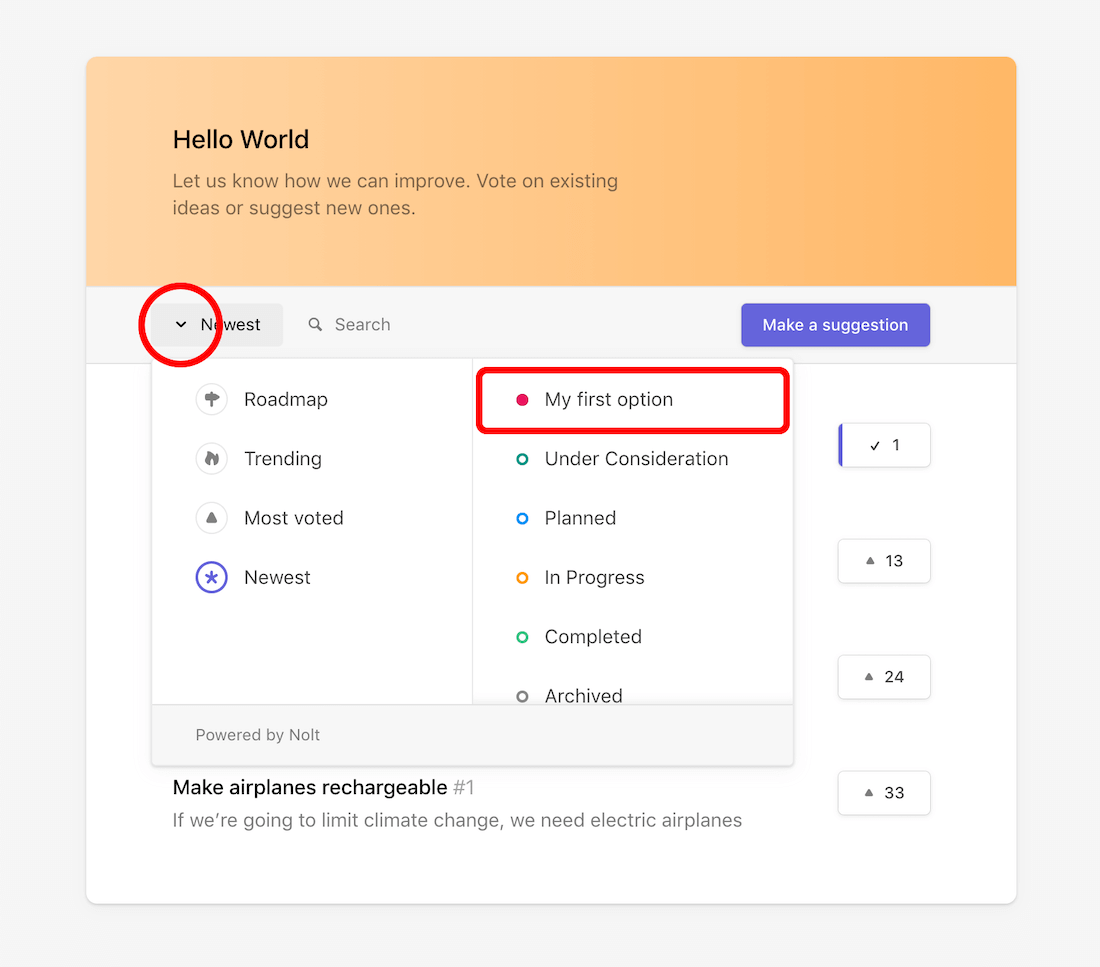
When you have a wide range of posts, sometimes you might want to display only the ones that contain the most specific information. You can achieve this with the help of your custom fields. Don't have any custom fields yet? Take a look at this article on custom fields to help you get started.
Filtering with tags in list view
The easiest way to filter your posts is by displaying tags in the list view of your board. For this, we need to make sure the setting option Show in list view is enabled for your desired field.
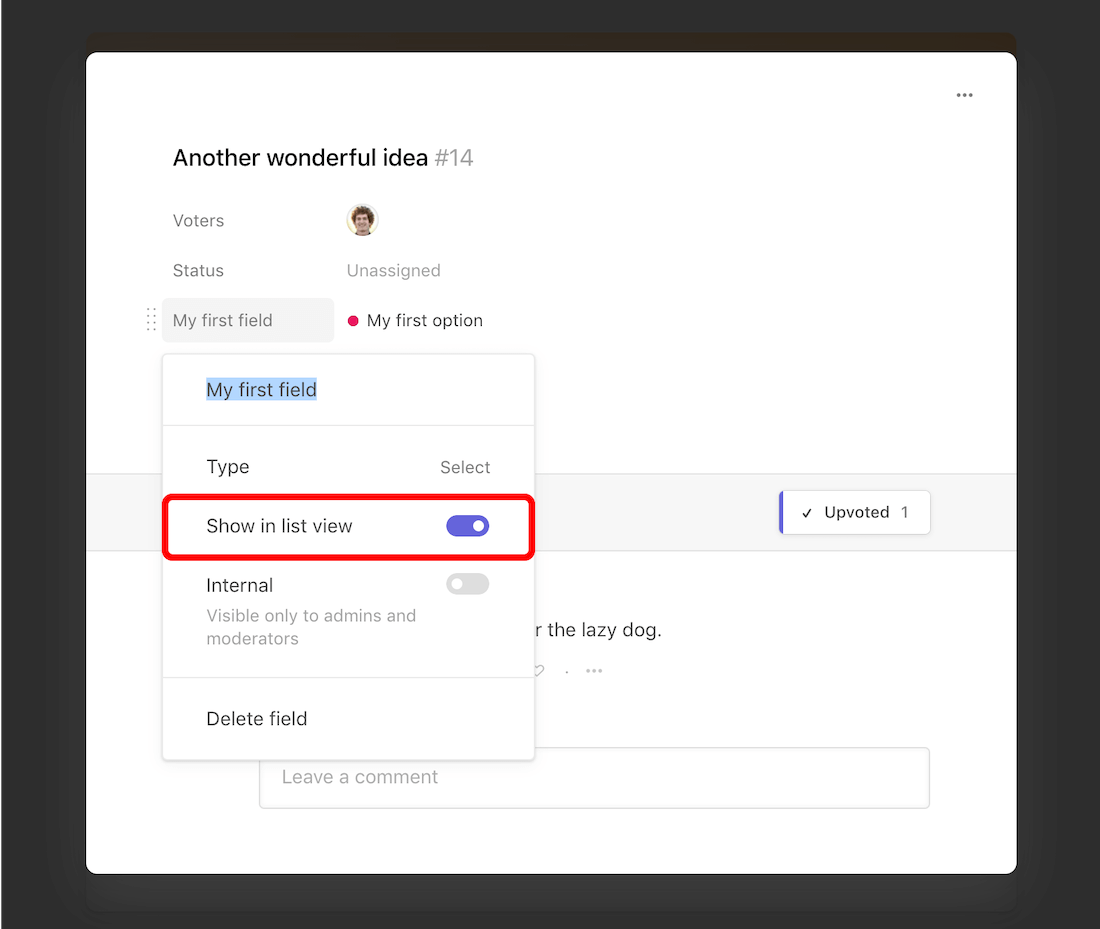
- From the board homepage, open any post.
- Click on the field label.
- Enable Show in list view.
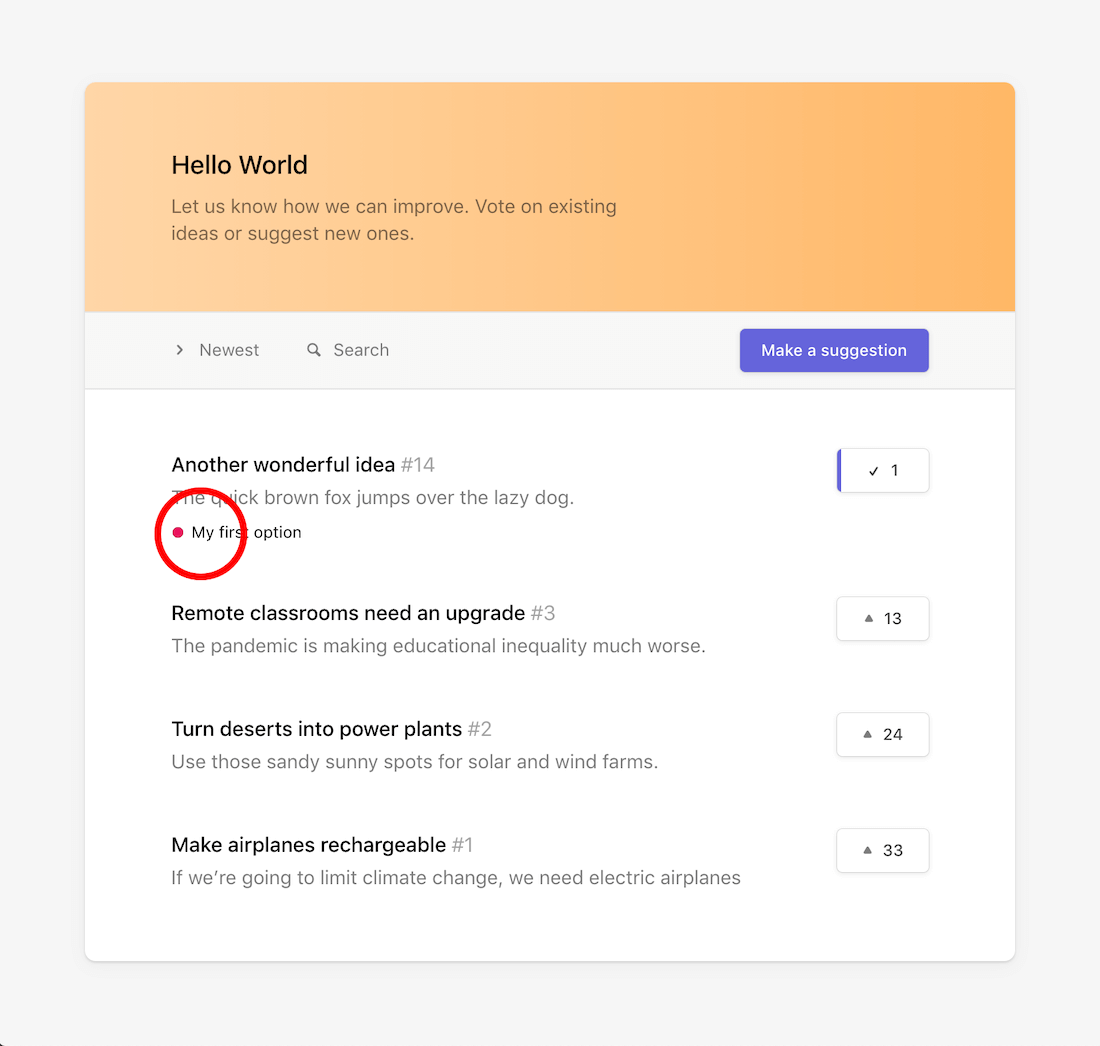
- When you go back to your board homepage, you will see the selected field values under the post.
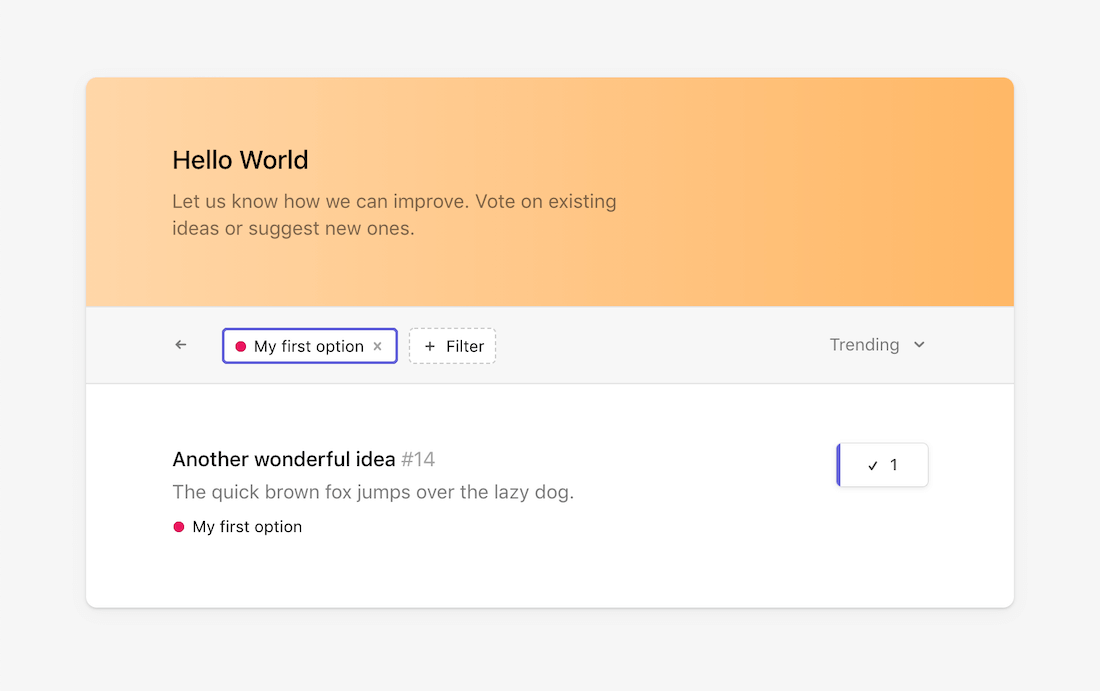
- Clicking on any post tag will filter the list.
Filtering via board menu
Alternatively, you can also find all your filter options in the board menu.