
You have probably seen this happen before. If someone reports a bug with too little information, like “The checkout page is not working”, the developer can’t do much with that. And then the questions start: “Do you have a screenshot?” ” What were you doing before it happened?” and so on.
That’s where a good bug report template can help. You get all the context you need in one place, and it makes the reporting process a lot smoother. Here are a few standard templates that you can copy/adapt to your process. We’ll also explore examples and best practices for collecting bug reports.
What should a bug report contain
Apart from stating what went wrong, include the exact steps you took before you encountered the bug. Below are some prompts you could use to structure the bug report in a way that is helpful for your developers:
- Title: A concise title (Example: Checkout fails during payment on mobile)
- Environment: operating system, browser, app version, device, etc. (Example: iPhone + Safari + iOS version.) Sometimes, bugs appear only in certain setups.
- Steps to reproduce: What steps would someone need to take to see the same bug
- Expected result: what should have happened
- Actual result: what happened instead
- Severity: How badly is the bug affecting you?
- Priority: How quickly would you like it to be fixed?
- Attachments: screenshots, videos, or error logs.
- More context: Anything else that might help, like how often it happens
Also consider who the bug report form is for; you don't want to overwhelm end users with too many questions. If it's for your internal team, a more detailed form could work well.
Bug report templates
Copy, paste, and fill in. Three versions for three situations.
Template 1: Standard bug report
Use this when: your team or testers are logging bugs, and you want one consistent format.
Title: [Short, specific summary of the bug]

Environment:
- OS: [e.g. macOS 14.2]
- Browser / App version: [e.g. Chrome 121 / App v3.4.1]
- Device: [e.g. iPhone 15]

Steps to reproduce:
1. [First action]
2. [Second action]
3. [Third action]

Expected result: [What should have happened]
Actual result: [What actually happened]

Severity: [Critical / High / Medium / Low]
Priority: [High / Medium / Low]

Attachments: [Screenshot, recording, or console log]
Additional context: [Frequency, affected users, anything else]
Template 2: Quick bug report (for end users)
Use this when: customers are reporting bugs. Keep it short, because asking for too much means people give up halfway through.
What went wrong: [Describe what happened]
Where: [Which page or screen]
Steps: [What you did just before it happened]
Screenshot: [Attach if you can]
Template 3: Detailed bug report (for QA teams)
Use this when: QA or engineering needs full detail for triage and tracking.
Bug ID: [Unique identifier]
Title: [Short, specific summary]
Reported by / Date: [Name, timestamp]
Status: [New / In Progress / Blocked / Resolved]

Environment: [OS, browser/app version, device, build/commit]
Preconditions: [Any setup needed before reproducing, e.g. logged in as admin]

Steps to reproduce:
1. [Step]
2. [Step]

Expected result: [What should happen]
Actual result: [What happens instead]

Severity: [Critical / High / Medium / Low]
Priority: [P0 / P1 / P2 / P3]
Attachments: [Screenshots, recordings, logs, network data]
Severity vs. priority: the distinction that matters
Severity and priority measure two things, and they can be a bit confusing at times.
Severity=How bad is the bug?
You can measure severity by the kind of impact it is having on the system or users. Something like the app crashing would be considered high severity because it’s disrupting the users’ workflows. Similarly, a bug that causes data loss or affects integrated services is likely to be high on severity. If it's just a cosmetic/visual issue, it's considered less severe.
Priority=How urgently should we fix it?
The obvious thing to see is if it affects the company’s revenue or reputation. There are other factors too that can influence priority, like: which type of customers are affected, how many customers are affected, how visible the issue is, whether there is a workaround, etc.
It’s natural to think bugs that are high on severity would also be high on priority. But that’s not always the case. You can have a typo on your pricing page, and even though it doesn’t disrupt the user (low severity), it could be considered high priority because it’s something every visitor sees. There’s also the case where an issue is high on severity- like a feature crashing but it is used by very few people and rarely. This could be classified as low priority.
Of course it all comes down to the resource constraints and goals your team has. Severity is usually based on predefined levels of impact, but the priority you give to a bug is partly subjective. Two teams could reasonably give the same bug different priorities based on their customers, business goals, deadlines, and resources. Knowing these factors helps you take the most efficient course of action and fix issues in the right order.
Good vs. bad bug reports
As we already discussed, giving too little information starts a back-and-forth process for getting more context. A good report gives you enough information to investigate the problem.
With a QA tester, you can expect a lot more of the technical details:
CSV export fails on the Reports page in Chrome 121 on macOS. Click Export → select CSV → click Download. Spinner continues indefinitely. Console returns a 500 from /api/reports/export. Happens every time.
From an end user, you can expect something like this:
I tried to export my report as a CSV, but nothing downloaded. The loading icon just keeps spinning. I'm using Chrome on a Mac.
Another thing you would want to avoid is reporting multiple issues in the same bug report. It then becomes tedious to track them. You also don’t want to make assumptions because it can send the person investigating the issue in the wrong direction. It’s usually best to describe what happened rather than guess why.
How to collect bug reports from your users
Your users might not be willing to fill out an 8-field form. Your job is to make reporting easy and still collect the right information your team needs.. Here are the most common ways bugs are discovered:
Support channel (Email, chat, helpdesk)
One of the most common ways users report bugs. This is usually then added into your issue tracker by someone. It’s low friction for users, but it starts to get buried under support tickets and duplicates. You also might need to manually follow up with multiple users when the issue is resolved.
In-app widgets
Apps usually have a “Report a bug” or “Give feedback” option that opens as a popup inside the app. The user doesn’t have to leave your app to make a report. The other advantage here is that with some tools you can capture a screenshot, console log, and environment details automatically. You can also embed a feedback board as a widget. This way, all your bug reports are in one place, and users are notified when they are reporting something that’s already there. More on feedback boards later.
Forms
You can use any of the variety of form software, like Google Forms, for example. They give you more structure than an email and route the replies to a spreadsheet-like format. Similar to email, you can’t avoid duplicates, and keeping the reporters updated can be a lot of manual work.
Issue trackers
Issue trackers are usually only for internal teams, but in a few cases users also might be allowed to report bugs directly through them. For example, developer tools or open-source projects can ask users to submit issues through GitHub Issues. Users here are usually comfortable enough to provide the technical details themselves.
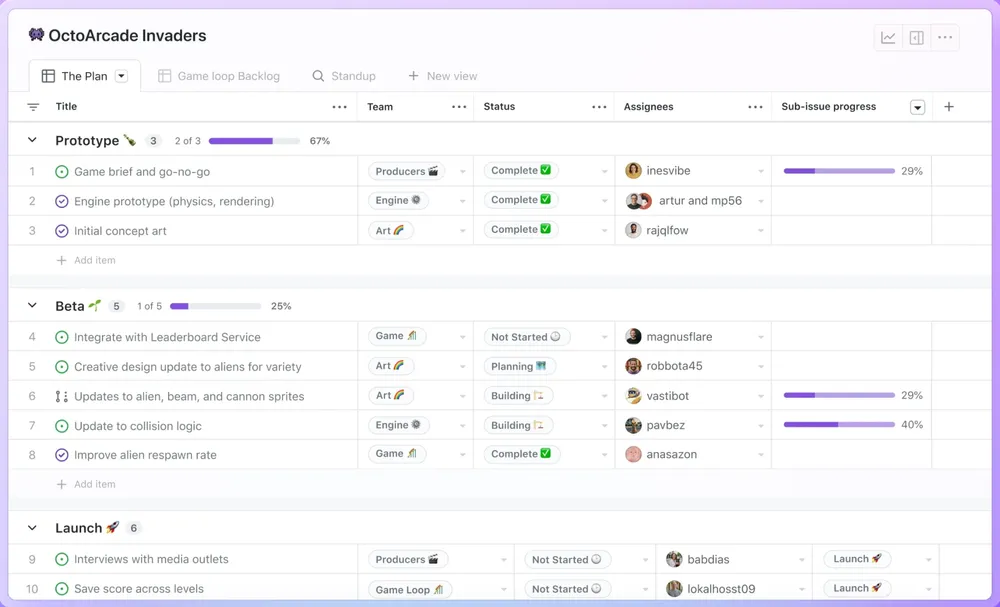
Public feedback boards
The main advantage here is the visibility and automatic status updates (with some tools like Nolt). Reporters can see if the bug is already reported, add comments to the existing report, or simply upvote it. Votes bring up the issues that are getting the most attention. It reduces the load of tracking and keeping everyone updated. All relevant users get notified automatically about status updates and activity on the thread.
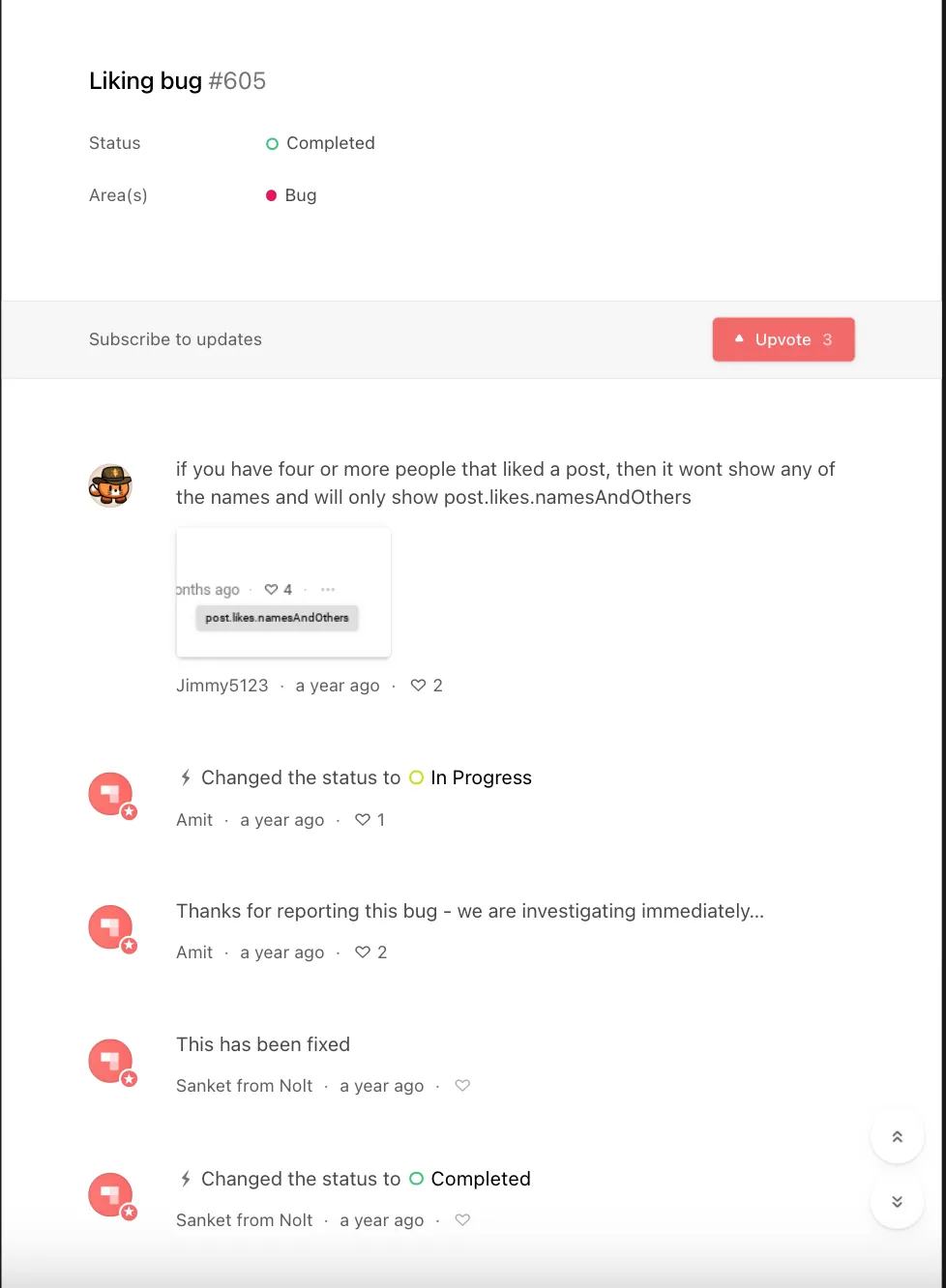
Should your bug board be public or private?
A public bug reporting board can be useful because it reduces duplicates. It also reassures your customers that they are being heard. However, not every company wants this. Bugs may be simply something you don’t want your customers to see. Many teams keep the bug board private- for internal testers. That’s something you’ll have to decide based on who your customers are and what you are comfortable sharing with them.
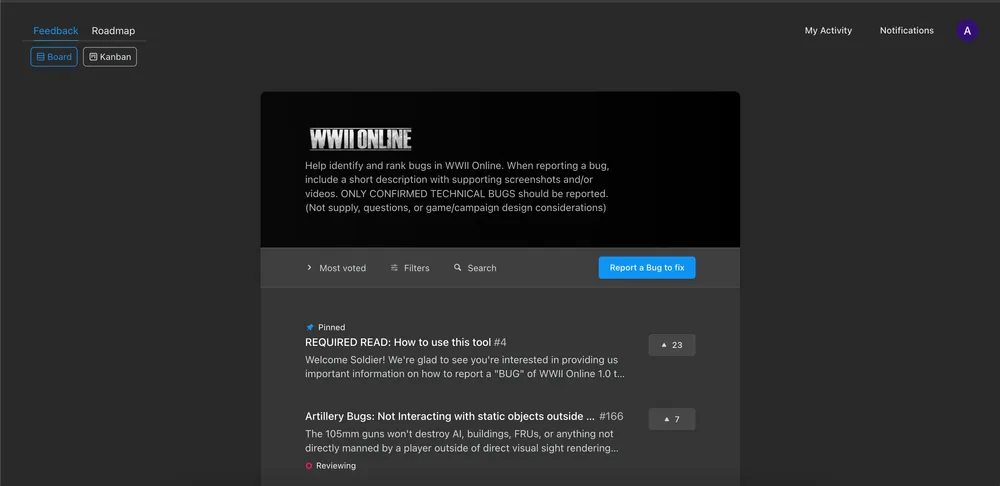
Where Nolt fits in
Many teams keep two separate boards for feature requests and bugs. If you are considering setting up a feedback board, here are a couple of things Nolt offers that can help with bug reporting:
- An embeddable widget: You can embed the feedback board inside your app so that it opens as a popup, modal, or sidebar.
- Privacy options: Apart from making the bug board public or private, you also have more nuanced options like restricting access to a certain domain or protecting it with a password.
- Custom fields: You can add as many fields as you want to store more context- single-select, multi-select, text, and checklist fields. Make them private for information only meant for your team.
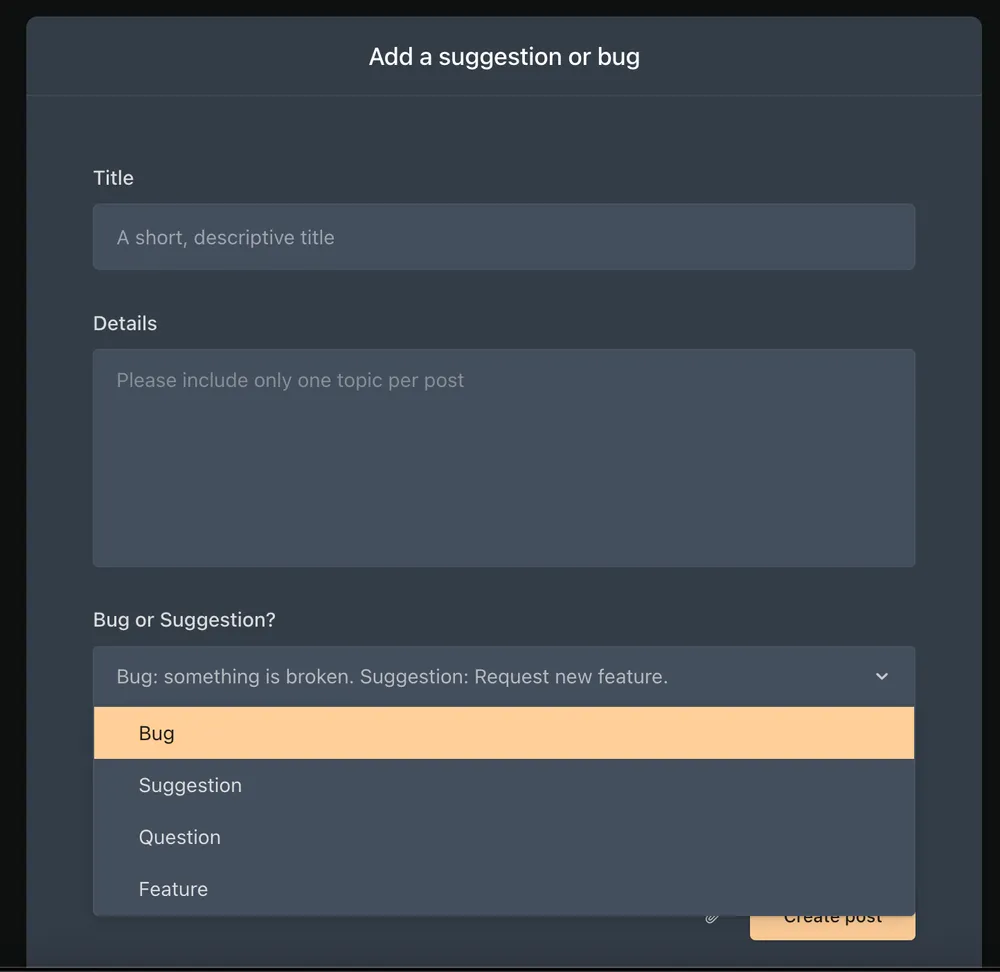
- Voting: Users can upvote the bugs that are affecting them.
- Custom statuses: You can create your own statuses like “Investigating” to keep customers informed as your team resolves issues.
- Kanban and list views: These can help you manage bugs with filtering, assignment, setting deadlines, and bulk actions.
- Duplicate detection: When a user starts a bug report, they are immediately shown if there are any other similar posts to avoid duplicates.
- GitHub and project management integrations: If your developers already use tools like Linear or Jira, you can connect them to the feedback board to automatically create tasks and keep them in sync
- Moderation controls: Manual moderation means that no post will go public without approval.
What a bug report looks like in popular tools
Your developers fix bugs in tools like Jira, Linear, ClickUp, and Asana. Most of these can also collect reports through a form, a Slack intake, or a service portal, but those funnel submissions into a private ticket or task. The person who reported the bug usually can't see other reports, can't tell if it's already known, and gets little visibility into what happens next. A feedback board works differently: users report in a shared, public space where they can see what's already reported, upvote to show it's affecting them too, and follow the status through to fixed. You get fewer duplicates and a clear signal of which bugs hurt most, then sync it all into the tracker your developers already use.
Linear
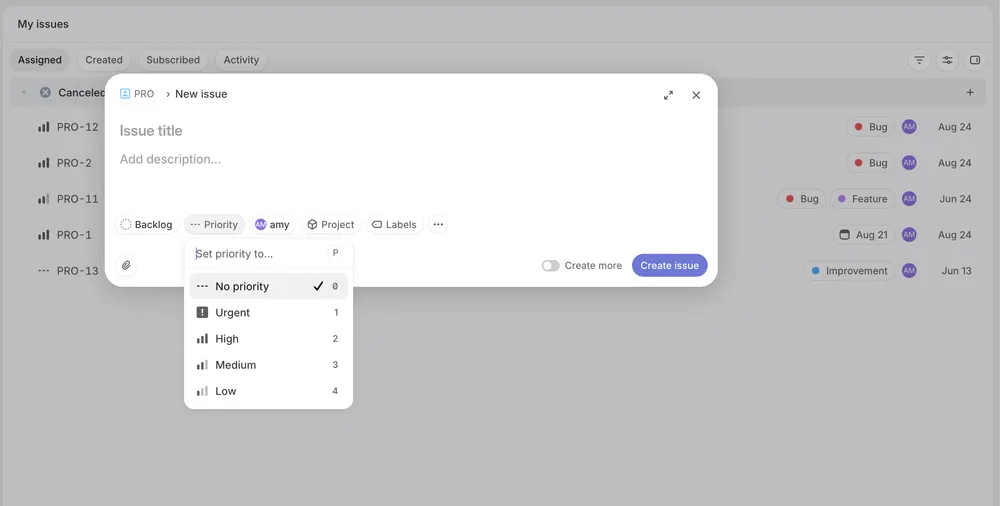
Linear is built for speed: developers can file, triage, and close issues with keyboard shortcuts in seconds. Its Git integration is the standout: connect a branch to an issue and Linear updates the status automatically when a pull request opens, merges, or deploys, so a bug's status stays current without anyone touching a ticket. For collecting reports, Linear Asks lets people file bugs without a Linear account, though it's built for internal requests coming through Slack and email rather than public, end-user reporting.
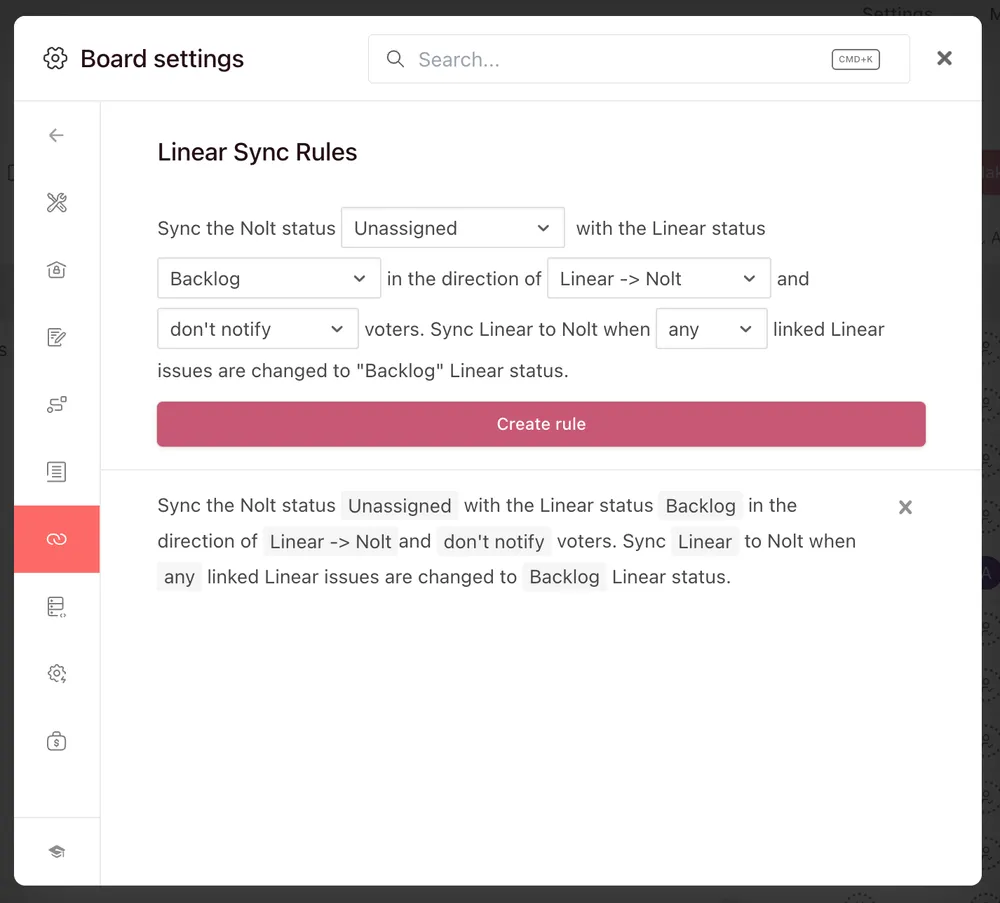
With Nolt: collect bug reports from your users on a public board and sync them with Linear. The integration is two-way with configurable sync rules, so a bug's status stays aligned in both tools as your developers work it.
ClickUp
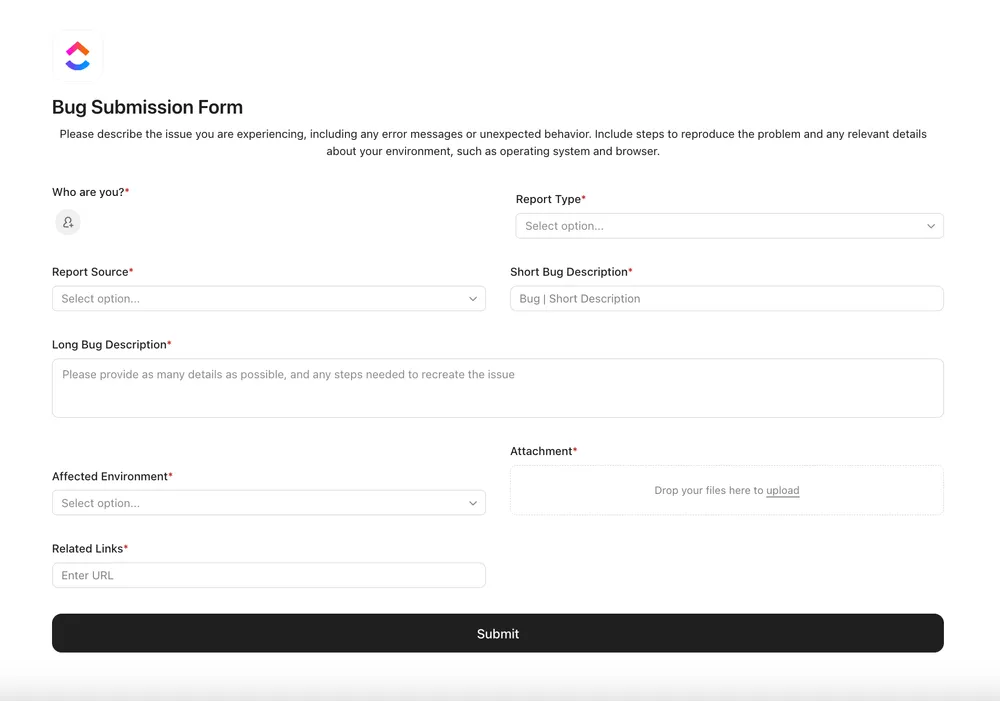
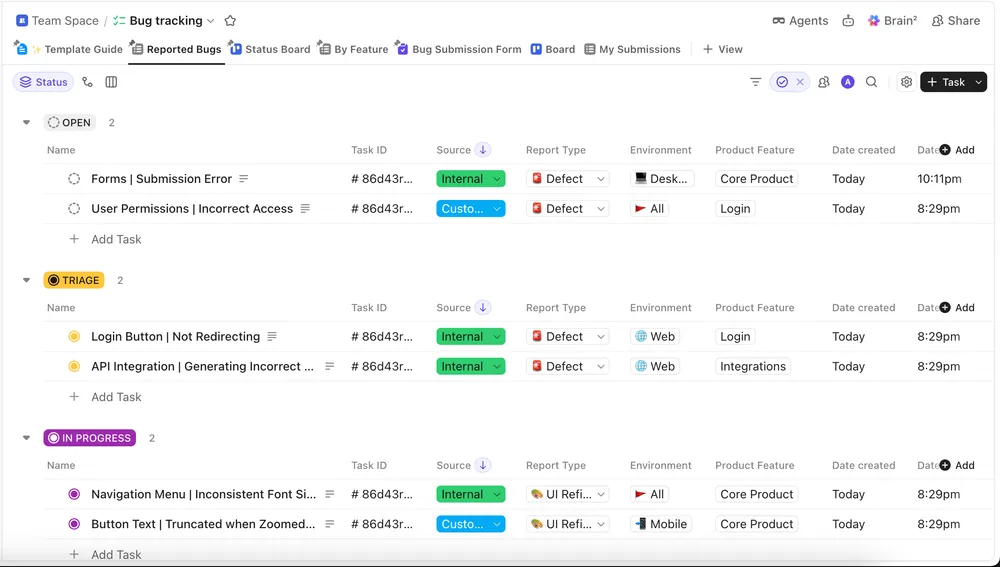
ClickUp's strength is flexibility. Custom fields capture severity, environment, and reproduction steps as dedicated, filterable data, and the same bug list can be viewed as a List, Board, Calendar, Gantt, or Timeline without duplicating anything. It also offers shareable Forms that turn submissions into tasks, useful for internal intake, though a form submission is private to your workspace rather than a shared, votable board.
With Nolt: Nolt's ClickUp integration offers two-way sync, so a bug's status stays aligned between your Nolt board and ClickUp as your team works it.
Asana
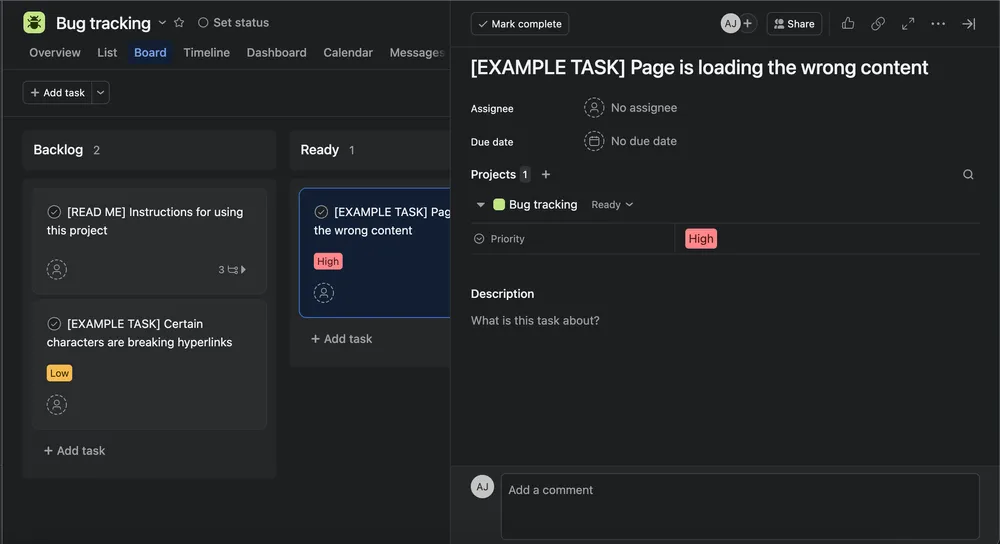
Asana fits bug tracking into the same workspace a team already uses for everything else. Its official Bug Tracker template ships with sections for triage, in progress, fixed, and verified, plus custom fields for severity, priority, and source, and its Forms let non-Asana users submit reports that become tasks. That makes it a strong fit for mixed, cross-functional teams who want shared internal visibility.
With Nolt: send user-reported bugs from your board into Asana as tasks, so they flow through the same project stages as the rest of your team's work.
Jira
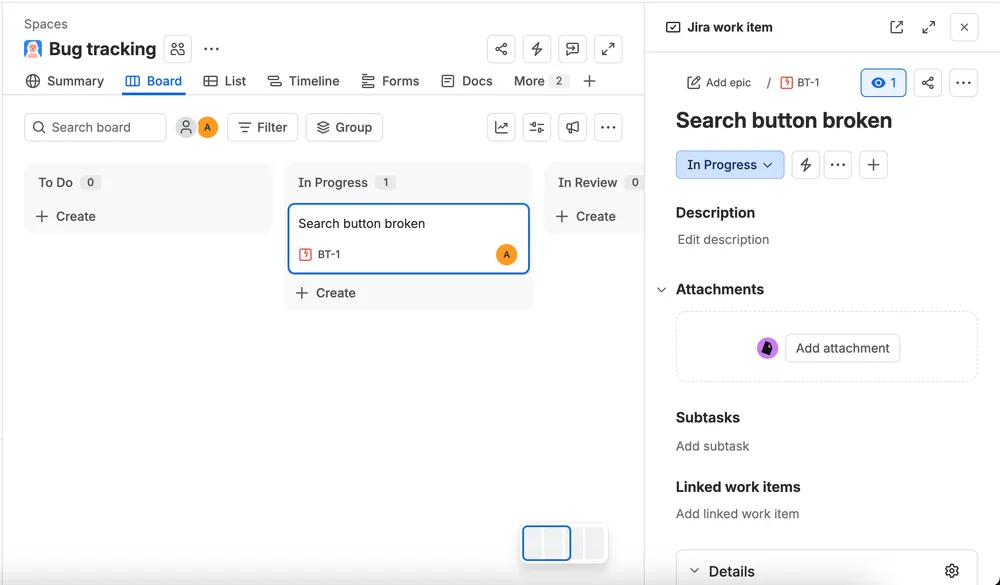
Jira is the enterprise standard, purpose-built for defect management. Its dedicated Bug work type carries descriptions, severity, version, and screenshots, and its configurable workflows let you define exactly how a bug moves from reported to verified, with validators that can require a tester, not the fix author, to close it. JQL, Jira's query language, drives saved filters and dashboards. For collecting from users, Atlassian offers Jira Service Management, a separate product with a customer portal, though it's built for IT and service desks rather than product feedback. Jira's main tradeoff is complexity.
With Nolt: collect bugs from your users on a public board and sync them two-way with Jira, so your developers keep their rigorous workflow while you keep reporting simple and public for users.
What happens after a bug is reported
Once you collect the bug report, you need to keep the reporters informed about its status. As we already saw, this is simple to handle with a feedback board. With Nolt, you can customise which email notifications are sent to the original reporter and to the people who upvoted or commented on the bug.
For bug fixes that are worth an entry in your changelog, you can get Nolt to write the update for you. Nolt’s AI can write the update based on the completed bug report or from GitHub commits, in the style you prefer. For more on changelogs, see our guide to writing changelogs.
Best practices for bug reports
We have already covered most of the best practices; here is a quick recap list:
- Clear title
- Steps to reproduce: Begin with a known starting point
- Expected vs actual result
- Environment: Browser, OS, device, app version, etc.
- Attachments: Screenshots, recordings, logs, etc if available
- Report only one bug per report
- Impact/severity: Explain how much the bug is affecting you and how quickly you would like it fixed
- Reproducibility: Talk about how consistently it happens
- Consistent format: Use the same structure across reports.
FAQs
Should you include a workaround in a bug report?
If there's a workaround, include it. A workaround tells your team how users can complete the task while the bug is being investigated or fixed. For example, if the Export button doesn't work but users can export the same data from the Reports page, include that alternative in the report. This can also help support teams give affected users a temporary solution.
What is a reproducible bug?
A reproducible bug is an issue that you can trigger again by following a known set of steps under the right conditions. A bug that happens consistently is easier to investigate because developers can observe the problem, test potential fixes, and verify that it has been resolved. If an issue only happens sometimes, record how often it occurs and what conditions seem to trigger it.
What should you do if a bug is intermittent?
Report the bug even if you can't reproduce it every time. Record how often it happens, when you first noticed it, and anything that seems to trigger it. Include timestamps, screenshots, screen recordings, logs, or other evidence captured when the problem occurs. For example, instead of saying "sometimes the page crashes," say "the page crashes about 1 in 10 times when submitting the form."
What is a regression bug?
A regression bug is a problem where something that previously worked stops working after a change to the software. The change could be a new feature, bug fix, configuration change, or update. When reporting a suspected regression, include the version where you first noticed the problem and, if you know it, the last version where it worked correctly. This can help developers identify what changed.
What is the difference between a bug report and a bug ticket?
The terms are often used interchangeably, but they can refer to different things. A bug report describes the problem and provides information such as reproduction steps, expected and actual results, and supporting evidence. A bug ticket is the item your team uses to track that bug through triage, assignment, development, testing, and resolution.
What should you do if you can't reproduce a reported bug?
First, check the reported steps, environment, version, and any screenshots, recordings, or logs. If you still can't reproduce the issue, ask the reporter for more information, such as when it happened, how often it occurs, and the exact conditions that triggered it. If the bug remains unreproducible after investigation, mark it as "Cannot reproduce" or an equivalent status rather than marking it as fixed. If the reporter provides new information or the bug becomes reproducible later, you can reopen it.