
What is a changelog?
A changelog is a reverse chronological record of the notable changes made to a product — new features, improvements, bug fixes, and anything else worth communicating to the people affected by it. It's updated whenever something worth communicating ships, whether that's a major feature or a small fix, and written for whoever needs to stay informed — end users, developers, or your own team.
A good changelog is more than a list of what shipped. It shows users that the product is moving, that their feedback is being acted on, and that there's a team behind it paying attention. Done well, it's one of the simplest ways to build trust with the people who use what you build.
Changelog vs. release notes — what's the difference?
The two terms get used interchangeably, but there's a useful distinction.
A changelog is a running, technical record of every change made to a product — written for developers, internal teams, and power users who want the full history. It tends to be terse and comprehensive, capturing every fix, tweak, and update in reverse chronological order.
Release notes are curated for a broader audience. They highlight what matters to end users — new features, meaningful improvements, resolved issues — written in plain language without jargon. They're how most customers find out what's new, and they often include visuals, links to documentation, and calls to try something out.
For most SaaS products, release notes are what your users see. The changelog lives closer to your engineering workflow, for the people who need every detail.
That said, real-world usage is still inconsistent — many teams use the labels loosely or swap them entirely. The distinction above is a useful convention, not a hard rule.
Who is a changelog for?
A changelog is for anyone who needs to stay informed about how a product changes over time.
That might be end users who want to know what's new, developers tracking technical updates, support teams staying current with fixes, or prospects evaluating whether a product is actively maintained. The audience varies — and so does the format and tone teams use to reach them.
What stays the same is the purpose: a running, transparent record of how a product evolves.
Why changelogs matter
They show users the product is moving
A changelog is visible proof that the product is actively being improved. Users who check in regularly and see consistent updates feel more confident that the product is worth their continued investment — and that the team behind it is paying attention.
They build trust through transparency
Products that communicate openly about what's changing build more credibility over time than those that go quiet between big announcements. A changelog doesn't need to be polished to be effective — it just needs to be honest and consistent.
They close the feedback loop
When users can see their requests reflected in updates, it reinforces that feedback leads somewhere. That keeps users engaged and encourages them to keep contributing — because they can see that what they share actually matters.
They support retention
Users who feel informed tend to stay more engaged. A changelog gives them a reason to keep checking back, makes it easier to discover new features, and creates a record of value that's easy to point to when renewing or recommending the product.
They help with acquisition, too
A changelog isn't just for existing users. Prospects evaluating your product can see how actively it's being developed and get a sense of the team's priorities and pace. Consistent, well-written updates signal a product worth investing in.
Types of changelogs
The most useful way to think about changelog types is by audience — that's what determines the content, tone, and structure. How it gets delivered is a separate decision you make on top of that.
User-facing changelog
Written for customers and end users. It focuses on what changed, why it matters, and how it affects their workflow. This is what most people mean when they talk about a changelog — a running record of product updates written in plain language. It builds trust, shows momentum, and gives users a reason to keep paying attention.
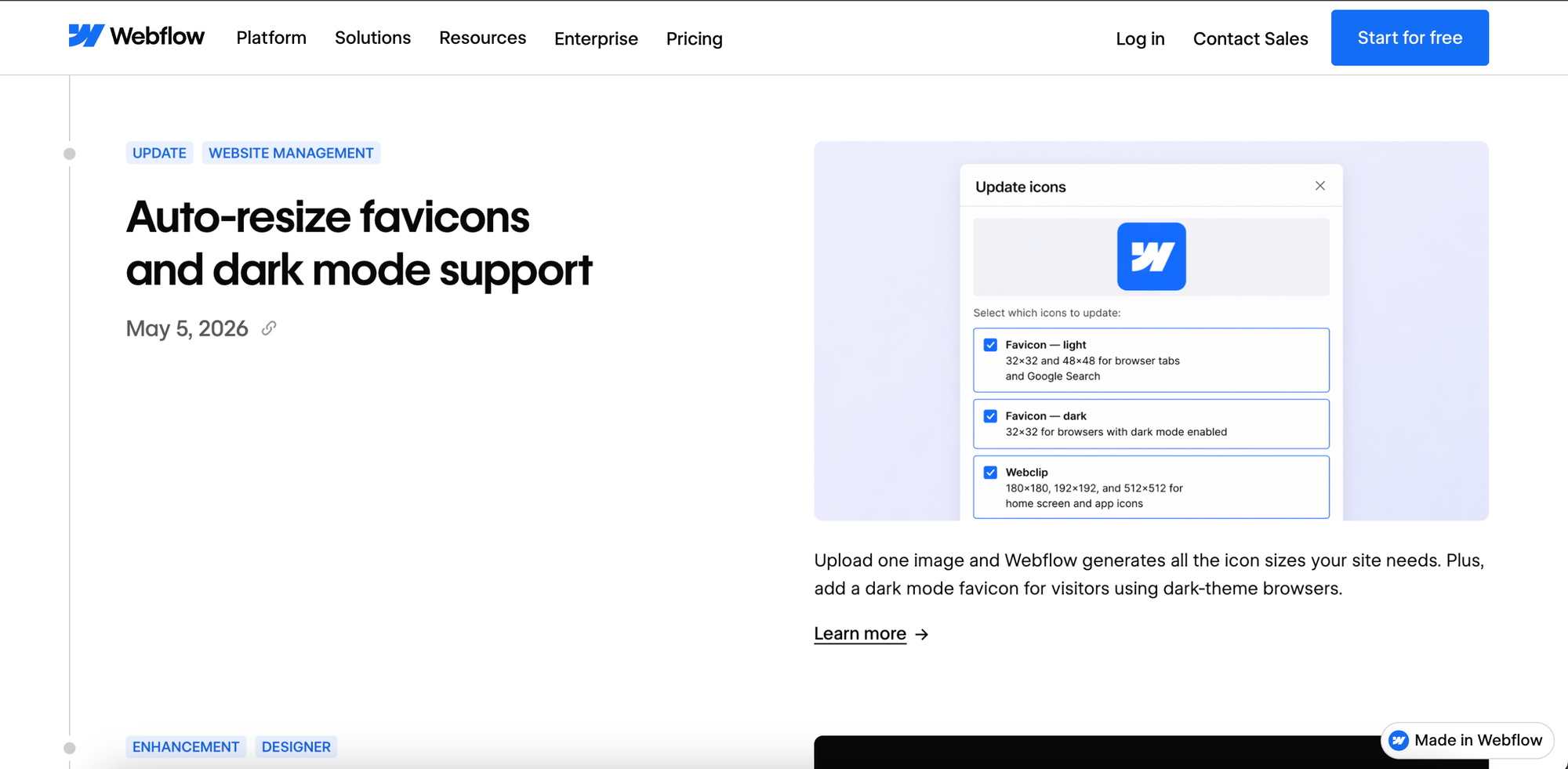
Webflow's changelog is clean, visual, and built for a non-technical audience. Each entry leads with a clear headline, a screenshot or UI mockup showing the feature in context, and a short plain-language description focused on what users can now do.
Developer changelog
Written for developers integrating with or building on top of your product. It covers API updates, breaking changes, deprecations, and dependency changes. The language is more technical, and the stakes are higher — a missed breaking change can take down an integration. If your product has a public API or developer platform, this warrants its own dedicated changelog.
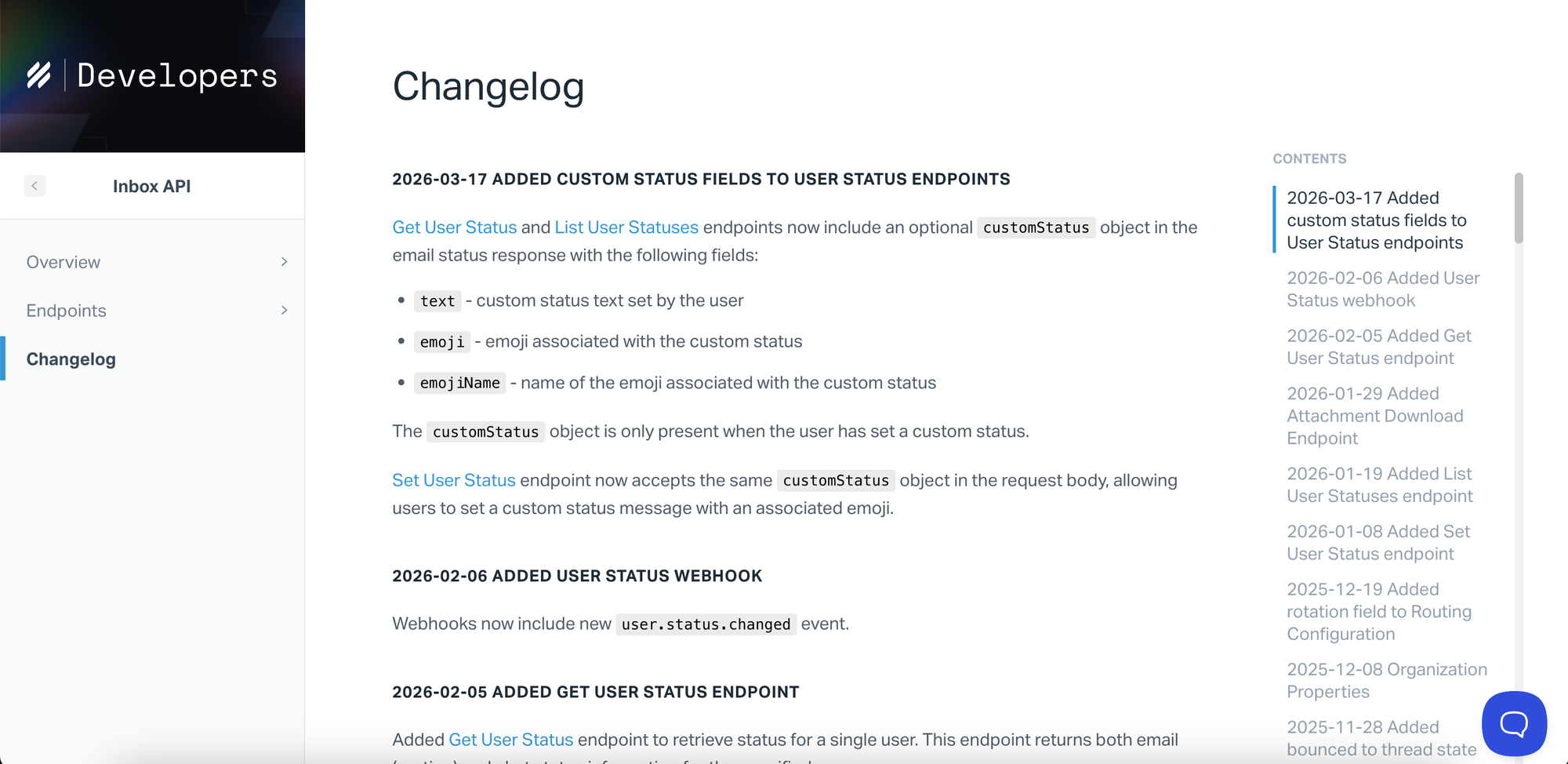
Help Scout's Inbox API changelog is a good example of this done well. Entries are dated, written in plain technical language, and link directly to the relevant endpoints. Inline code formatting makes parameters and object names immediately scannable. No narrative, no marketing — just the information developers need to know what changed and whether it affects their integration.
For open source projects or products with a public repository, a structured markdown format is common — version number and date as the header, with changes grouped under Added, Changed, Fixed, and Removed. This convention, popularised by keepachangelog.com, is widely recognised in the developer community and works well when the changelog lives in a repository rather than on a product page.
## v2.1.0 – 2025-04-15
### Added
- New `/users/status` endpoint to retrieve live user status
### Changed
- `GET /reports` now returns results in descending order by default
### Fixed
- Resolved an issue where webhook events were duplicated on retry
### Removed
- Deprecated `user_id` parameter removed from `/events` endpoint
Internal changelog
Shared within the team rather than with users. It keeps support, sales, marketing, and customer success up to date on what has shipped and when. Support teams benefit most — when a user asks about a recent change, they can answer confidently without chasing down a developer. It also helps with onboarding and reduces the "wait, when did we add that?" conversations.
Once you know who you're writing for, the next decision is delivery. The same user-facing changelog might live as a standalone public page, surface as an in-app widget, go out as an email digest, or be consumed via RSS — or all of the above. These aren't different types of changelogs, just different ways of getting the same content in front of the right people.
Some teams also maintain more specialised changelogs: a partner or vendor changelog for changes that affect third-party integrations and resellers, or a compliance changelog in regulated industries like healthcare and fintech, where a formal audit trail of every change — including who made it and when — is a legal requirement rather than a product decision.
How to write a changelog
Writing a good changelog is mostly about building a consistent habit. Here's how to approach it at each step.
Step 1: Decide your audience and where it will live
Before you write anything, decide who the changelog is for. A public changelog for end users looks different from an internal one for your support team, or a developer changelog for API consumers. Your audience determines the tone, the level of detail, and what's worth including at all.
Where it lives matters too. A standalone page, an in-app widget, and an email digest all serve different purposes — and many teams use more than one. Decide upfront so your entries are written with the right context in mind.
Step 2: Decide on a versioning or dating scheme
Every entry needs an anchor — either a version number, a date, or both. Which you choose depends on how you ship.
Teams that release continuously tend to use dates. Teams that ship discrete versions — especially developer tools or products with APIs — tend to use version numbers. Some teams use both: a version number as the primary identifier with a date alongside it.
For dates, use the ISO 8601 format: YYYY-MM-DD. So April 15, 2025, becomes 2025-04-15. It's unambiguous regardless of where your users are, unlike regional formats like 04/15/25 or 15/04/25, which mean different things in different countries.
Whatever you choose, be consistent. Users build a mental model of your release cadence from how you label entries, and switching formats midway through is disorienting.
Step 3: Collect and group your changes
At the end of each release cycle, gather everything that shipped — features, improvements, fixes, removals. Group related changes together and order them by impact. Major new features go first, minor fixes go last.
One thing to avoid: pulling directly from your git commit log. Commit messages document steps in the codebase, not outcomes for users. "Merge pull request #847" or "fix typo in onboarding copy" are not changelog entries. Filter ruthlessly — only include changes that are meaningful to the people reading it.
Step 4: Write each entry in plain language
Translate each change into something your audience can understand. Focus on the outcome, not the implementation.
"Improved search speed" not "optimised database query indexing." "You can now export reports as CSV" not "added CSV export endpoint to reporting module." "Fixed a bug that caused some users to be logged out unexpectedly" not "resolved session token expiry issue."
Start each entry with an action verb — Added, Fixed, Improved, Updated, Removed. It makes entries easier to scan and gives each line a clear subject. Keep entries short. For users who want more detail, link to a help article or a dedicated page rather than writing long inline explanations.
Step 5: Add context and visuals where useful
For significant changes, a sentence of context helps users understand not just what changed but why it matters. A screenshot or short GIF can make a new feature immediately clear without requiring a long explanation.
Don't overdo it. Save visuals for changes that are genuinely easier to show than describe — a new UI layout, a new workflow, a new integration. For smaller fixes, a clear one-liner is enough.
Step 6: Review before publishing
Before publishing, check that every entry is written for the right audience, that nothing sensitive or internal has slipped in, and that the tone is consistent across entries. For teams where multiple people contribute, a quick review step prevents the changelog from feeling patchy or inconsistent over time.
Step 7: Publish and notify users
Once the entry is ready, publish it and let users know. Don't rely on users to find the changelog on their own — most won't. An in-app notification, an email to subscribers, or a post in your community makes sure updates actually get seen.
If a change came directly from user feedback, notify the users who asked for it. Telling someone "the feature you requested is now live" is more effective than a generic announcement, and it closes the feedback loop in a way that encourages users to keep contributing.
Changelog best practices
Write consistently, not just for big releases
A changelog that goes quiet for months stops being useful and starts eroding trust. Users notice when updates dry up — it signals that either the product has stalled or the team has stopped communicating. Build updating the changelog into your release process so it happens as part of shipping, not as an afterthought. Even a minor release with only small fixes deserves an entry.
Be honest about removals and deprecations
When something is being removed or deprecated, say so clearly and early. Give users enough notice to adapt. Burying it in a list of improvements or softening it with vague language damages trust more than the removal itself.
Use tags or categories to help users filter
As your product grows and serves different types of users, not every update is relevant to everyone. Tags or categories — by product area, update type, or audience — let users filter for what matters to them without having to read everything.
Know when a change deserves a full announcement instead
Some changes are too significant for a changelog entry alone. A major new feature, a pricing change, or a significant redesign warrants a dedicated blog post, an email, or an in-app announcement. The changelog can still have an entry, but it shouldn't be the only communication.
The feedback → changelog loop
Most product teams treat feedback and changelogs as separate workflows. Feedback comes in through one channel, gets triaged somewhere, and the changelog gets written separately — often by someone who doesn't know which updates came from user requests. The connection between what users ask for and what gets communicated back to them gets lost somewhere in the middle. Users submit feedback, hear nothing, and eventually stop submitting altogether.
Treating them as a single connected workflow changes that dynamic. When users can see their requests reflected in what ships — and get notified directly when something they asked for goes live — it shows that their input has a direct effect on what gets built. It builds trust, keeps users engaged, and generates better quality feedback over time, because users who feel heard put more thought into what they share.
How Nolt connects feedback to your changelog
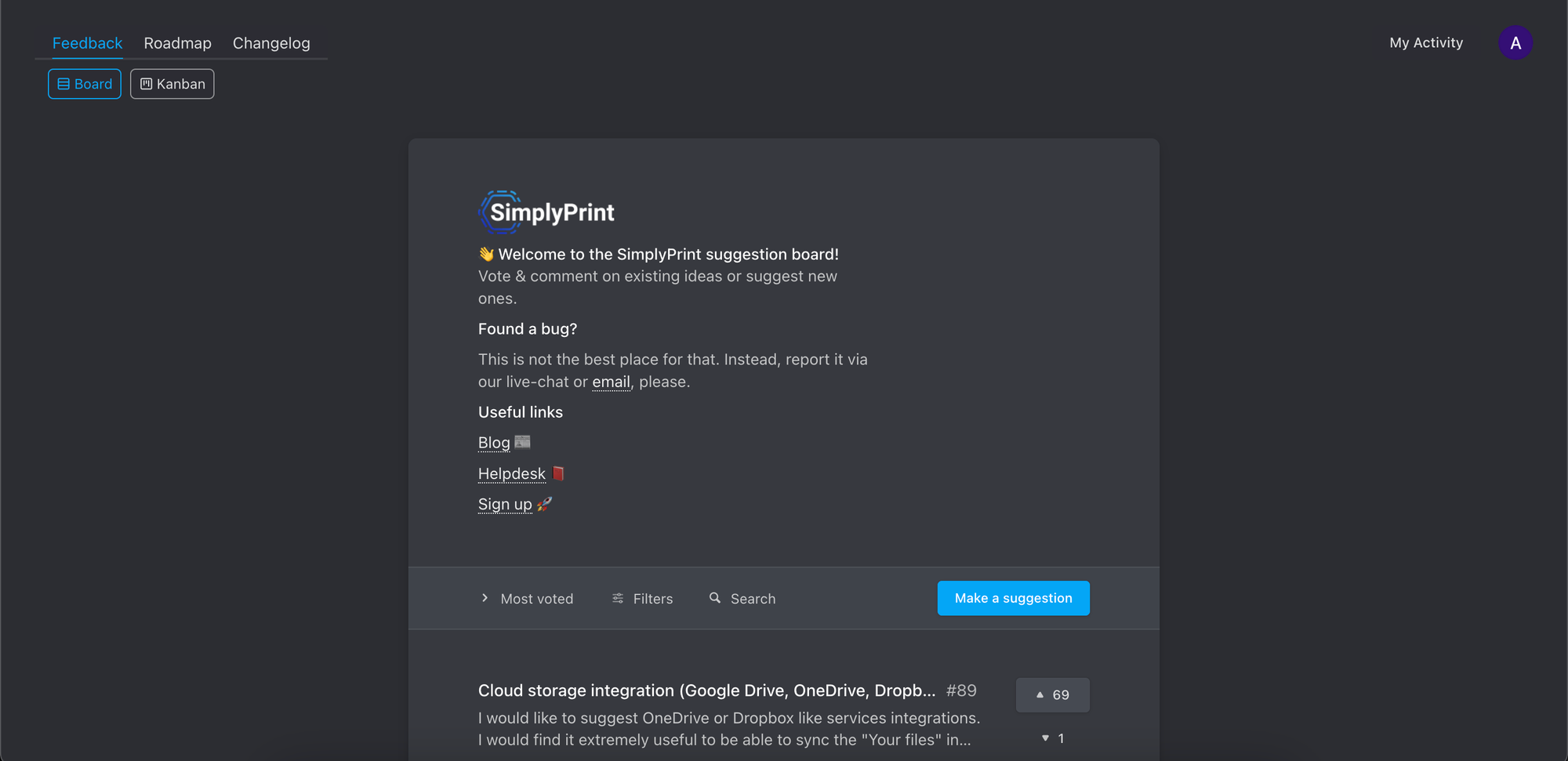
Nolt is built around this workflow. The feedback board, roadmap, and changelog are connected by design — so when something ships, the loop closes automatically rather than requiring a separate step in a separate tool.
Generate a changelog from completed feedback posts
When a feedback post is marked as shipped in Nolt, you already have everything you need to write the changelog entry — the title, the description, the comments, and the context of what users were asking for. The raw material is already there.
Instead of starting from a blank page, Nolt generates a draft changelog entry automatically from that post. The feedback becomes the brief, the AI produces a first draft, and you review, edit, and publish — with a link back to the original request so users can see exactly how their feedback was acted on.
Generate a changelog from GitHub commits
For teams shipping code, Nolt's GitHub integration lets commits feed directly into changelog entries. When a pull request is merged or a release is tagged, the relevant commits can be pulled and used as the basis for a draft.
This works especially well for teams already disciplined about writing good commit messages. Instead of manually translating technical changes into user-facing language, that translation happens automatically — turning "fix session token expiry on mobile Safari" into "Fixed a bug that caused some users to be logged out unexpectedly on mobile."
Setting the tone
AI-generated entries don't have to sound generic. Feed Nolt a few examples of how you write — existing changelog entries or anything that reflects your voice — and the drafts will match your tone rather than defaulting to something that sounds like every other product update. It's a small step that makes a noticeable difference, especially if your product has a distinct personality.
Changelog examples
The best way to understand what makes a good changelog is to see how others do it. These examples each take a different approach — worth studying before you write your own.
Linear
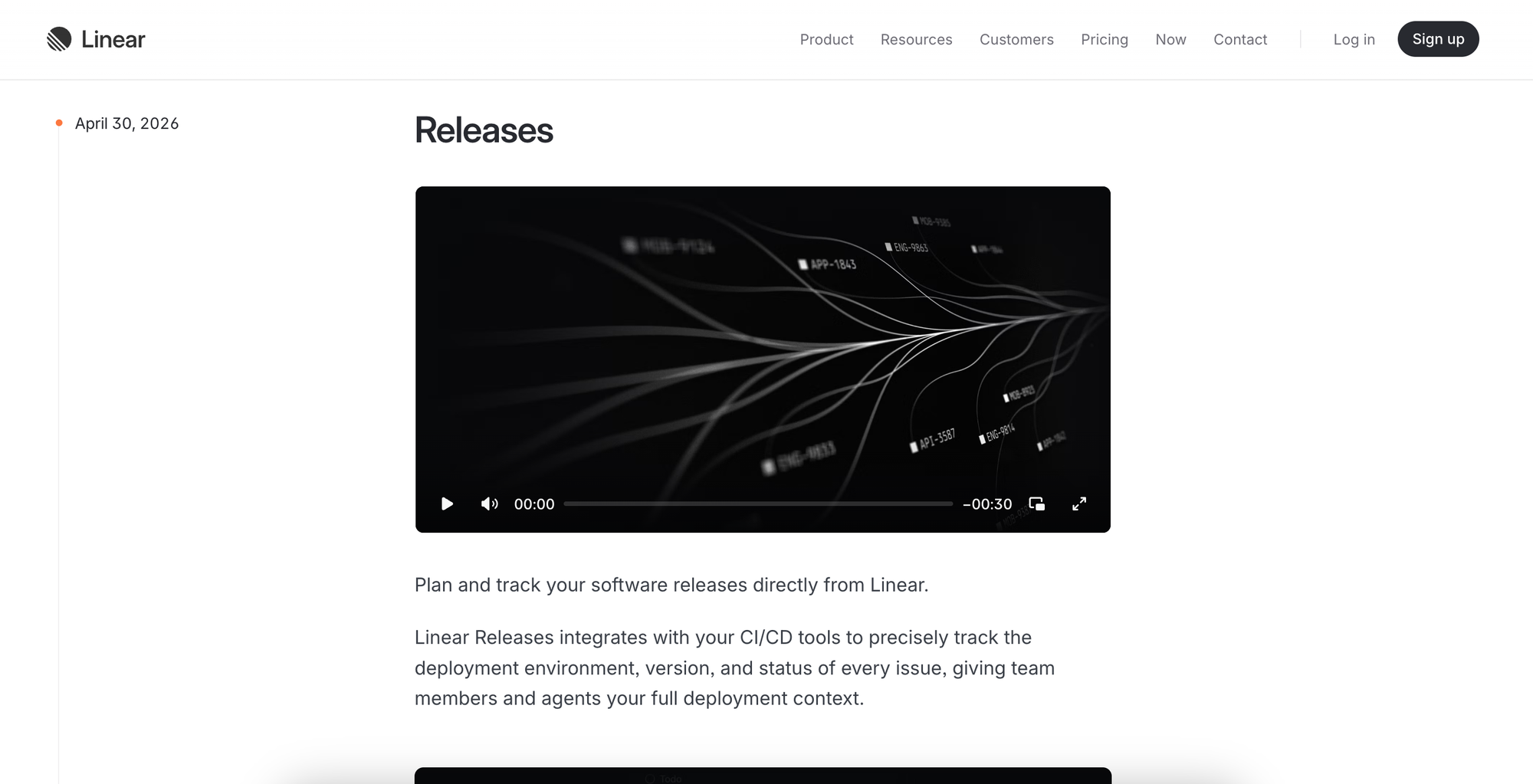
Linear's changelog leads with a video — each major entry opens with a short clip showing the feature in action before any explanation. The writing is concise and direct, focused on what you can do rather than how it works.
What's less obvious is how comprehensive it is. Below the headline features sits a detailed list of fixes, each tagged by product area — Inbox, GitHub, Slack, Editor — so engineers and power users can scan for exactly what changed. It manages to feel polished and minimal on the surface while actually being one of the more thorough changelogs around.
It's a good reference for products with both a general user base and a technical one — it serves both without feeling like a compromise.
Vercel
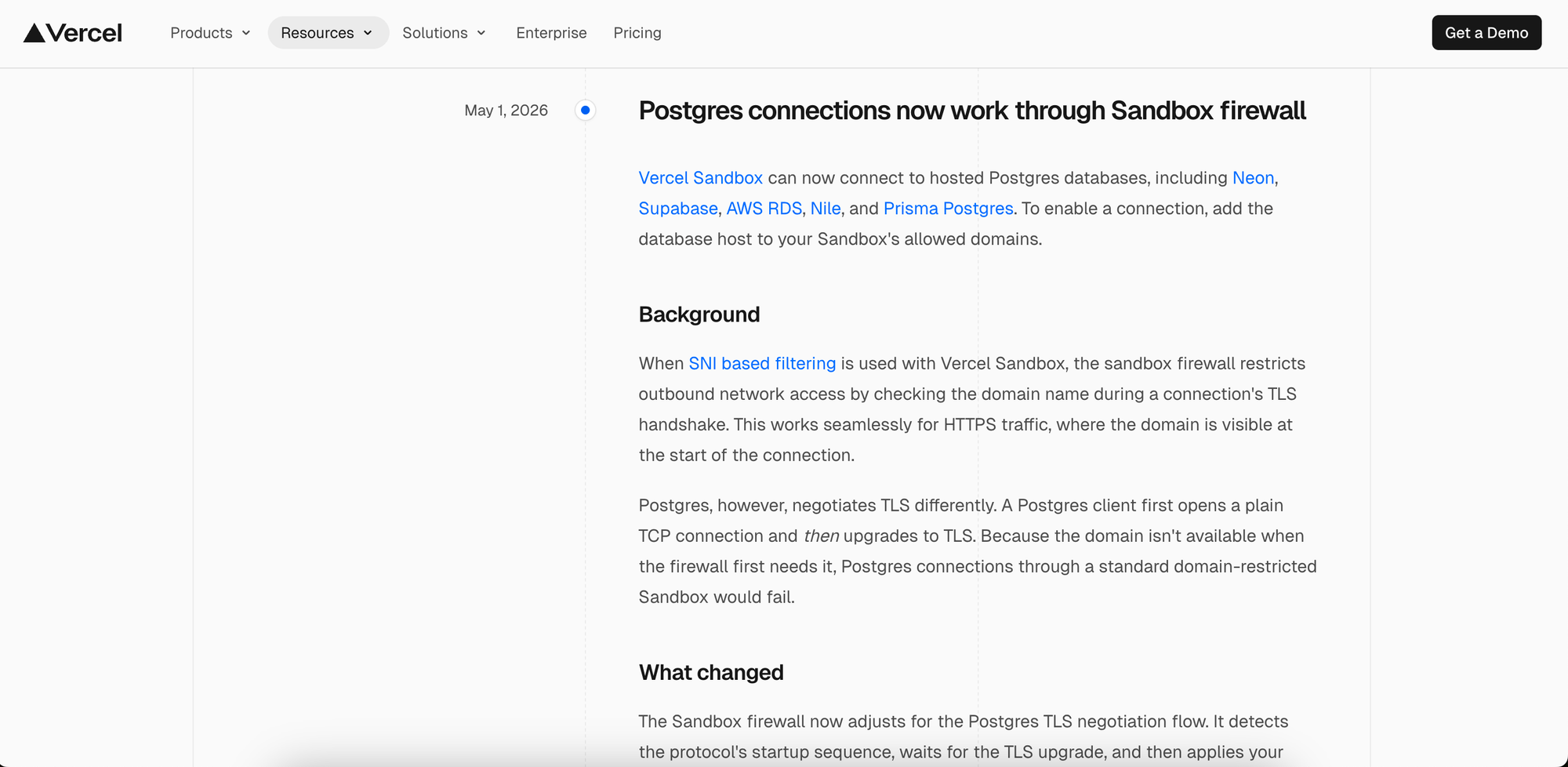
Vercel's changelog is technical and structured, written squarely for developers. Entries read more like short technical articles than simple update notes — with clear headings, impact summaries, and recommended actions where relevant. There's no fluff, but it's not terse either; entries give you exactly the context you need to act on a change.
Each entry is attributed to a named author with a link to their X profile — a small detail that adds a human face to technical updates and signals that real people are behind what ships.
It's a good reference for developer tools where changes have real downstream consequences, and users need enough detail to make decisions, not just awareness that something shipped.
Notion
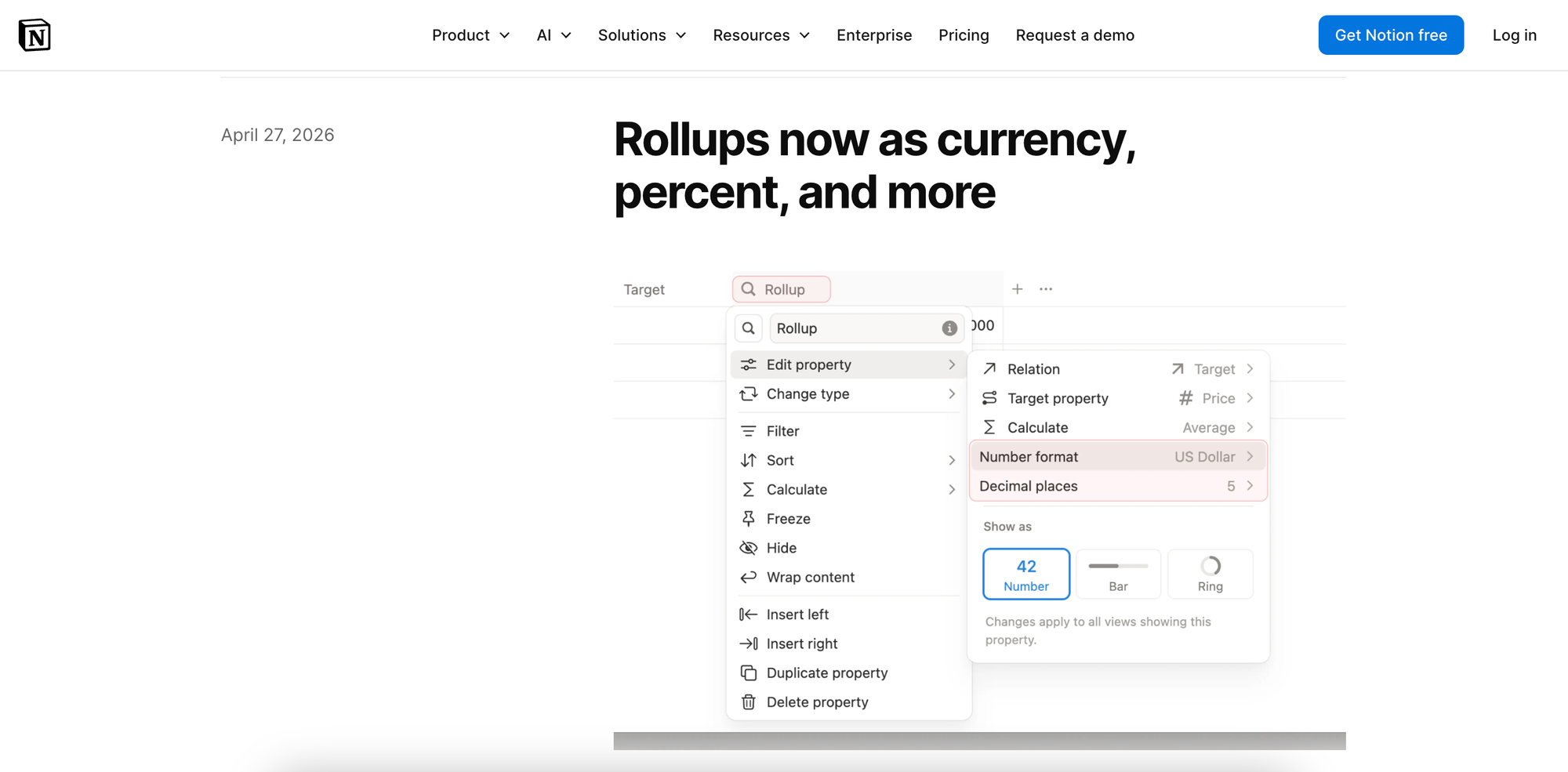
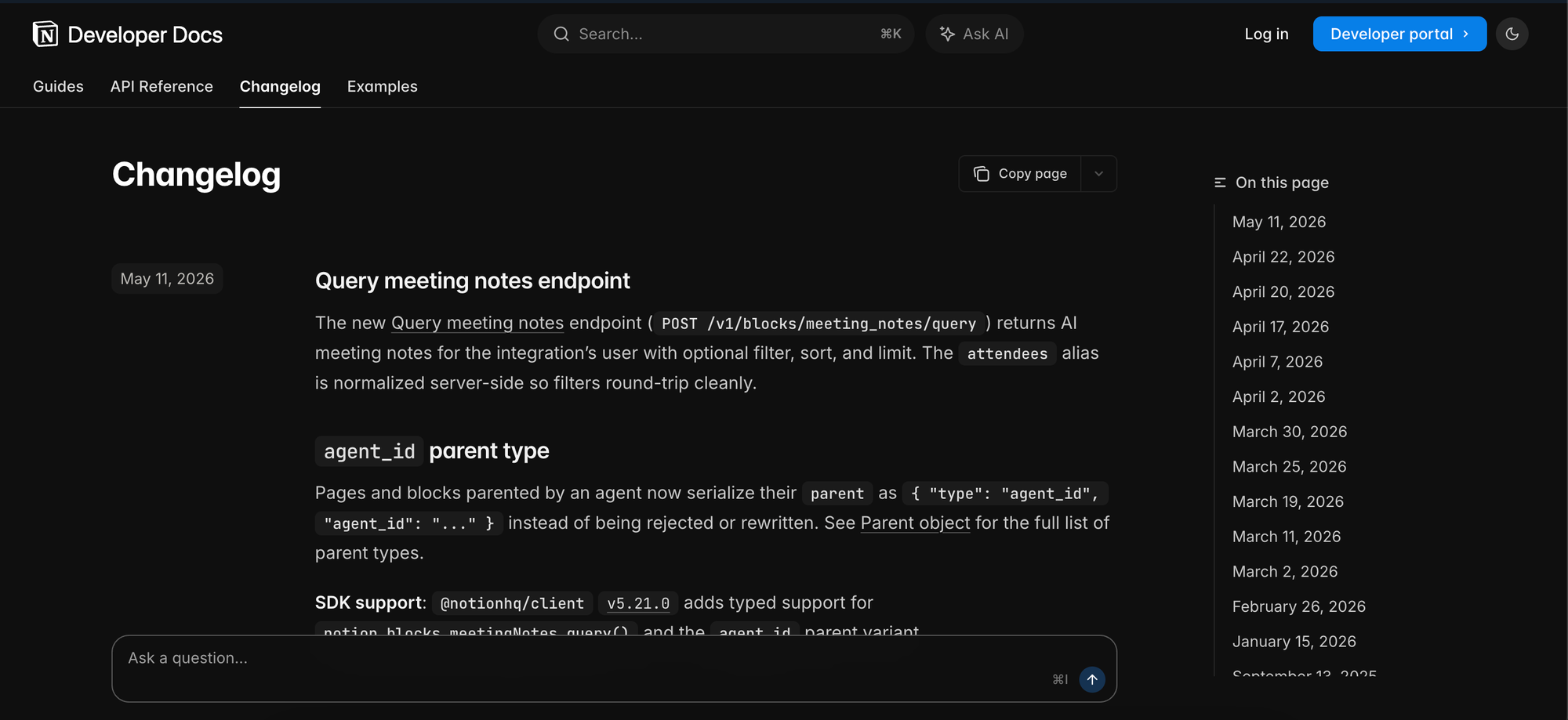
Notion actually maintains two separate changelogs for two different audiences. Their developer docs include a technical changelog — dark-themed, date-stamped, with inline code formatting for endpoints and parameters, sitting alongside API references and guides. It's written for developers building on Notion's API, not for end users.
Their public-facing "What's New" page is a different thing entirely. Entries read like mini product announcements — warm, conversational, and written for a broad non-technical audience. They often acknowledge feedback directly before explaining what shipped, lead with screenshots or video, and are kept short enough to read in under a minute.
It's a useful example of a team that recognised their audiences were different enough to warrant two completely separate approaches rather than trying to serve both in one place.
Slack
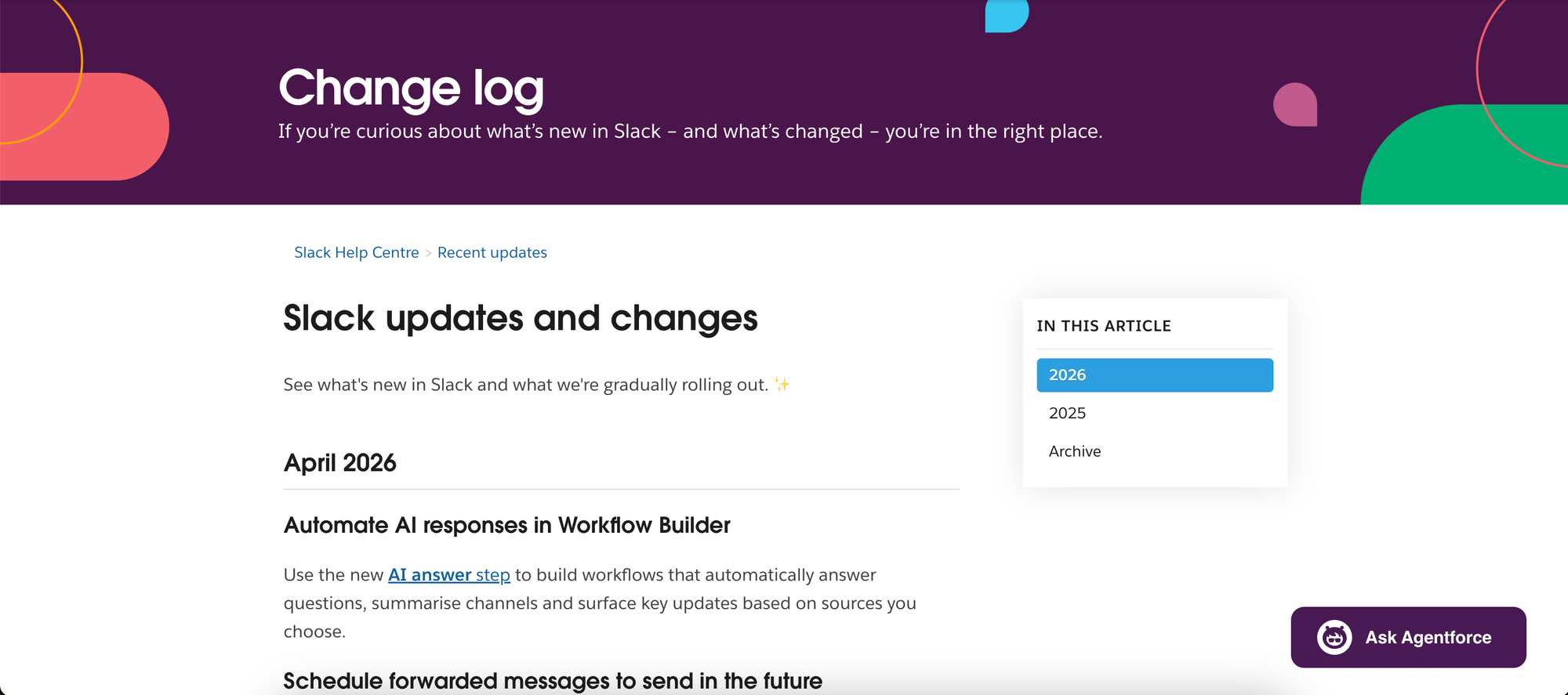
Slack's changelog is monthly and lives in their help centre rather than as a standalone page — a small signal that it's more of a support resource than a product surface. But the content itself is well put together. Each month leads with the biggest updates, then collects smaller changes under "Other news" so nothing gets lost, but the main features still get the spotlight.
The writing is plain and functional — no visuals, no warmth, but clear and easy to scan. It's a good example of a no-frills approach that still serves its audience well. Not every product needs a polished changelog experience; sometimes, consistent, well-organised text is enough.
GitHub
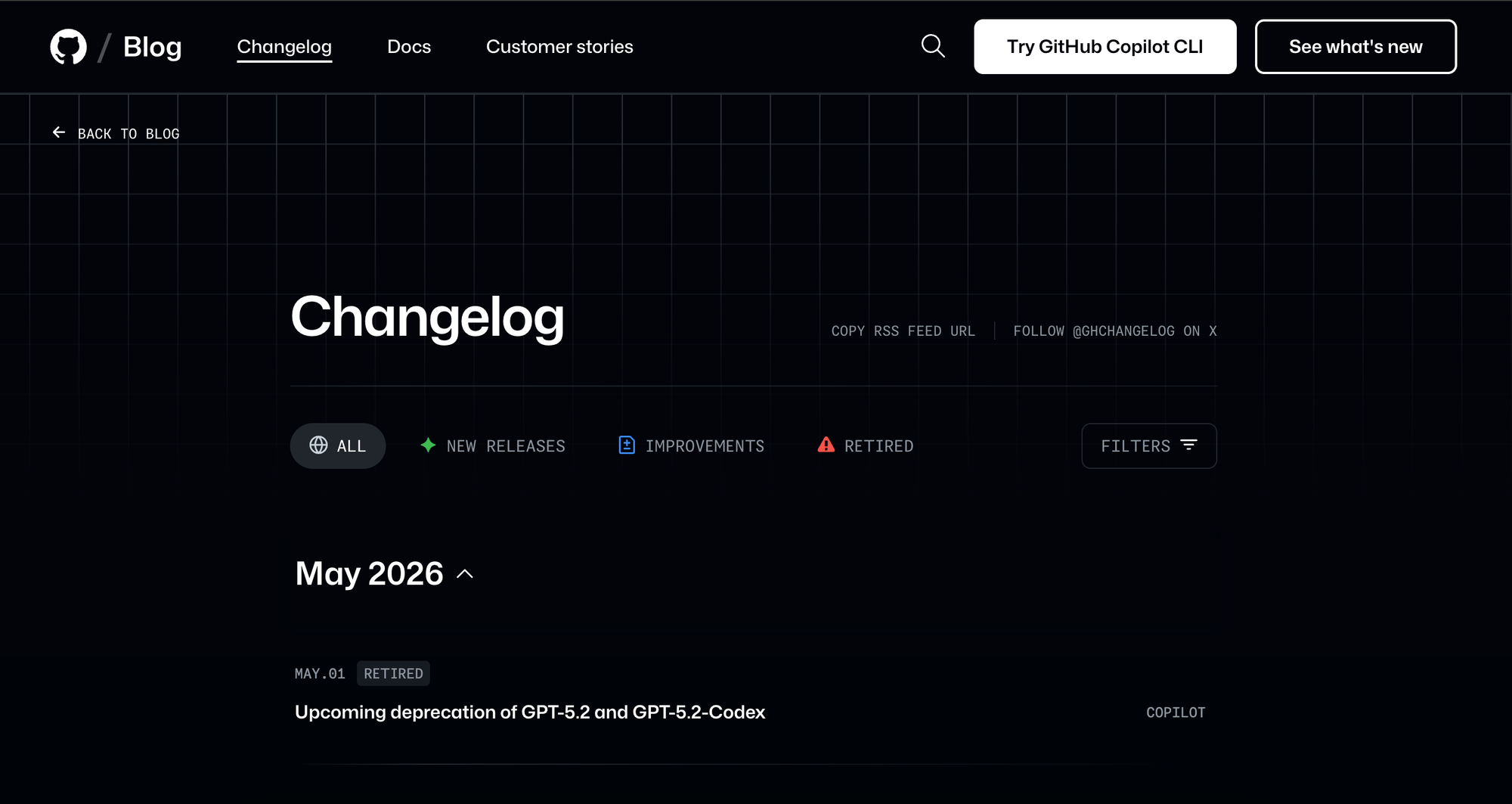
GitHub's changelog ships multiple entries a day and is built for a product with a vast, diverse audience. Every entry is tagged by product area — Copilot, Actions, Security, Enterprise — and labelled as a Release, Improvement, or Deprecation. Filters let you drill down to exactly what's relevant to you.
It's the clearest example of a changelog that has genuinely solved the scale problem. When you're shipping dozens of changes a week across many product areas, a flat list stops working. GitHub's answer is taxonomy — consistent labels, filterable tags, and RSS support — so different users can follow only what affects them.
The writing is terse and functional, but that's the right call at this volume. The structure does the heavy lifting.
A useful reference for any product that's grown large enough that a single undifferentiated feed no longer serves everyone well.
What to look for in a changelog tool
Not all changelog tools are built the same. Here's what's worth paying attention to.
Publishing and editing
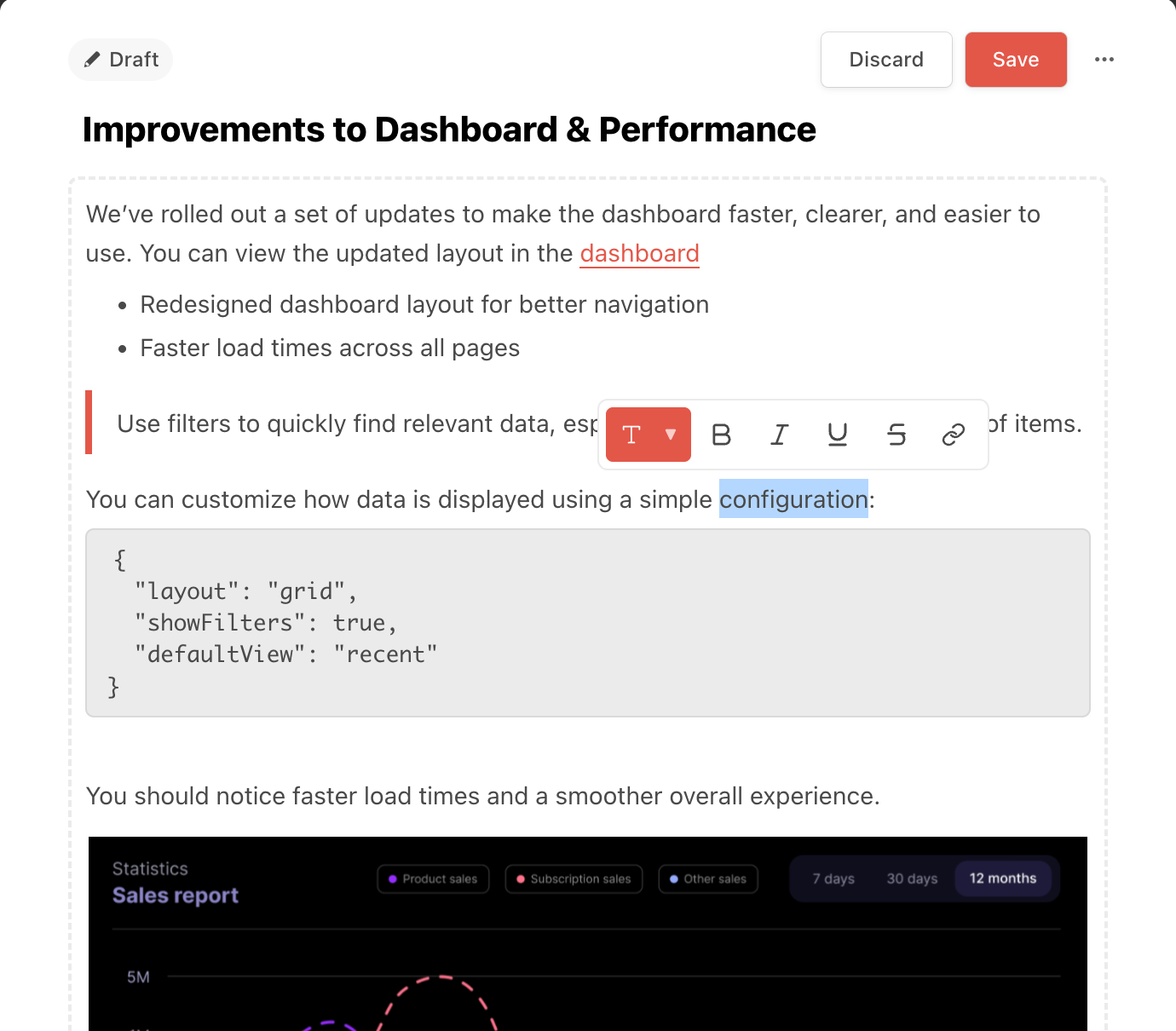
A clean, easy-to-use editor makes it more likely the changelog actually gets maintained. Look for rich media support — images, GIFs, and short videos help show features in action rather than just describing them. Scheduled publishing lets you draft entries ahead of time and go live when the moment is right.
Distribution
A changelog nobody finds isn't doing much. Look for tools that cover multiple channels — a public page on your own domain, an in-app widget that surfaces updates without pulling users out of the product, email notifications for subscribers, and integrations with tools like Slack, so updates reach users where they already spend time.
Searchability and categorisation
As your changelog grows, users need a way to find what's relevant to them. A searchable, sortable feed and clear categories make it easy to navigate without having to scroll through everything.
Targeted segmentation
Not every update is relevant to every user. The ability to send updates to specific user roles, segments, or demographics means users see what matters to them rather than being notified about everything.
AI-assisted writing
Some tools can generate draft changelog entries from commits, completed tickets, or feedback posts. This removes the blank page problem and makes it easier to publish consistently — especially for teams shipping frequently.
Branding
Your changelog is part of your product. Custom domains and styling mean it looks and feels like yours, not a third-party tool.
FAQs
How often should I update my changelog?
As often as you ship something worth telling users about. For most teams, that means weekly or with every release, but the cadence matters less than the consistency. Users build expectations based on how often you post; irregular updates with long gaps are more disorienting than a slower but predictable rhythm.
How long should a changelog entry be?
As short as it can be while still being useful. A single sentence is fine for a small fix. A short paragraph with a screenshot is right for a significant feature. If an update needs more than that, link to a dedicated post or help article instead. Some tools support expandable entries, a short summary by default with more detail on click, which keeps the feed scannable without sacrificing depth for users who want it.
Should I notify users every time I publish?
Not necessarily. In-app notifications work well for significant updates like new features and meaningful improvements. For minor fixes, a quiet entry on the changelog page is enough. The goal is to make notifications feel worth opening, which only works if you don't send them for everything. Save the push for changes that are actually worth interrupting someone for.
Can changelogs be automated?
Yes, to varying degrees. GitHub has built-in release notes that automatically generate a changelog from merged pull requests when you tag a release, a good starting point for developer-facing changelogs with no extra tooling required. For user-facing changelogs, Nolt takes it further, generating draft entries from GitHub commits or from feedback requests that have been marked as completed, translating technical changes into plain language in the process.