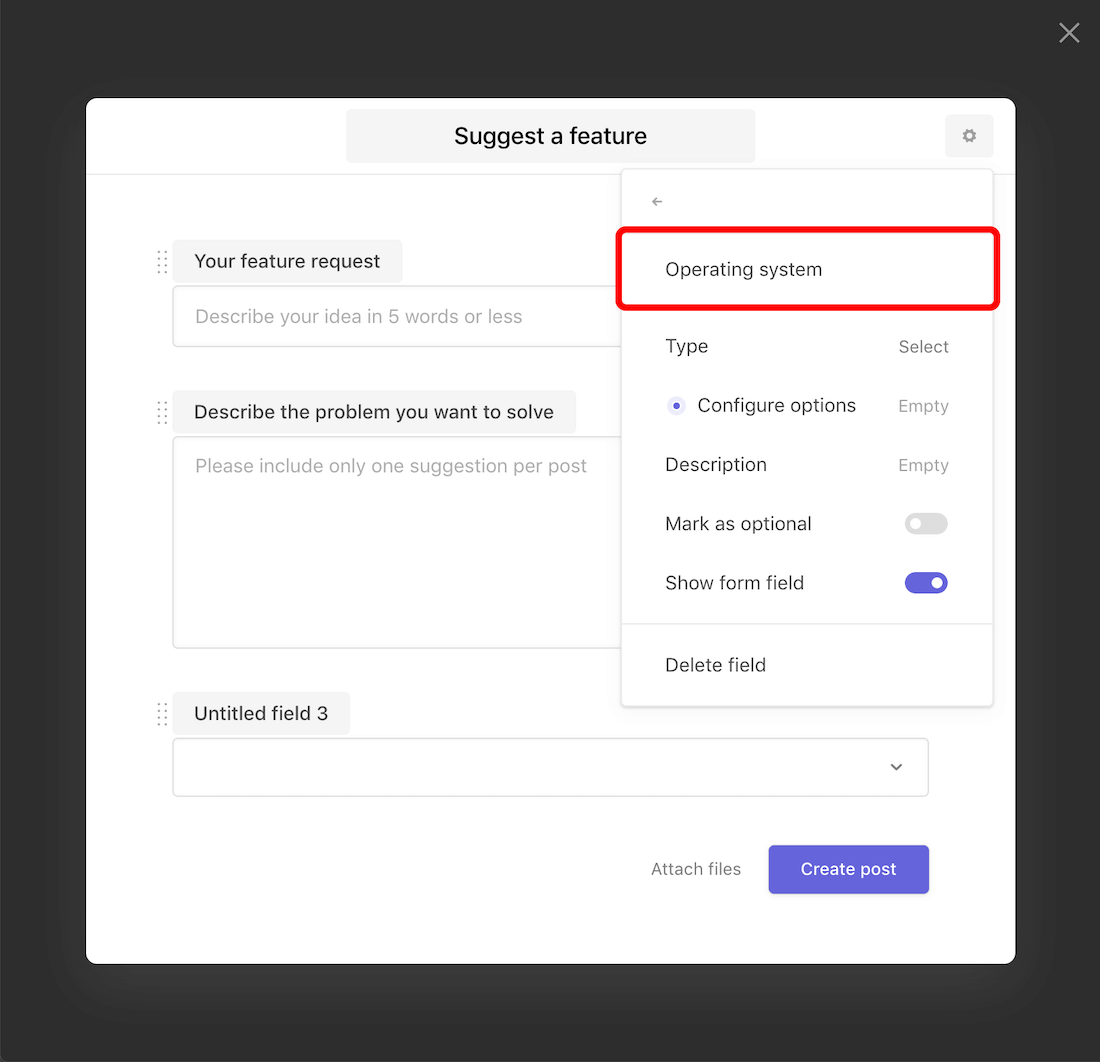
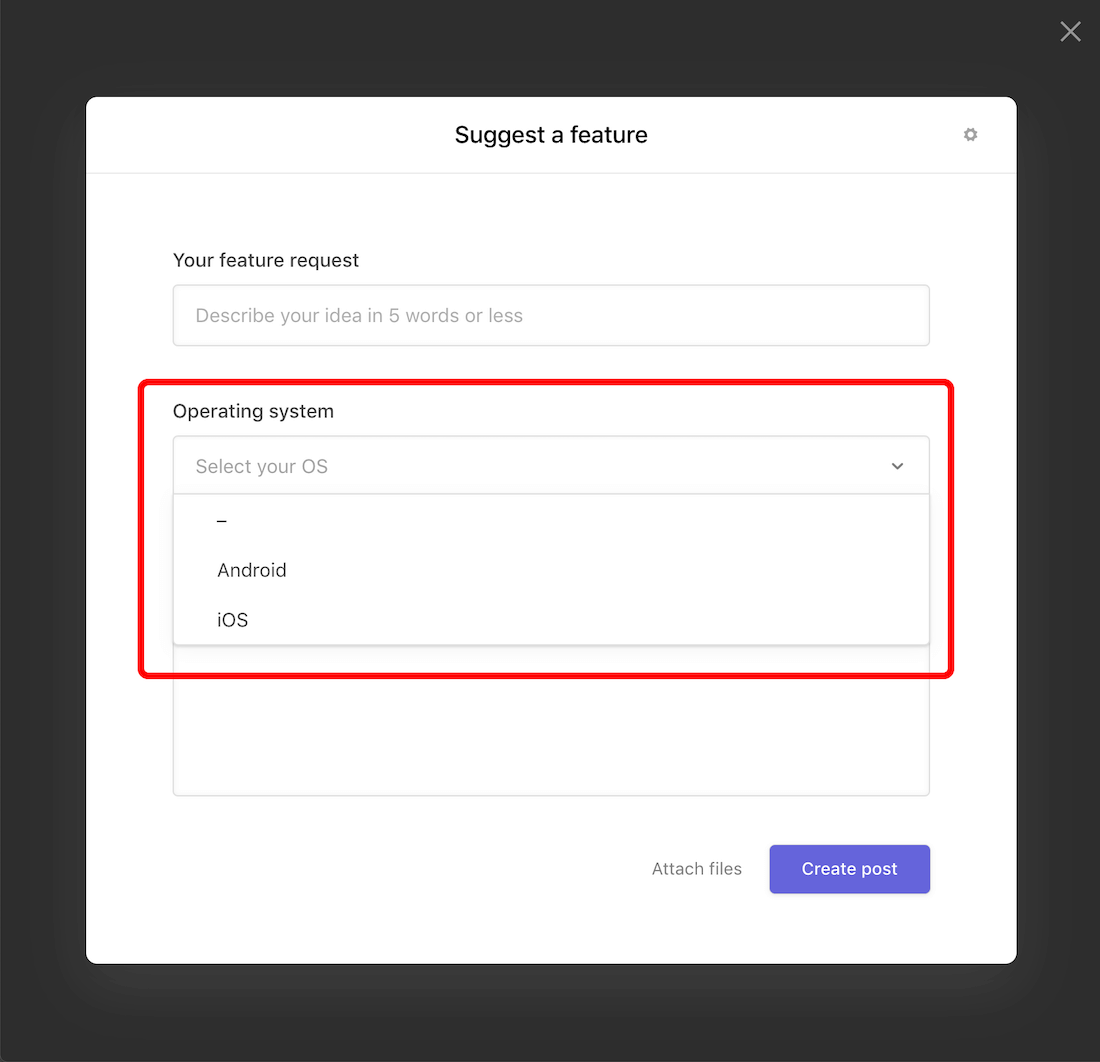
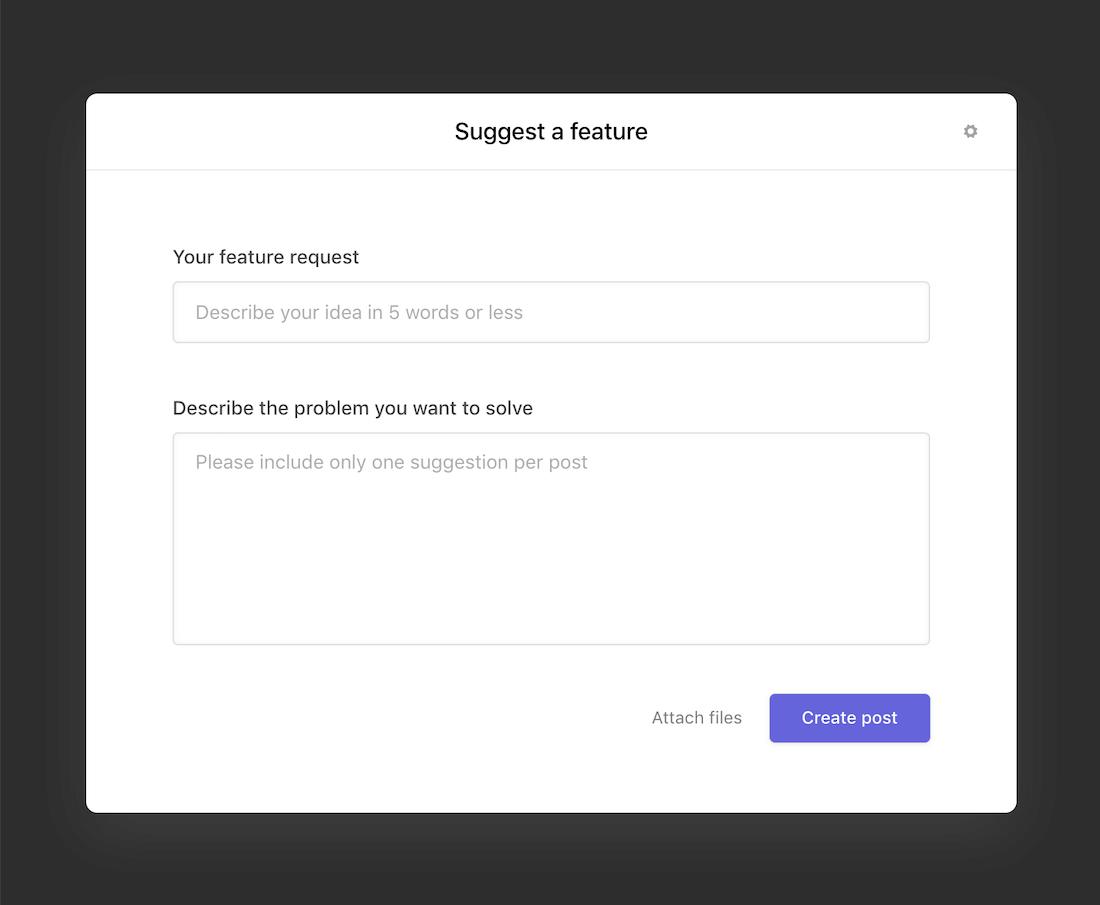
Nolt allows you to customize your post submission form to best fit your needs.
Changing the title
Choose a call-to-action (CTA) that is motivating and ensures your users are clear on what to do next. Make it as specific as possible. This CTA will also become the text of the button on your board homepage.
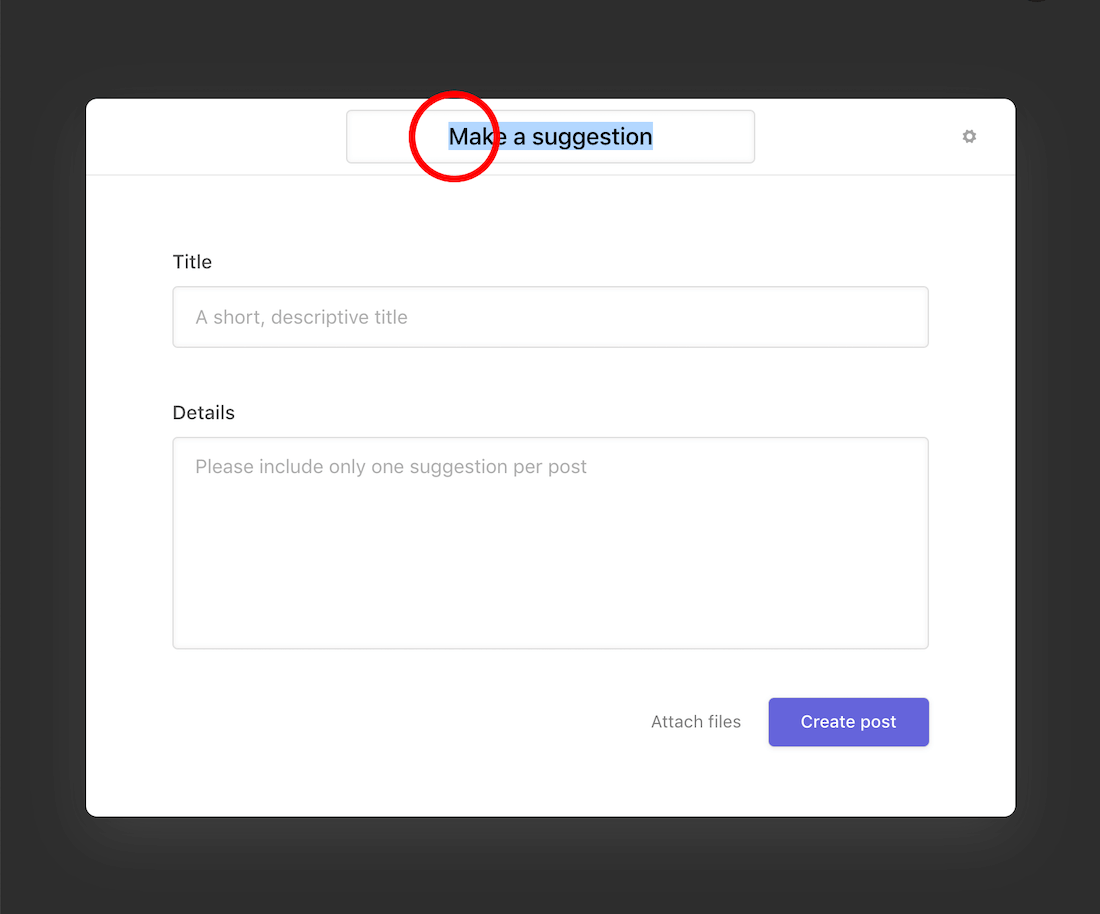
- From the board homepage, click on the post creation button.
- Click on the title.
- Enter your text.
Customizing the system fields
Rename the form to fit the prompt you’re looking to gain feedback on. Add additional text for instructions and rules as needed.
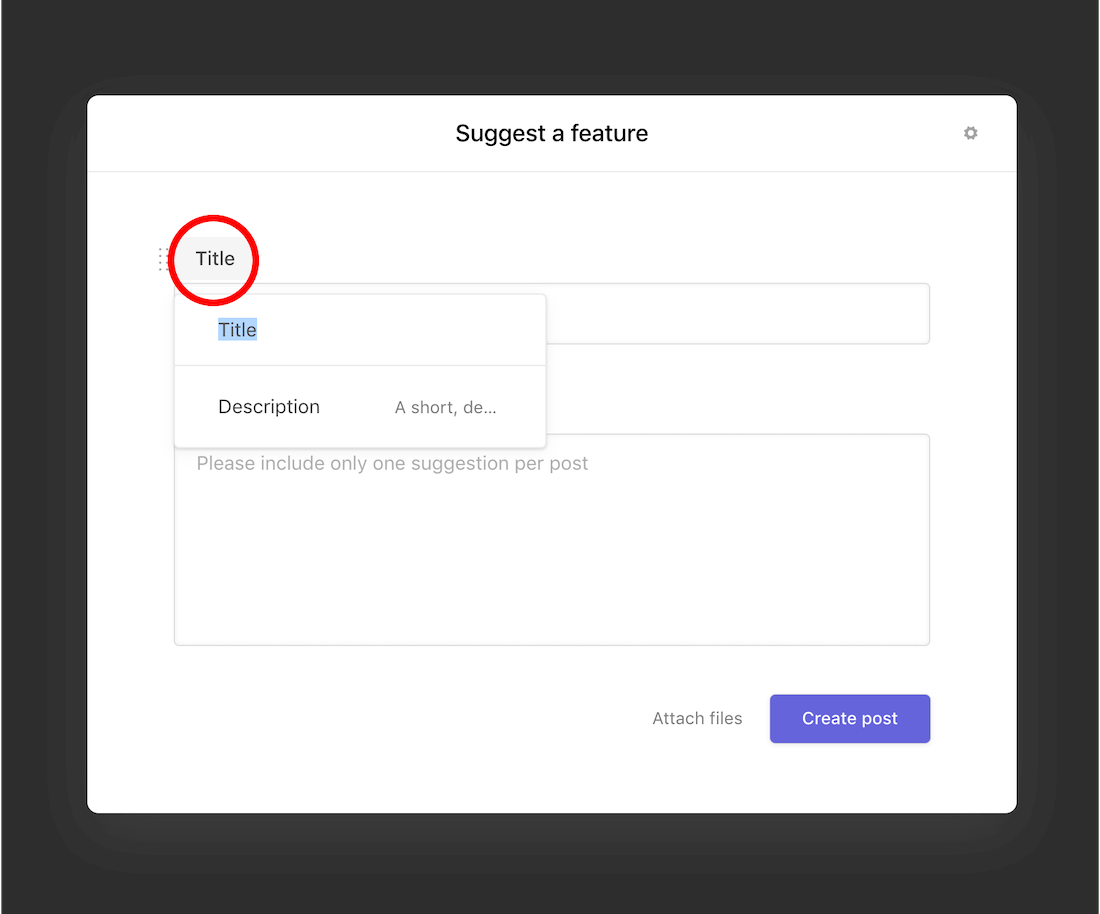
- Click on the form label that you want to change.
- Rename the field to your liking.
- Click on Description if you'd like to customize the placeholder text.
Adding custom fields
Collect additional information from your users by adding custom fields to your form.
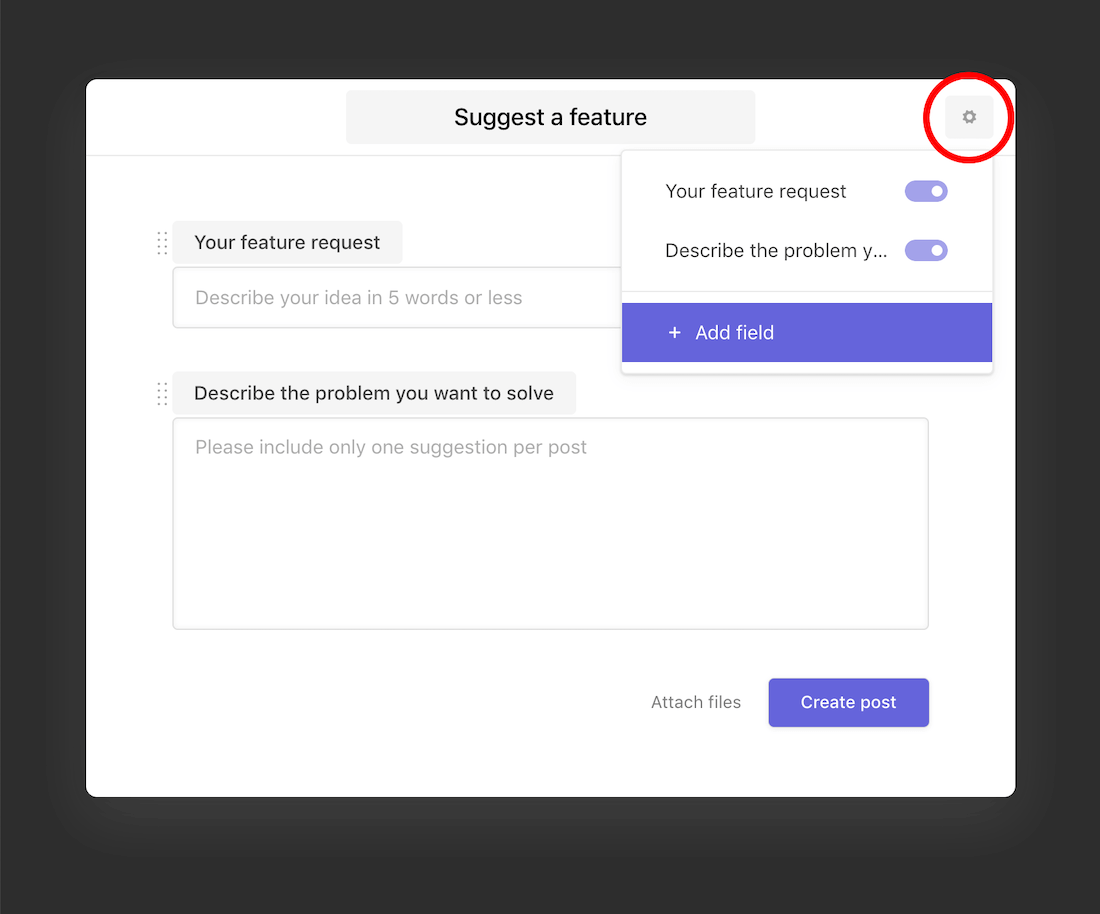
- Click on the icon in the upper-right corner.
- Select + Add field.
- Choose the field type.
- Name your custom field.
- Add options if you've chosen the Select or Multi-Select type.