
What is a product roadmap?
A product roadmap is a high-level plan that shows where your product is going, why, and roughly in what order. It communicates the vision and direction of your product to everyone involved in building it — and to the users waiting for what's next.
Think of it as the bridge between your product strategy and the day-to-day work of your team. It doesn't tell people exactly how to build something — that's what sprint plans and project plans are for. It tells them what you're working toward and why it matters.
What does a product roadmap include?
Most product roadmaps include:
- Goals or outcomes: what you're trying to achieve, not just what you're building
- Themes or initiatives: the areas of focus that ladder up to those goals
- Status: whether something is planned, in progress, or shipped
- Rough timelines: a sense of sequencing, not necessarily hard dates
The keyword is high-level. A roadmap that gets too granular stops being useful — its job is to give everyone a clear picture of direction at a glance, not to document every task and decision.
What does a product roadmap do?
A roadmap does three things well.
It aligns your team around a shared set of priorities. When everyone can see the same plan, there's less room for misaligned assumptions about what matters most and why.
It communicates strategy to stakeholders — whether that's your leadership team, investors, or your users. A good roadmap makes it easy for anyone to understand where the product is headed without needing a 30-minute briefing.
It tracks progress over time. By marking what's planned, what's in progress, and what's shipped, a roadmap gives everyone a live sense of momentum — not just a list of promises.
Who uses a product roadmap?
Product managers typically own the roadmap, but it's used across the whole team. Engineers use it to understand the context behind the work. Design and UX use it to plan ahead. Marketing and sales use it to time campaigns and manage customer conversations. Leadership uses it to track progress against company goals.
And increasingly, users use it too. A public roadmap lets your customers see what's coming, feel heard when their feedback shows up on it, and stay engaged with your product between releases. That last part is something we'll come back to.
Product roadmap vs. similar terms
A product roadmap gets confused with a lot of other planning documents. They're related, but they're not the same — and mixing them up leads to roadmaps that are either too detailed to be useful or too vague to act on.
Product roadmap vs. project plan
A project plan is built around a specific deliverable with a defined start and end. Once the project is done, the plan is done. It's focused on tasks, resources, timelines, and milestones needed to complete something.
A product roadmap is open-ended. Products don't finish — they evolve. Where a project plan answers "how do we get this done?", a roadmap answers "what are we building toward and why?" The two can coexist, but they serve different purposes and different audiences.
Product roadmap vs. backlog
Your backlog is a list of everything that could be built — features, fixes, improvements, ideas. It's granular, task-level, and primarily useful for your development team.
Your roadmap is the strategic layer that sits above the backlog. It shows what you've decided to prioritize and why, without getting into the weeds of individual tickets. A common mistake is treating the backlog as the roadmap — the result is a plan no stakeholder or user can make sense of.
Product roadmap vs. timeline
A timeline is date-driven — it shows what's happening when, usually in a Gantt-style view with fixed start and end dates. It's a great tool for tracking execution once decisions have been made.
The confusion is understandable. When most people picture a roadmap, they picture a timeline. But a timeline answers "when?" A roadmap answers "what, why, and in what order?" — and those are different questions. You can have a roadmap without fixed dates. You can't have a timeline without them.
A roadmap can include a timeline view, but roadmaps that become too date-heavy start to feel like commitments, which makes them brittle when priorities shift. That's why many teams opt for looser timeframes like quarters or a Now/Next/Later structure instead.
Product roadmap vs. sprint plan
A sprint plan covers what your team is working on in the next 1–4 weeks. It's short-term, specific, and tactical.
A roadmap covers months, sometimes years. Sprint plans are how you execute on the roadmap — they're the unit of delivery, not the strategy itself. If your roadmap only ever reflects the current sprint, it's not really a roadmap.
Types of product roadmaps
There's no single right way to format a roadmap. The best choice depends on your team's size, how you work, and who you're sharing it with. But before picking a format, it helps to understand two separate decisions you're actually making: how to group your work (the logic) and how to display it (the layout).
Grouping logic is the more important of the two — it determines what story your roadmap tells and how useful it is for decision-making. Layout is secondary. You can use a kanban layout, for example, to show time horizons (like GitHub does), statuses (like Nolt does), or themes.
With that in mind, here are the main types of product roadmaps and when each one makes sense.
Time-based roadmap
A time-based roadmap organizes work by when things are expected to happen — typically by quarter, month, or release cycle. Items are plotted against a timeline, making it easy to see what's coming and when.
This format works well for teams with predictable release cycles and for communicating with stakeholders or customers who need a concrete schedule. The tradeoff is that it implies precision that often doesn't exist. Dates become expectations. When priorities shift — and they will — a date-heavy roadmap gets outdated fast and can erode trust with users who were counting on a specific timeline.
Some teams use a shorter-horizon version of this format focused on a specific release or launch — coordinating product, marketing, and customer success around the same schedule. This works well for managing launch logistics but is closer to a project plan than a long-term roadmap. Once the release ships, it's essentially archived.
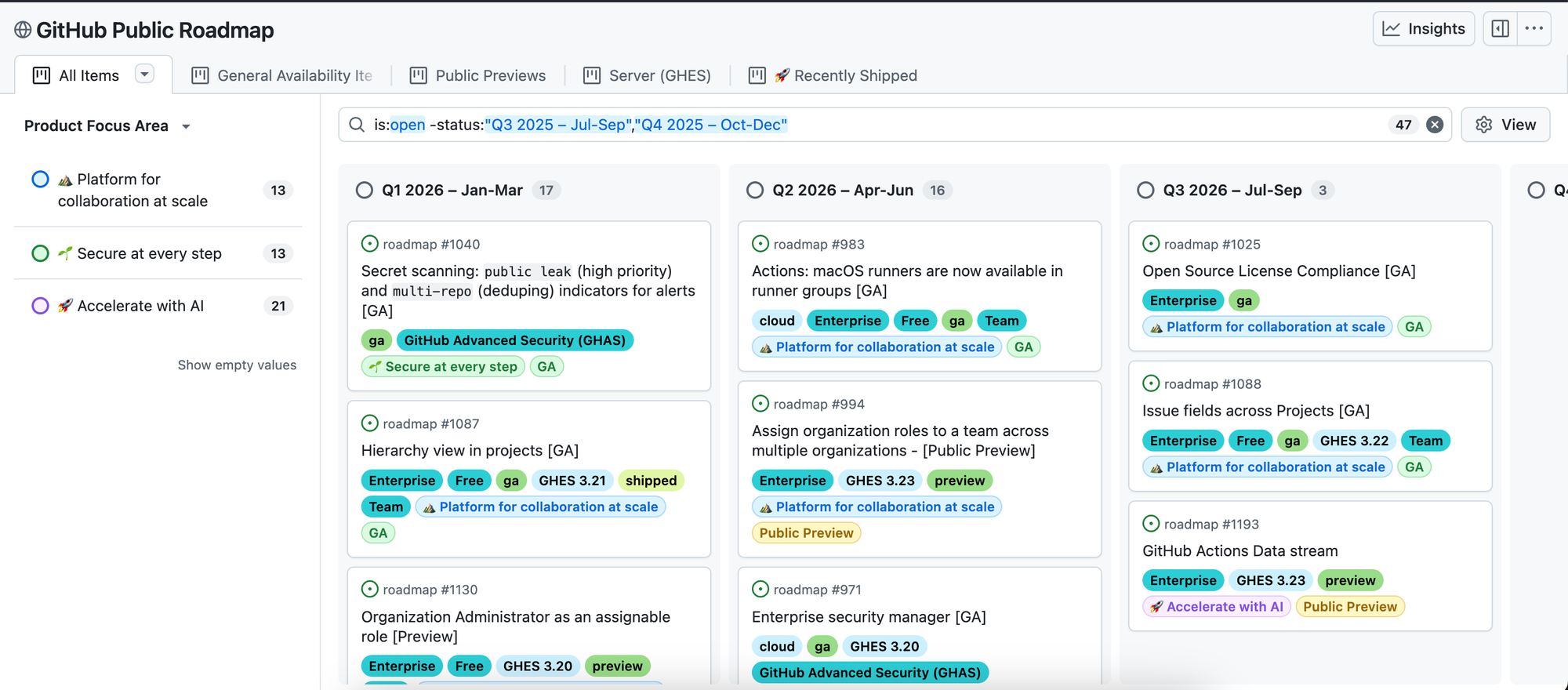
Example: GitHub's public roadmap is one of the most referenced examples of a time-based roadmap done well. GitHub uses a kanban layout with columns organized by quarter — Q1, Q2, Q3 — and tags for product area and shipping status. It's transparent, specific enough to be useful, and updated regularly. It works for GitHub because they have the engineering scale to commit to quarterly horizons with reasonable confidence.
Status-based roadmap
A status-based roadmap organizes work by where things stand in the pipeline — typically Planned, In Progress, In Beta, and Shipped. Rather than asking "when will this happen?", it answers "what's the current state of this?"
This is one of the most effective formats for public roadmaps. Users don't need hard dates — they need to know whether their feedback is being acted on. When a feature moves from Planned to In Progress, that signal matters more than a projected date. And when something ships, marking it as such closes the loop in a way that feels satisfying rather than bureaucratic.
The status-based format also handles uncertainty more honestly than a timeline. You're not committing to dates you can't guarantee — you're showing real momentum.
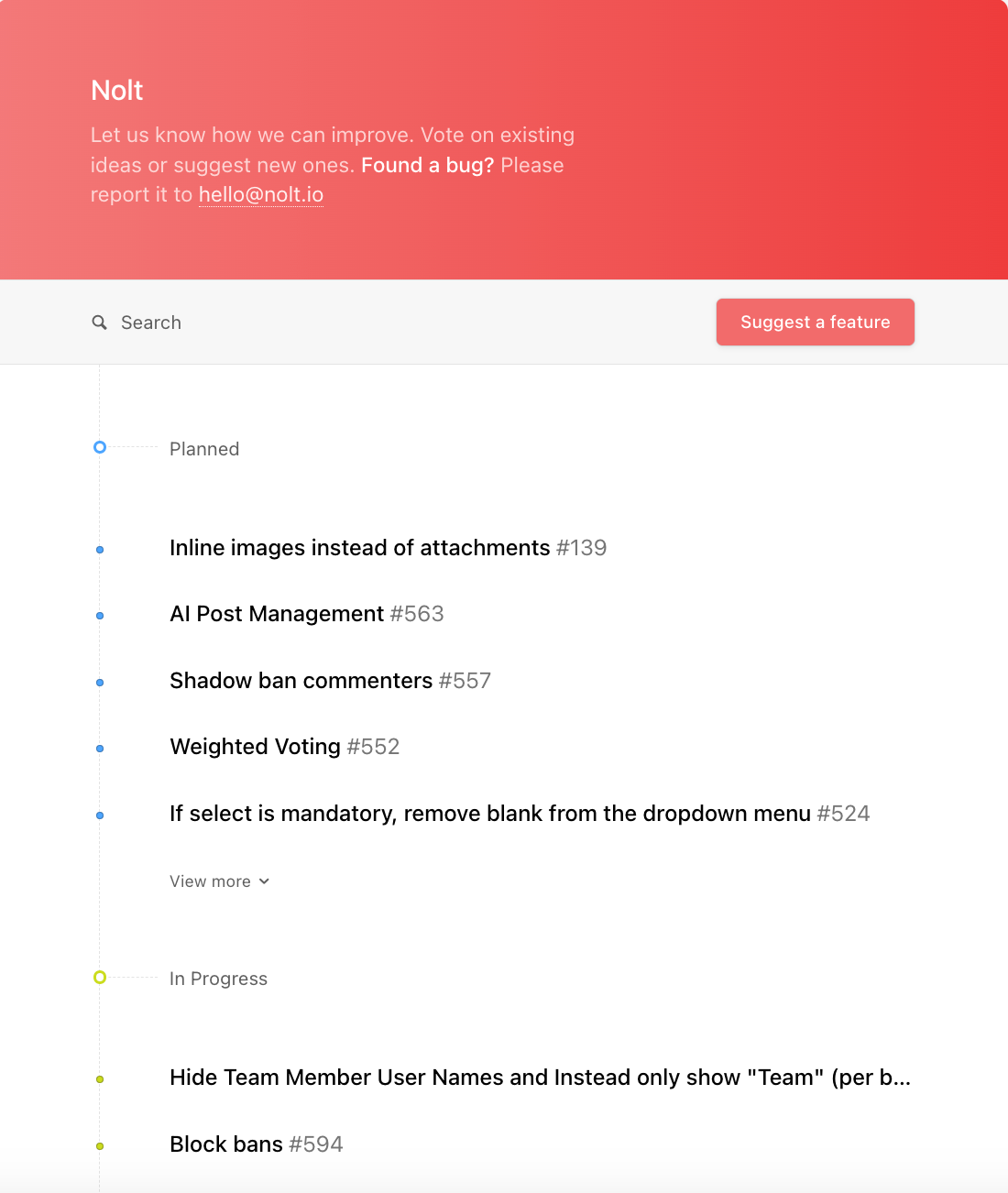
Example: Nolt's public roadmap is a clean example of this format in action. Each item is tied directly to the feedback posts that generated it, so users can trace their request from submission through to shipped. When a request is marked In Progress or In Beta, the users who upvoted it get notified. The roadmap isn't a separate document — it's a live reflection of the feedback board.
Goal/outcome-based roadmap
A goal-based roadmap organizes work by the outcomes you're trying to achieve rather than by features or dates. Each item on the roadmap connects to a specific business or product goal — reduce churn, improve activation, expand to a new market — and the features are listed beneath as the means to get there, not the headline.
This is arguably the healthiest way to roadmap because it keeps the whole team focused on impact rather than output. The question stops being "did we ship the feature?" and becomes "did we move the metric?" It also makes prioritization conversations cleaner — if a feature request doesn't connect to any of your current goals, that's your answer.
Goal-based roadmaps tend to be document-style rather than visual, since the hierarchy of goals → initiatives → features reads naturally as structured text.
Example: ClickUp's public roadmap uses this format well. It leads with high-level strategic objectives and lists specific initiatives underneath each one. You understand what ClickUp is trying to achieve before you see a single feature — which is exactly the right order.

Theme-based roadmap
A theme-based roadmap organizes work around strategic focus areas rather than measurable goals or dates. Themes are broader than goals — things like "reliability," "collaboration," "mobile experience," or "enterprise readiness" — and they group related work without committing to specific features or timelines.
The key distinction from a goal-based roadmap is specificity. Goals are measurable ("reduce time to first value by 30%"). Themes are directional ("improve onboarding"). Themes give your team room to explore what the best solution might be within a focus area, rather than locking in a feature before you've done the discovery work.
This format is particularly useful when presenting to executives or external stakeholders who need the big picture without implementation details. It answers "what are you focused on?" without getting into how or when. It also tends to generate fewer debates in planning sessions — it's easier to align on "we're prioritizing reliability this quarter" than to agree on which specific reliability features to build.
Now/Next/Later roadmap
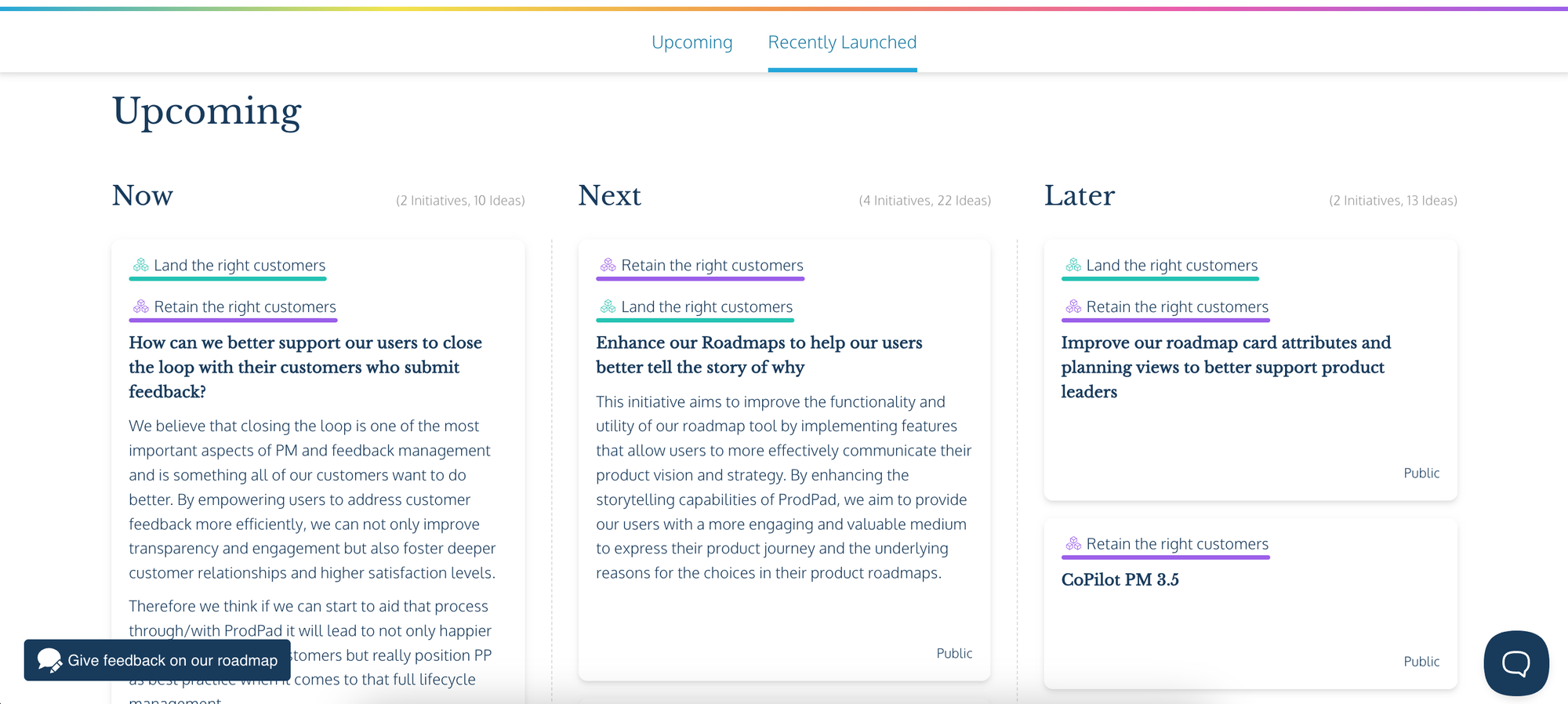
The Now/Next/Later format replaces dates with time horizons. Now is what you're actively working on. Next is what's coming after that, roughly defined. Later is further out and intentionally kept loose — it captures things worth doing without committing to when or exactly how.
The core insight is that certainty decreases the further you look into the future, and your roadmap should reflect that honestly. Items in Now should be well-scoped and committed. Items in Later might change shape entirely before you get to them — and that's fine, because the format sets that expectation from the start.
It's worth noting that Now/Next/Later is often displayed as a kanban board, which can make it look similar to a status-based roadmap at first glance. The difference is what the columns represent: sequencing and priority rather than execution state. A status-based roadmap answers "where is this work right now?" A Now/Next/Later roadmap answers "when are we prioritizing this?" Items don't flow through the columns as work progresses — you place them based on strategic priority and revisit that placement as your thinking evolves.
Technical roadmap
A technical roadmap is an internal document for engineering and infrastructure teams. It covers the work that doesn't show up in the user-facing product — technical debt reduction, architectural changes, infrastructure upgrades, security improvements, and platform scalability work.
Most users never see this roadmap, and it's rarely made public. But for engineering teams, it's essential. Without it, technical work gets deprioritized in favor of visible features, debt accumulates, and the foundation that everything else is built on quietly degrades.
A technical roadmap doesn't need to follow the same format as a product roadmap. What matters is that it exists, that it's shared with the right stakeholders, and that the work on it gets treated with the same seriousness as user-facing features.
Why your product roadmap should be public
Most roadmaps never leave the building. They live in Notion, a spreadsheet, or a slide deck that gets updated once a quarter and shared with a handful of people internally. Users — the people actually using your product — never see them.
That's a missed opportunity.
How a public roadmap builds user trust
When users can see what you're working on, something shifts. They stop wondering whether their feedback is going anywhere. They stop guessing whether the feature they need is coming. They stop assuming the product is stagnant just because they haven't heard anything lately.
A public roadmap answers all of those questions without you having to answer them individually. It shows users that there's a plan, that you're moving, and that their input is shaping what gets built. That kind of transparency builds trust in a way that no amount of marketing copy can.
It also reduces support noise. When users can see that a fix or feature is already planned, they don't need to chase you down for an update.
The feedback → roadmap → changelog loop
The most effective product teams treat their roadmap as part of a cycle, not a one-time document.
It starts with feedback. Users submit ideas, upvote requests, and leave comments. You can see clearly what matters most to them. That feedback informs what goes on the roadmap — not gut feeling, not the loudest voice in the room, but an actual signal from the people using your product.
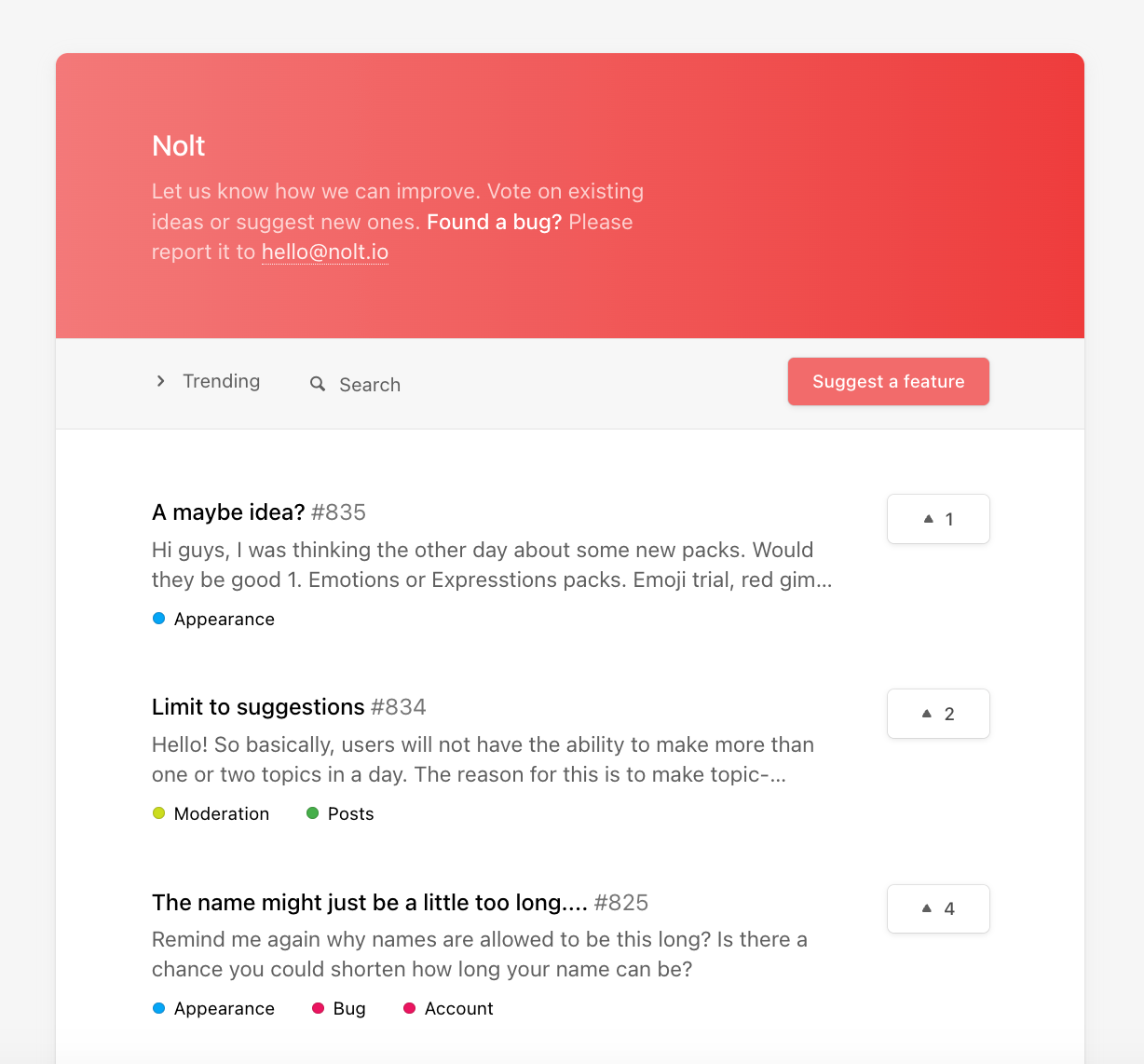
As work moves forward, the roadmap reflects it. Items shift from planned to in progress. Users can see their requests being acted on in real time.
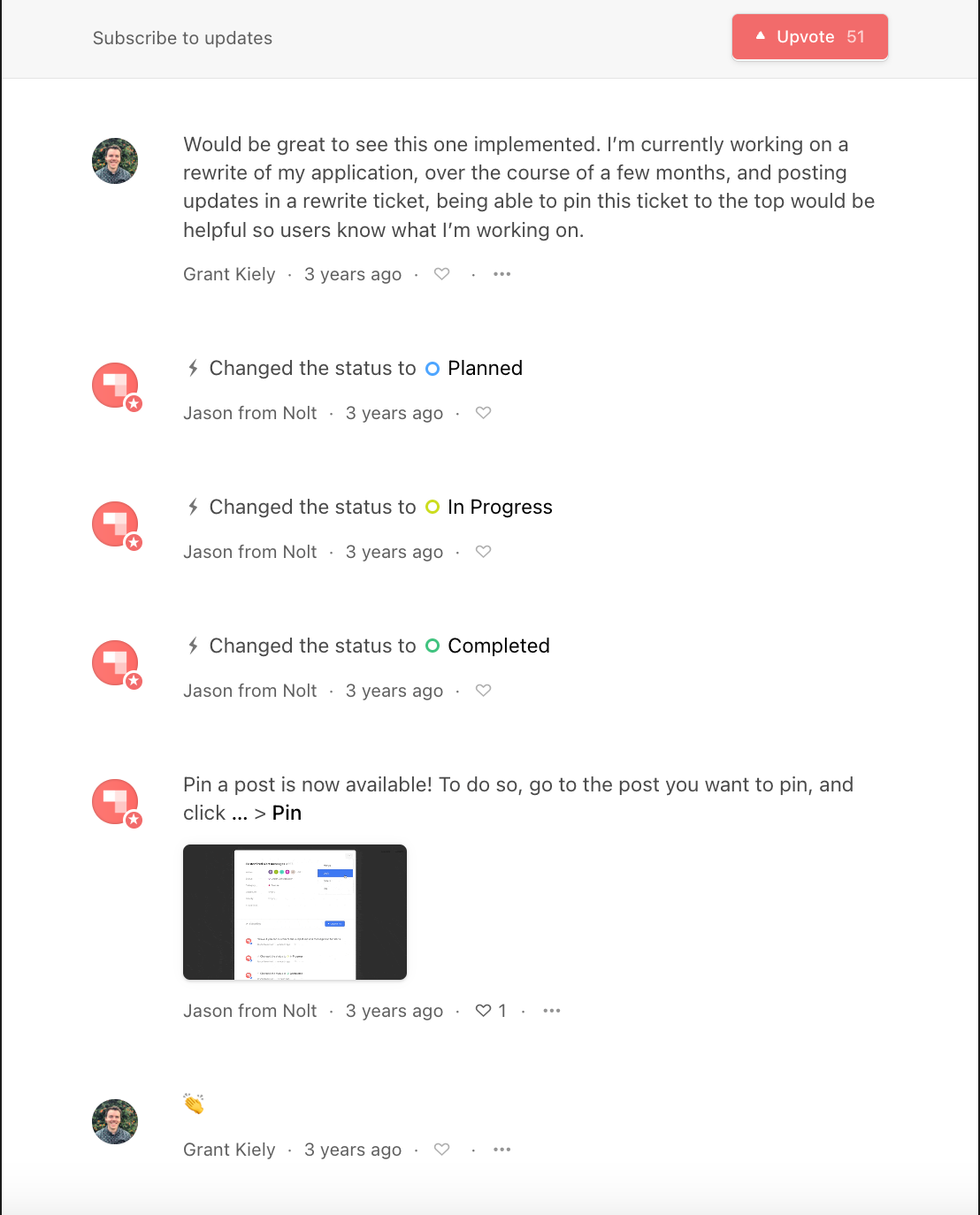
When something ships, a changelog entry closes the loop. Users who asked for that feature get notified. They feel heard. They engage more. They submit better feedback next time.
That cycle — feedback in, roadmap updated, changelog out — is how you build a product community rather than just a user base.
Internal vs. external roadmaps — what to share and with whom
A public roadmap doesn't have to show everything. Most teams maintain a more detailed internal version with specifics that aren't ready for public consumption — unconfirmed timelines, early-stage ideas, or work that depends on things still being figured out.
What you share publicly should focus on what users care about: what's coming, roughly when, and what's already shipped. You don't need hard dates. A status and a rough horizon are enough to keep users informed without over-committing.
The internal version can be as detailed as your team needs. The external version should be as clear and simple as possible. Both serve the same underlying goal — keeping people aligned — just for different audiences.
How to build a product roadmap
Most teams approach roadmapping as a formatting problem — which tool to use, which view to pick, how to organize the columns. That's the easy part. The harder part is deciding what belongs on the roadmap in the first place, and being honest enough to leave everything else off.
Building your first roadmap and maintaining an ongoing one are also different problems. The first time, you're working from a blank slate — setting direction, picking a format, and deciding what to commit to publicly. After that, it becomes a regular practice of reviewing, updating, and realigning as the product evolves and new feedback comes in.
Step 1: Start with goals, not features
The most common roadmap mistake is starting with a list of features and working backwards. Features are outputs. Goals are outcomes. A roadmap built around features tells your team what to build. A roadmap built around goals tells them why — which is far more useful when priorities need to shift.
Before anything goes on your roadmap, be clear on what you're trying to achieve. Improve retention? Make onboarding faster? Break into a new market? Those goals become the frame through which you evaluate everything else. A feature that doesn't connect to any of them probably isn't the right next thing to build.
Step 2: Collect user feedback
Once you have your goals, the next question is: what do your users actually need? Gut instinct only gets you so far. The teams that build the right things are the ones staying close to their users — not just at launch, but continuously.
A feedback board gives you a live view of what matters most to your users. The most upvoted requests rise to the top, patterns emerge, and you stop guessing and start building from evidence. If you're still figuring out how to gather that feedback consistently, 6 simple ways to collect customer feedback is a good starting point.
Step 3: Prioritize what goes on the roadmap
Not everything from your feedback board belongs on the roadmap. This is where you filter — taking the most upvoted requests, weighing them against your goals, and deciding what actually gets built.
A useful test for each item: does it connect to a current goal, and does the demand from users justify the effort? The most upvoted request isn't automatically the right next thing to build — what matters is how it maps to your current goals. A highly requested feature that doesn't move anything that matters right now stays in the backlog. A moderately requested one that directly addresses your biggest source of churn probably doesn't.
If you're working with a larger backlog or multiple stakeholders pushing competing priorities, a prioritization framework can help make the process more objective. The most commonly used ones are:
- RICE — scores items by Reach, Impact, Confidence, and Effort. Good for teams that want a quantitative approach to prioritization.
- MoSCoW — categorizes items as Must have, Should have, Could have, and Won't have. Simple and easy to communicate to non-technical stakeholders.
- Impact vs. effort matrix — plots items on a two-by-two grid by how much impact they'll have vs. how much effort they require. A quick way to identify high-value, low-effort wins.
Step 4: Get alignment before you commit
Before anything goes public, make sure the right people have seen it and weighed in. In practice, roadmaps get undermined most often not because the priorities are wrong, but because key stakeholders weren't consulted before it was shared.
Engineering needs to confirm that what's on the roadmap is actually feasible within the rough timeframe implied. Leadership needs to validate that it maps to company priorities. Customer-facing teams — sales, support, customer success — need enough notice to manage conversations with customers about what's coming and when.
This doesn't have to be a lengthy process. A short review with each group before the roadmap goes public surfaces the conflicts early, when they're still easy to resolve.
Step 5: Choose your format and set it up
The format you pick should match two things: how your team works and who you're sharing the roadmap with. For most small product teams sharing publicly with users, a kanban or Now/Next/Later format works best — it's easy to understand at a glance and doesn't over-commit to dates you can't guarantee. If you're presenting to investors or enterprise stakeholders who expect a timeline, a quarterly view is more familiar.
The types section above covers the format options in detail. What matters most is picking something your team will actually maintain.
Ownership matters too. Each item should have a clear person or team responsible for it. Without ownership, things stall, and nobody notices until it's too late.
Step 6: Connect it to where your team works
A roadmap that exists in isolation from your team's actual workflow won't stay current for long. When there's a gap between where you plan and where you execute, things fall through the cracks — feedback gets noted but never actioned, roadmap items never make it into the sprint, and shipped work never gets communicated back to users.
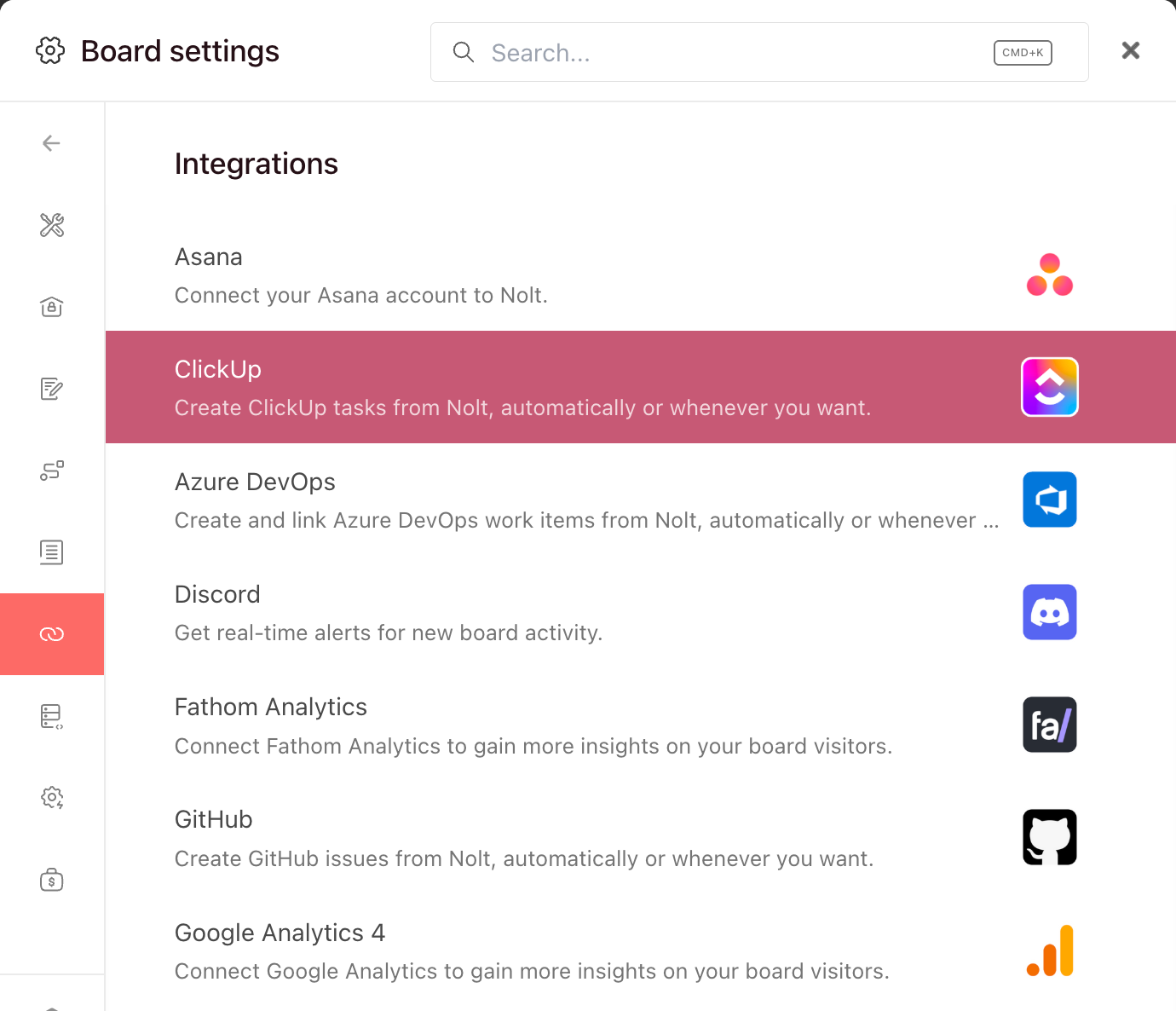
Connecting your feedback board to tools like Jira, Linear, GitHub, or Asana means a user request can travel from submission to shipped ticket without anyone manually copying it across systems. Slack and Teams integrations keep your team notified when something moves. The roadmap stays in sync with reality rather than drifting away from it.
Step 7: Share it publicly
Once your roadmap is in reasonable shape, share it. You don't need it to be perfect — waiting until it's perfect usually means it never goes public at all.
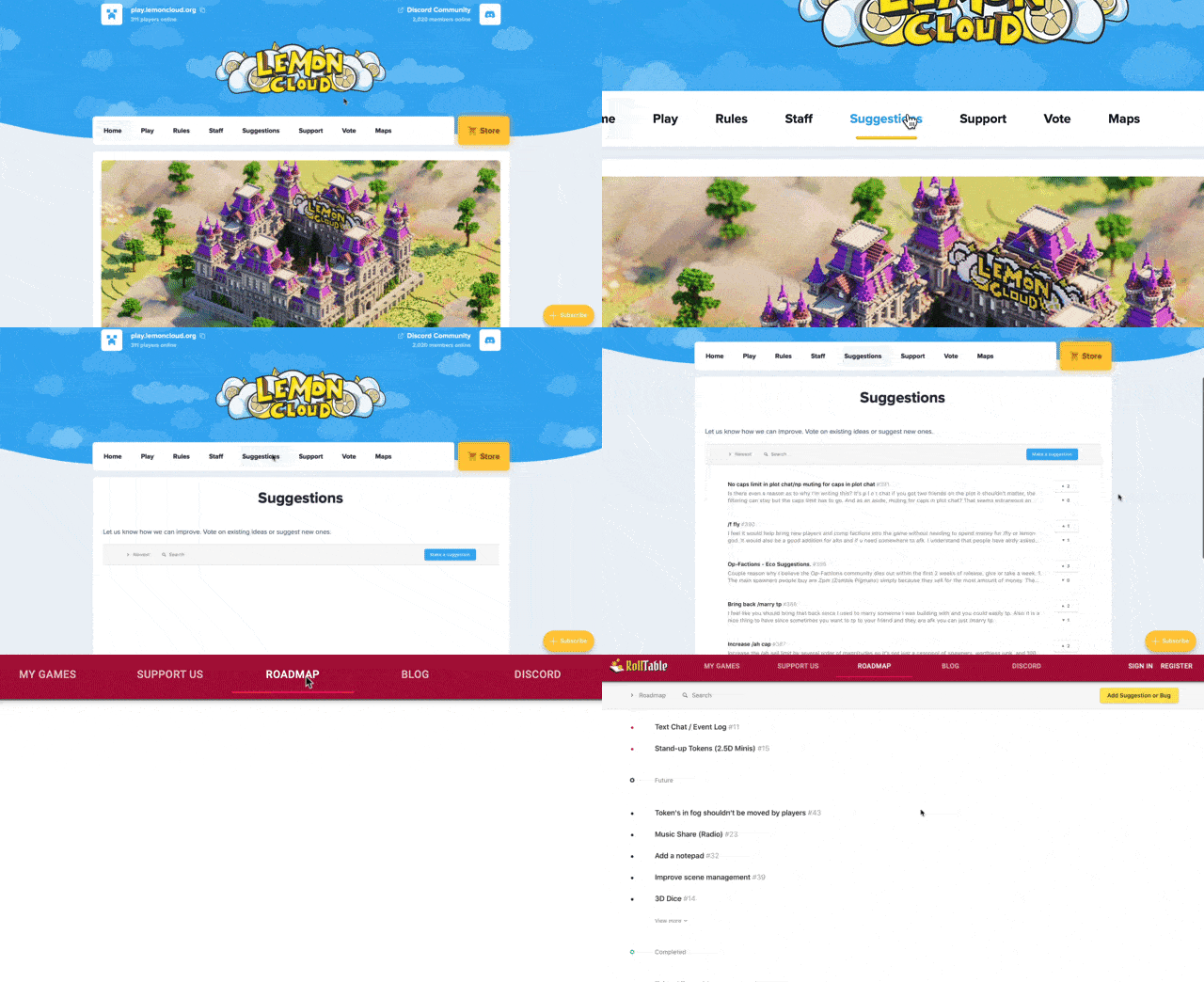
Put a link to it where your users can find it: in your app, in your help docs, in your onboarding flow. The sooner users can see it, the sooner you start getting the trust and engagement benefits that come with transparency.
Not every request will make it onto the roadmap, and users appreciate honesty over silence. Letting people know their feedback was reviewed and explaining why it isn't being prioritized right now — whether it doesn't fit current goals, affects too few users, or is simply too early — keeps trust intact even when the answer is no.
Step 8: Review and update regularly
A roadmap that stops being updated stops being useful. Worse, an outdated public roadmap actively erodes trust — users can tell when something hasn't moved in months.
For most teams, a light review after every sprint or release is enough to keep things current — marking items as shipped, adjusting statuses, and reflecting any small priority changes. A deeper review every quarter makes sense for longer-horizon planning: reassessing goals, retiring items that are no longer relevant, and deciding what moves from the backlog onto the roadmap.
Occasionally, a full roadmap reset is the right call — when company priorities shift significantly, when a product pivots, or when the roadmap has drifted so far from reality that incremental updates won't fix it. This is normal. A roadmap is a living document, and treating it as one is a sign of a healthy product process, not a lack of direction.
Common product roadmap mistakes to avoid
Even teams with good intentions end up with roadmaps that don't work. Usually, it's not because the strategy is wrong — it's because of how the roadmap is being used. Here are the most common mistakes and how to avoid them.
Treating it as a fixed contract
A roadmap is a plan, not a promise. When stakeholders or users start treating it as a binding commitment, product teams feel pressure to deliver exactly what's on it, regardless of what they've learned in the meantime. That leads to shipping the wrong things just to avoid looking like the plan changed.
Plans change. That's not failure — that's how good product development works. The key is to communicate changes clearly and quickly, not to pretend they aren't happening.
Filling it with features instead of outcomes
A roadmap full of features tells your team what to build, but not why. When priorities shift — and they will — there's no framework for deciding what stays and what goes, because nothing is tied to a goal.
Outcome-based roadmaps are harder to write but much easier to work with. When every item connects to something you're trying to achieve, prioritization decisions become clearer, and the whole team understands the reasoning behind what's on the list.
Keeping it internal-only
An internal roadmap aligns your team. A public roadmap aligns your users, too. Keeping it internal means missing out on the trust, engagement, and feedback quality that comes from letting users see what you're working on.
Most teams that go public with their roadmap wish they'd done it sooner. The fear of over-committing is real, but it's manageable — use statuses and rough horizons instead of hard dates, and set the expectation upfront that the roadmap reflects current thinking, not locked-in delivery dates.
Letting it drift from user feedback
A roadmap built entirely from internal opinions is a roadmap that slowly drifts away from what users actually need. Sales requests, executive pet projects, and engineering preferences all have a way of filling up a roadmap if there's no counterweight from real user signal.
Keep your feedback board connected to your roadmap. The most upvoted requests should at least be in the conversation when you're deciding what to prioritize next — even if they don't always win.
Never updating it
A roadmap that hasn't been touched in three months isn't a roadmap anymore — it's a wish list. For internal teams, it creates confusion about what's actually happening. For users, it signals that nobody's home.
The fix is simple: make updating the roadmap part of your regular rhythm. When something ships, mark it shipped. When a priority changes, reflect it. Five minutes of maintenance after every sprint review is enough to keep a roadmap current and credible.
FAQs
Who owns the product roadmap?
The product manager typically owns the roadmap — they're responsible for building it, maintaining it, and communicating it to different audiences. But the best roadmaps are shaped by input from across the team: engineering, design, customer success, sales, and most importantly, users.
How do I prioritize what goes on my roadmap?
Start with your goals — whatever goes on the roadmap should connect to something you're trying to achieve. Then look at your user feedback: what are people asking for most, and how does that map to your goals? From there, weigh impact against effort. A high-impact, low-effort item that directly addresses a top user request and moves a key metric is a strong candidate. A feature that sounds interesting but doesn't connect to any goal or user need probably isn't.
How do you build an agile roadmap?
An agile roadmap prioritizes flexibility over fixed commitments. Rather than locking in features and dates months in advance, it focuses on outcomes and keeps future plans intentionally loose. The Now/Next/Later format works well here — you commit to what's happening now, have a clear view of what's next, and keep later items open to change as you learn more. The key difference from a traditional roadmap is that an agile roadmap is expected to evolve. Priorities shift, user feedback changes your thinking, and the roadmap reflects that in real time rather than being updated once a quarter.
How do you present a roadmap?
A good roadmap presentation should match the audience.
- Executives want a high-level view tied to business goals and outcomes.
- Engineers need more context about upcoming work and priorities.
- Users want a simple overview of what’s coming and how feedback is being used.
Start with the “why” before the feature list. Explain the strategy, goals, and tradeoffs behind the roadmap, including what was prioritized and delayed. Keep the presentation conversational so stakeholders can ask questions and give feedback early.
How often should you update a roadmap?
Often enough that it always reflects reality. For most teams, that means a quick review after every sprint or release — marking things shipped, adjusting priorities, reflecting any changes in direction. A deeper review every quarter makes sense for longer-horizon planning. The worst cadence is "whenever someone remembers to."