
What is a feature request?
A feature request is a suggestion to add, change, or improve something in your product — usually from users, customers, or internal teams trying to solve a specific problem or make their workflow easier.
They're valuable, but they're almost always written in solution language. "Add a CSV export." "Let me filter by date." "We need a dark mode." These sound like specifications, but they're really symptoms. A customer asking for CSV export might actually need a way to share reports with external stakeholders. Someone asking for date filters might be trying to spot usage trends over time. The feature they asked for is their best guess at a solution — but understanding the problem underneath it is your job.
This distinction matters when you're prioritizing. If you build the feature as described without understanding the underlying problem, you might solve it only partially, or in a way that works for one type of customer while doing nothing for the rest. When you collect feedback, treat each request as a signal, not a specification.
Feature request vs feedback vs bug
Most input you receive from users falls under the umbrella of feedback.
Feedback is any input about your product — what’s working, what isn’t, and what could be improved. It can be vague (“this feels confusing”), specific (“the dashboard takes 8 seconds to load after login”), or solution-oriented (“add a dark mode”).
A feature request is a specific type of feedback. It’s when a user suggests a new feature or an improvement to an existing one. Instead of just pointing out a problem, it usually includes a proposed solution. For example, asking for a Slack integration or a CSV export option would be considered a feature request.
A bug, on the other hand, is also a form of feedback, but of a different kind. It refers to something that’s broken or not working as intended—like a button that doesn’t respond or a page that fails to load. Unlike feature requests, bugs aren’t about improving the product—they’re about fixing it.
Thinking about it this way helps clarify how to act on each type of input. Feedback gives you insight, feature requests suggest possible solutions, and bugs highlight issues that need immediate attention.
Why feature requests matter
They show you what users actually need
Feature requests give you a direct view into what users are trying to achieve — what's missing, what's frustrating, and what would make their workflow easier. Instead of guessing what to build next, you're working from real input from people actively using the product.
They reveal gaps you might not see
When multiple users ask for the same thing, it usually points to a need that isn't being met. Even a single well-explained request can surface a deeper problem — something that isn't working as expected or could be significantly improved. The pattern matters as much as the individual request.
They help you prioritise
Not everything can get built at once. Feature requests — especially when paired with upvotes or comments — give you a way to see what matters most to the most people. That makes prioritisation a more informed decision and less of an internal debate.
Ignoring them has a cost
Users don't always complain when their requests go unheard — they often just leave, usually for a product that listened. Competitors who move quickly on commonly requested features have a real advantage — not just because the feature exists, but because users feel like the product is built for them. Treating feature requests as a serious input into your roadmap isn't just good product practice. It's a competitive edge.
Types of feature requests
Feature requests usually fall into a few common categories. While the specifics vary, most requests are about adding new capabilities, improving existing ones, or making the product easier to use.
New features
These are requests for entirely new functionality that doesn't exist yet. A user might ask for the ability to schedule reports automatically, a new permission level for team members, or an integration with a tool they already use — like syncing data with HubSpot or receiving alerts in Slack. Integration requests are especially common in SaaS products, where users expect their tools to work together, but they're ultimately a type of new feature request.
Improvements to existing features
Not all requests are about something new — many are about making current features better. A user might ask for faster load times on a dashboard, more filtering options in reports, or the ability to customize notifications. These are often high-impact because they improve parts of the product people already use frequently.
Usability and UX improvements
Some requests are really about making the product easier to use. This could mean simplifying a workflow, reducing the number of steps to complete a task, or improving navigation. A user might ask for a more intuitive onboarding experience or a cleaner dashboard layout — not new functionality, just a better version of what's already there.
Bug reports
Not every bug report arrives through a support ticket. Users often submit bugs as feature requests — asking for something to "work properly" or flagging unexpected behaviour. These are worth tracking separately from true feature requests since they typically get handled differently: faster, and outside the normal prioritisation process.
In practice, these categories blur. A request that looks like a new feature might really be solving a usability problem. A bug report might reveal a deeper workflow gap that warrants a more considered fix. The category is less important than understanding what the user is actually trying to achieve.
What should a feature request form include?
A good feature request form captures enough information to understand and evaluate a request, without asking so much that users give up halfway through. At a minimum, every request should answer four things: what's being asked for, what problem it solves, who it affects, and enough detail to act on it without a follow-up.
Example 1: Simple feature request form
For most products, a lightweight form works best. The more friction you add, the fewer requests you'll get — and the ones you do get will skew toward power users rather than your broader user base. A title, a description field, and a way to categorise the request are usually enough to get started. Users should be able to submit in under a minute.
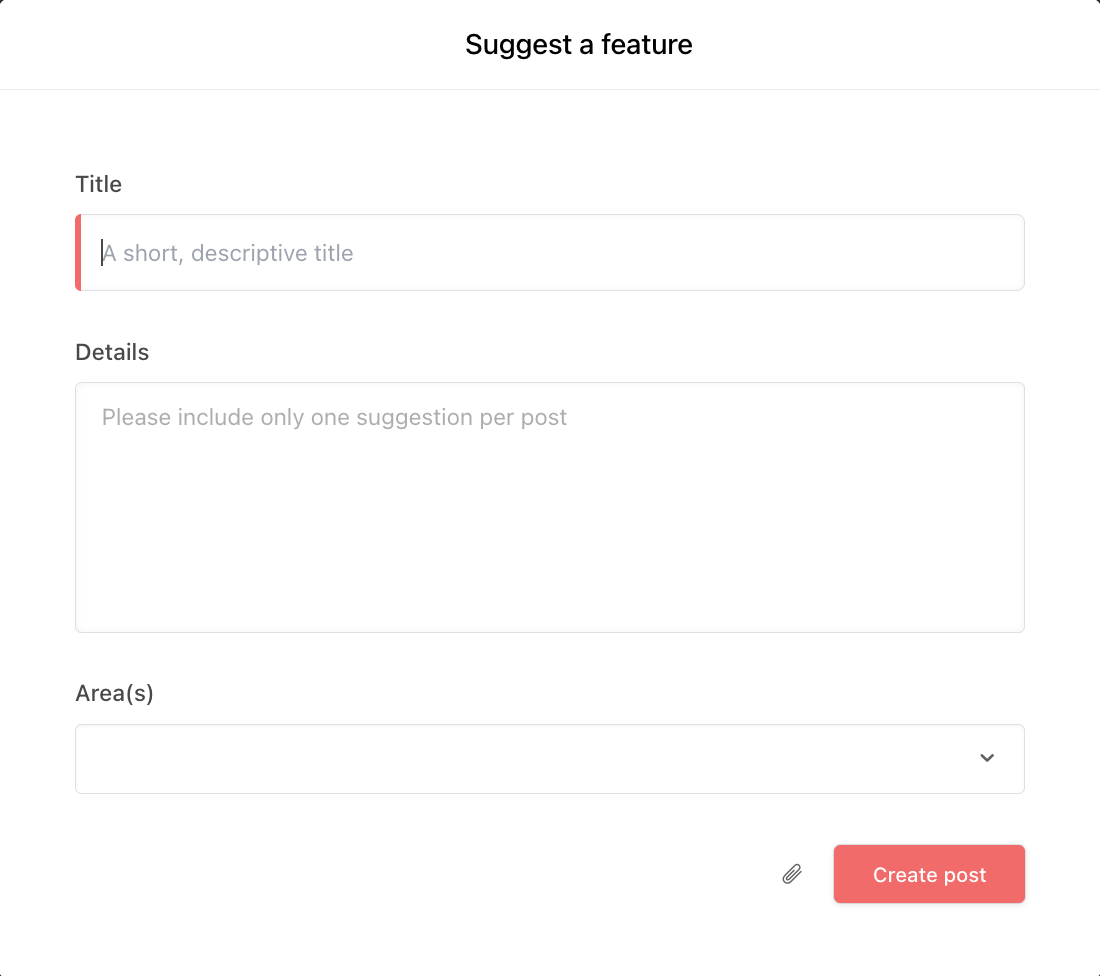
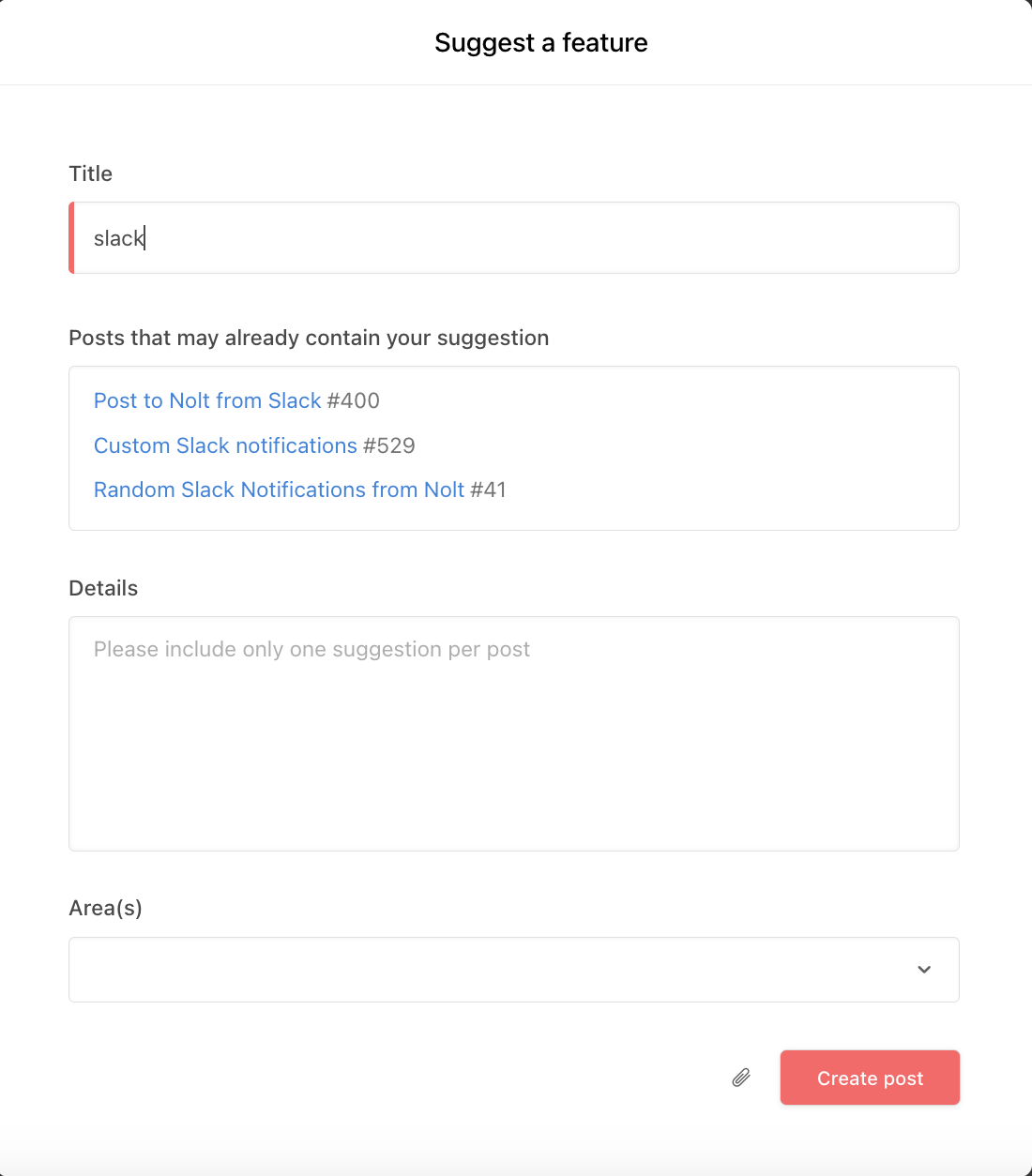
Nolt's feedback board keeps it simple by default — a title, a details field, and a category tag. Users can attach files and submit in under a minute. The form is fully customisable, so you can add fields and adjust categories to match how your team works.
Example 2: Detailed feature request form
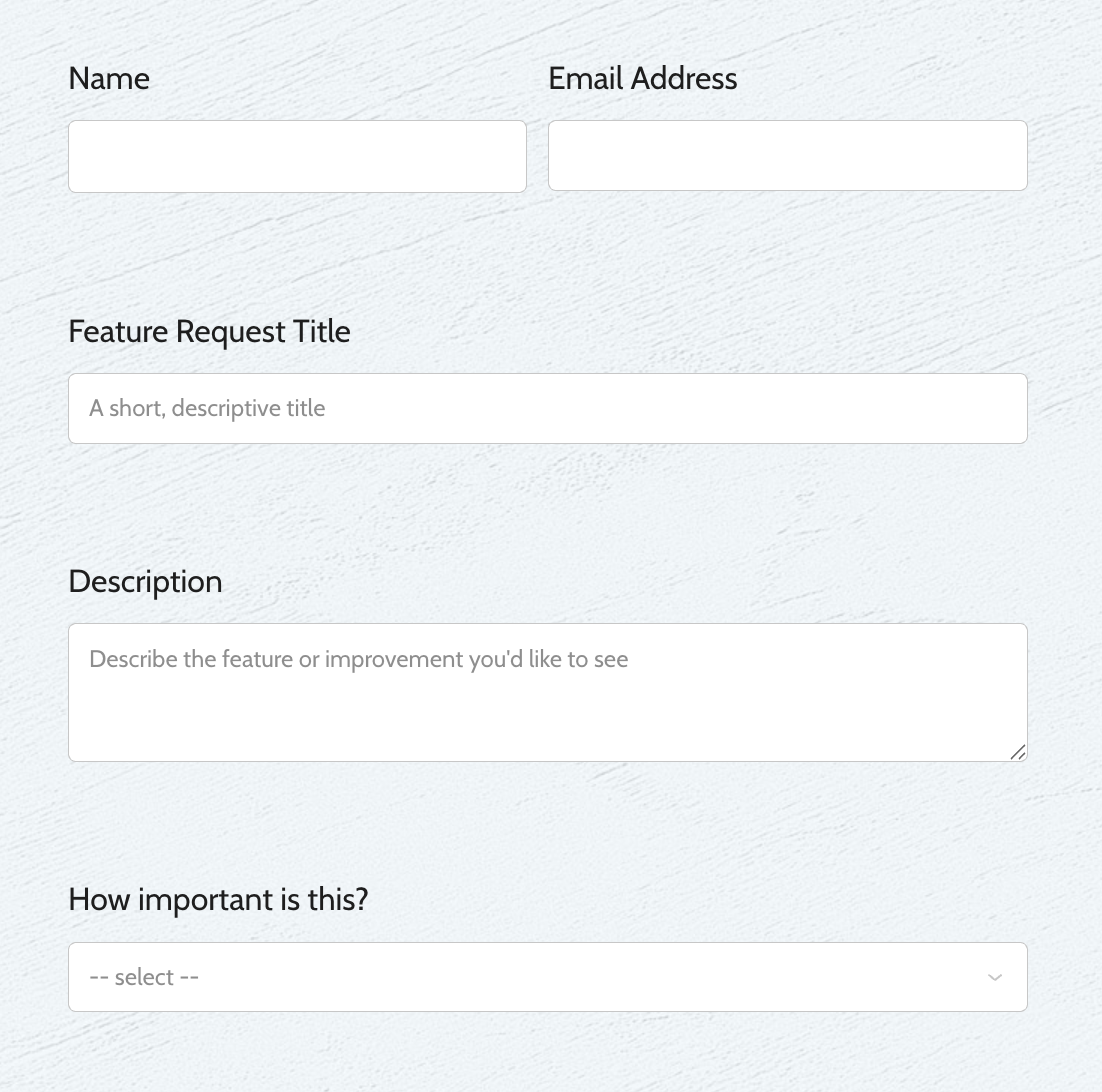
For B2B products or teams handling a high volume of requests, a few extra fields give you the context to evaluate a request without chasing the submitter for more information.
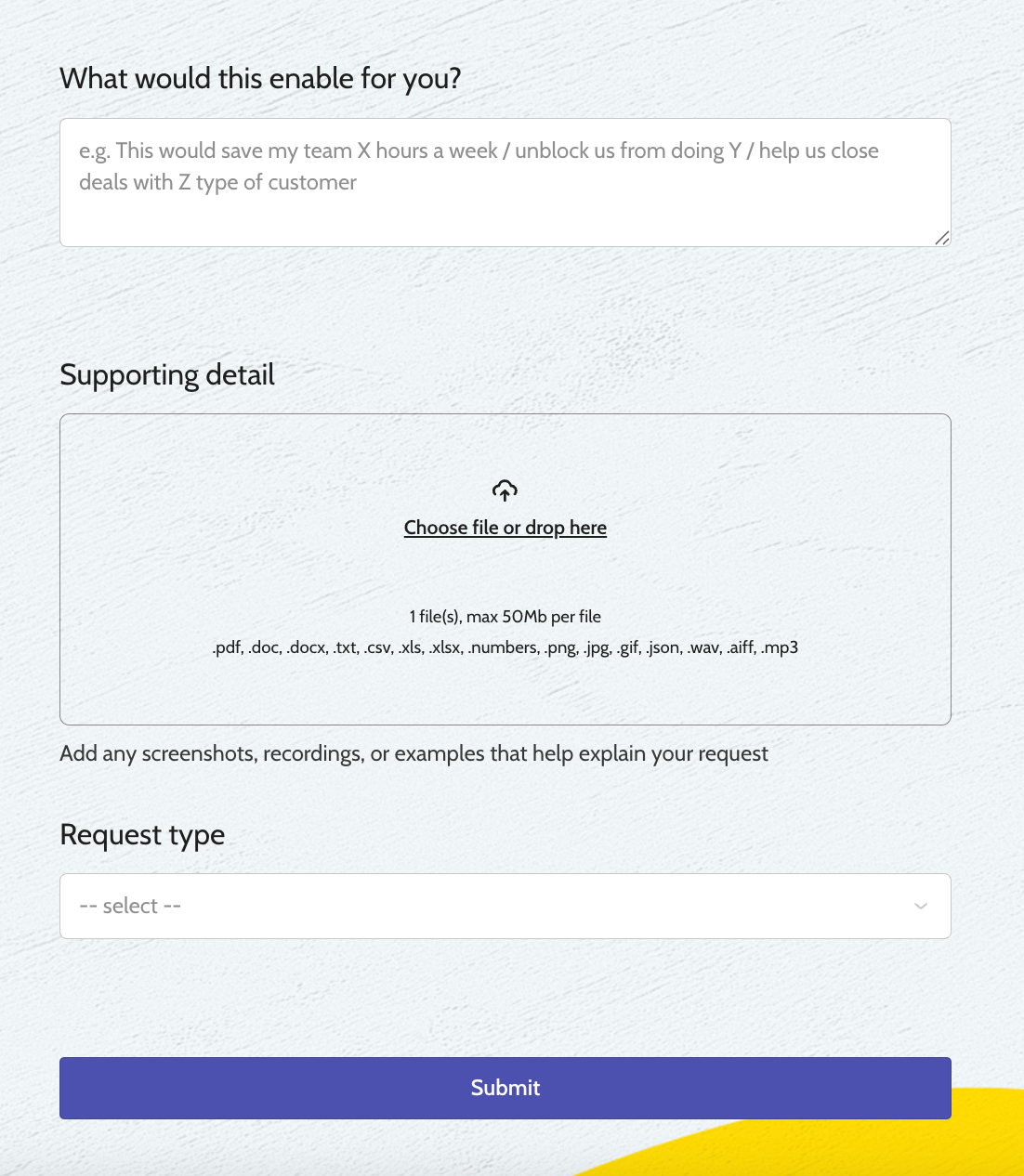
On top of the basics, three additions make a real difference: contact details (ideally pre-filled if the user is already logged in), a priority indicator to gauge urgency, and one open field asking what the request would unlock — time saved, a blocked workflow, or a revenue opportunity. That last field is the most valuable one. A free-text answer to "what would this enable for you?" tells you more about impact than any dropdown can.
Beyond that, the returns diminish quickly. Forms with more than six or seven fields see lower completion rates, and the extra data rarely changes prioritisation decisions in practice. If a request needs more depth, a short follow-up conversation will get you further than a longer form.
How to collect feature requests
Feature requests can come from many places — support tickets, sales calls, customer interviews, in-app feedback, and more. The goal isn't to open more channels — it's to bring everything into one place so patterns are visible and nothing gets lost. A feedback board works well as that central hub, especially when it integrates with the tools your team already uses to capture requests wherever they come in.
Feedback boards

Feedback boards give users a dedicated place to submit and explore feature requests. Instead of ideas arriving through scattered channels, users can post requests, vote on existing ones, and add context. This helps surface patterns naturally and reduces duplicate submissions.
Encourage users to search and upvote existing requests before submitting new ones — it keeps the board useful and makes prioritisation easier.
Support tickets and emails
Support conversations are one of the most reliable sources of feature requests because they come from users actively trying to get something done. These requests are usually tied to real friction — something blocking a workflow or slowing users down. The downside is they're often buried in threads, so patterns are easy to miss unless you're actively logging and grouping them.
Regularly extract and tag feature requests from support tools so nothing gets lost.
Customer calls and interviews
Calls reveal the "why" behind requests better than any other channel. Users tend to explain their goals, constraints, and workarounds in detail, which helps you understand the underlying problem — not just the feature they're asking for.
Capture the context and use case, not just the request itself.
Sales conversations
Sales is where you'll hear about missing features that affect buying decisions. These requests can be tempting to prioritise because they're tied to revenue — but they can also reflect the needs of a specific prospect rather than your broader user base.
Treat sales requests as signals, not commitments, and validate them against wider demand before acting.
In-app feedback
In-app feedback captures requests at the moment of friction. When users can share input without leaving your product, the feedback tends to be more specific and actionable — they're describing the problem as they're experiencing it, not reconstructing it later from memory.
Trigger feedback prompts at key moments, like after completing a task or hitting a limitation. Just don't overdo it — prompts that appear too often get ignored.
Forms and surveys
Forms and surveys are useful when you want more structured input. They let you ask specific questions about the problem, use case, and impact, which makes requests easier to evaluate. Responses tend to be less frequent but more considered.
Keep forms short, but always include at least one question that captures the "why."
How to prioritize feature requests
Once you've collected feature requests, the next step is deciding what to build. Prioritisation isn't about picking the most popular ideas — it's about understanding which requests deliver the most value relative to user needs, impact, and effort.
Look for patterns, not just individual requests
A single request can be useful, but patterns are more reliable. When multiple users ask for the same thing — especially in different ways — it usually points to a real need. Grouping similar requests helps you see demand more clearly instead of treating each one in isolation.
Consider impact, not just volume
A request from 100 users might seem more important than one from 10 — but that's not always the case. If a smaller group is completely blocked without a feature, the impact may be higher than a widely requested nice-to-have. Look at how much the problem affects users, not just how many people mention it.
Factor in effort
Some features are quick wins, others require significant time and resources. Balancing impact with effort helps you avoid spending too much time on low-value features — or overlooking simple improvements that could make a real difference.
Align with your product direction
Not every good idea is right for your product. Some requests solve real problems but don't fit your long-term vision. Prioritising them can lead to a more complex, less focused product over time. Use your product strategy as a filter, not just user demand.
Common prioritisation frameworks
You don't always need a formal framework. Early on, many teams prioritise based on a mix of intuition, user conversations, and obvious patterns. But as the volume of requests grows, decisions become harder to justify and easier to bias. That's when frameworks become useful.
Here are four widely used ones — and when each makes the most sense.
RICE (Reach, Impact, Confidence, Effort)
RICE brings structure to prioritisation by assigning scores to four factors:
- Reach — how many users will this affect in a given period?
- Impact — how much will it improve their experience?
- Confidence — how sure are you about your estimates?
- Effort — how much time and resources will it take?
Multiply the first three and divide by effort to get a comparable score across requests. The higher the score, the better the return on investment.
One thing to watch: RICE is only as good as the inputs. Teams often overestimate reach and impact, and underestimate effort. Treat scores as a guide for discussion, not a definitive answer.
Best for: teams with a growing backlog who want a more structured, data-driven way to prioritise.
Value vs. Effort
Features are plotted on a simple grid:
- High value, low effort → quick wins, do these first
- High value, high effort → strategic investments, plan carefully
- Low value, low effort → nice-to-haves, do if there's time
- Low value, high effort → avoid
It's fast, visual, and easy to run as a team exercise. The trade-off is precision — it's more useful for getting quick alignment than for rigorous scoring.
Best for: small teams or quick prioritisation discussions.
MoSCoW (Must-have, Should-have, Could-have, Won't-have)
MoSCoW focuses on categorisation rather than scoring:
- Must-have — critical for the product to function or the release to ship
- Should-have — important but not urgent
- Could-have — nice-to-have improvements
- Won't-have — not planned for now
It's quick to apply and useful for aligning stakeholders on what's in and out of scope. The main risk is subjectivity — without clear criteria, everything ends up as a must-have. It works best for MVP planning or scoping a specific release, less well for managing a complex, ongoing backlog.
Best for: roadmap planning, MVP scoping, and communicating priorities with stakeholders.
Kano Model
The Kano model categorises features by how they affect customer satisfaction — and the insight is that satisfaction isn't linear. Some features cause frustration when missing but go unnoticed when present. Others steadily increase satisfaction the better they perform. And some create genuine delight precisely because users didn't expect them.
The three categories most teams work with are:
- Basic needs — features users take for granted; their absence causes dissatisfaction, but their presence doesn't generate praise
- Performance features — satisfaction scales directly with quality; the better these work, the happier users are
- Delighters — unexpected features that create excitement and differentiate the product
Two additional categories are worth knowing: indifferent features (users don't care either way) and reverse features (features that actually reduce satisfaction for some users). Both are useful signals for what not to build.
One important nuance: categories shift over time. What delights users today often becomes a basic expectation tomorrow as it becomes the norm.
In practice, applying Kano properly requires surveying users — asking how they'd feel if a feature were present, and how they'd feel if it were absent. It takes more effort than other frameworks, but produces more nuanced insight.
Best for: teams focused on user experience who want to understand the difference between what users expect and what would genuinely set the product apart.
Using frameworks together
These frameworks aren't mutually exclusive. Many teams use them in combination — Kano during discovery to understand user needs, RICE to score and compare options, and MoSCoW to finalise what makes it into a release. Starting with one and adding others as your process matures is a perfectly reasonable approach.
How to respond to a feature request
How you respond to a feature request matters just as much as how you prioritize it. Users don’t expect every request to be built, but they do expect clear communication and acknowledgment.
Acknowledge the request
Start by letting the user know their feedback has been seen. Even a short response helps users feel heard and prevents frustration.
Clarify the problem
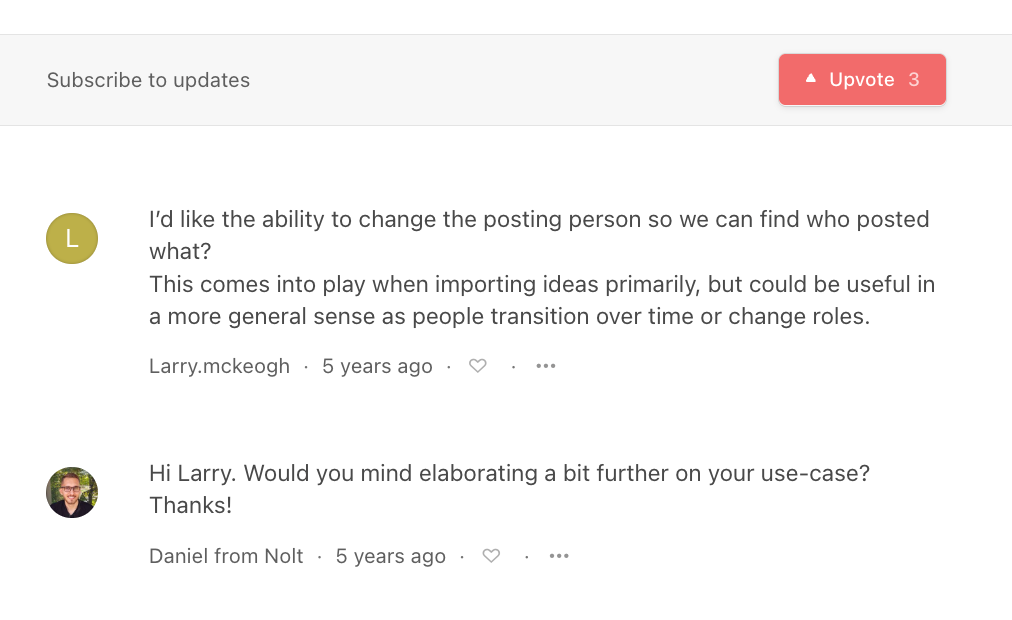
If the request lacks detail, ask follow-up questions to understand the underlying problem and use case—not just the proposed solution.
Capture feedback wherever it’s shared
Users will share feedback wherever it’s most convenient, whether that’s support chat, email, or calls. Your team should take ownership of documenting and organizing it internally rather than asking users to submit it again elsewhere.
Be transparent about decisions
Not every request will make it onto the roadmap. If something isn’t a priority or doesn’t align with your product direction, explain that clearly. A direct answer builds more trust than vague promises.
Share updates and close the loop
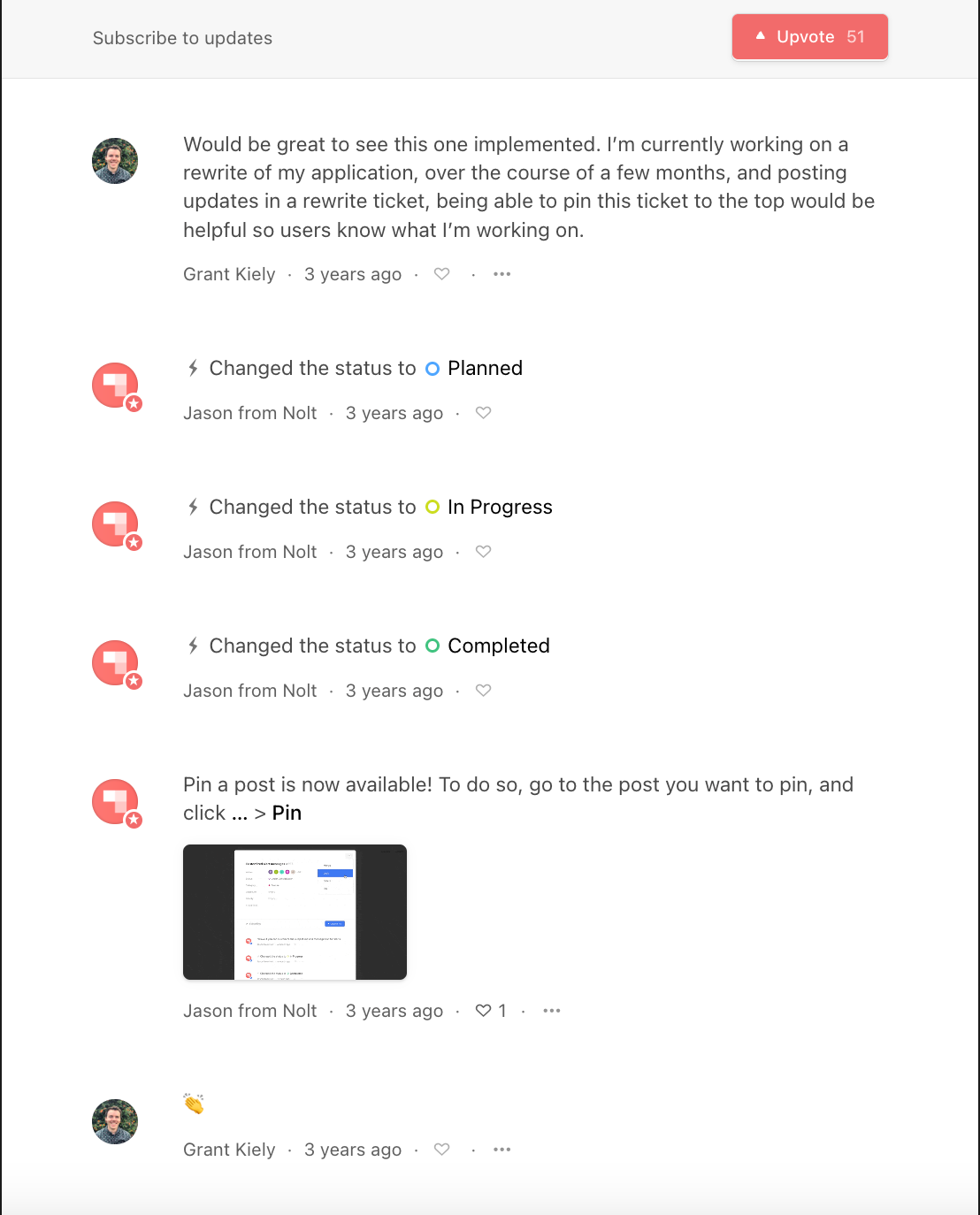
Keep users informed when a request is being reviewed, planned, or released. If a feature gets built, follow up and let them know their feedback helped shape the product.
What to look for in a feature request tool
Centralized feedback collection
Feature requests often come from support chats, emails, sales calls, and community discussions. A good feature request tool should bring all feedback into one place so teams can track, organize, and review requests without switching between tools.
Voting and engagement signals
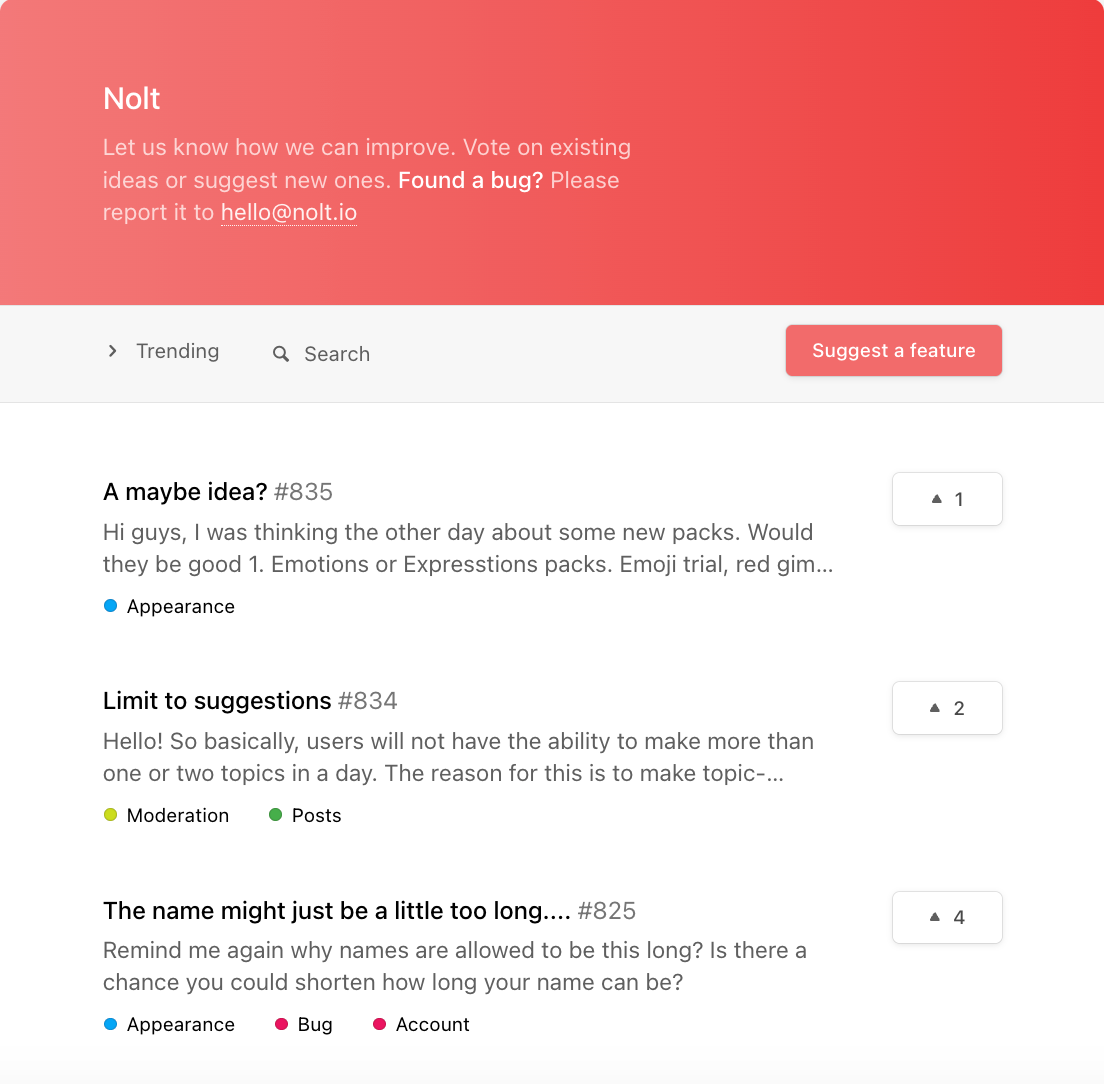
Upvotes, comments, and reactions help reveal which requests matter to the largest number of users. While votes shouldn’t be the only factor in prioritization, they help surface recurring pain points and popular ideas faster.
Prioritization support
As feedback grows, it becomes harder to identify patterns manually. Look for tools with tagging, grouping, filtering, and custom workflows so requests can be organized by theme, customer segment, impact, or priority.
Roadmap or status visibility
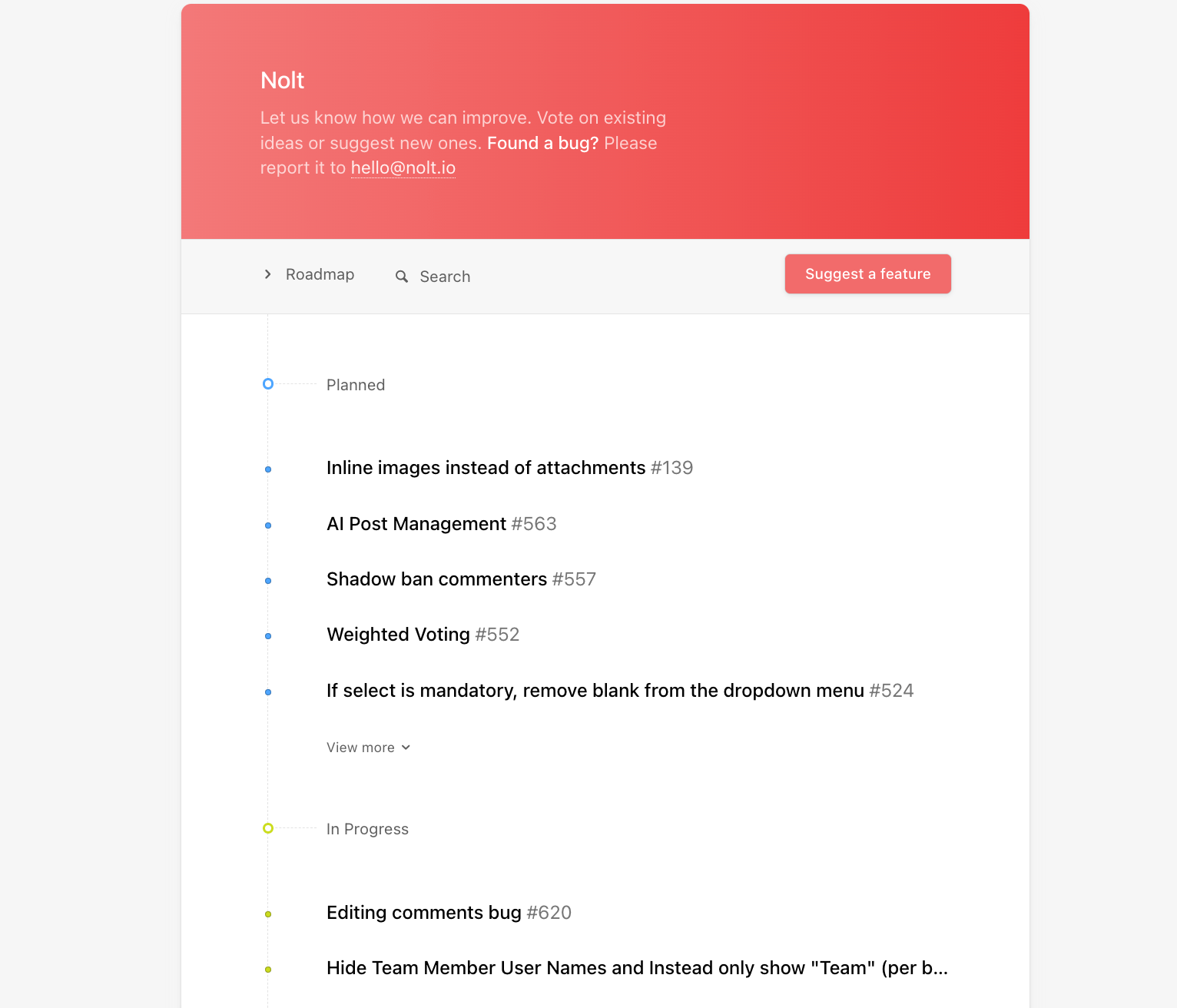
Users want visibility into what’s being reviewed, planned, in progress, or already shipped. Public roadmaps and status updates help reduce duplicate requests, set expectations, and show users that feedback is actively considered.
Automatic status updates and notifications
Manually updating users doesn’t scale well. Some tools automatically notify users when a request changes status, moves onto the roadmap, or gets released. This helps close the feedback loop and keeps users engaged without extra manual work.
Moderation and spam handling
Public feedback boards can quickly become noisy without moderation tools. Look for features like spam protection, profanity filtering, duplicate merging, approval workflows, post locking, and user banning to keep discussions productive and organized. Some platforms also offer AI-based moderation and custom moderation workflows for larger communities.
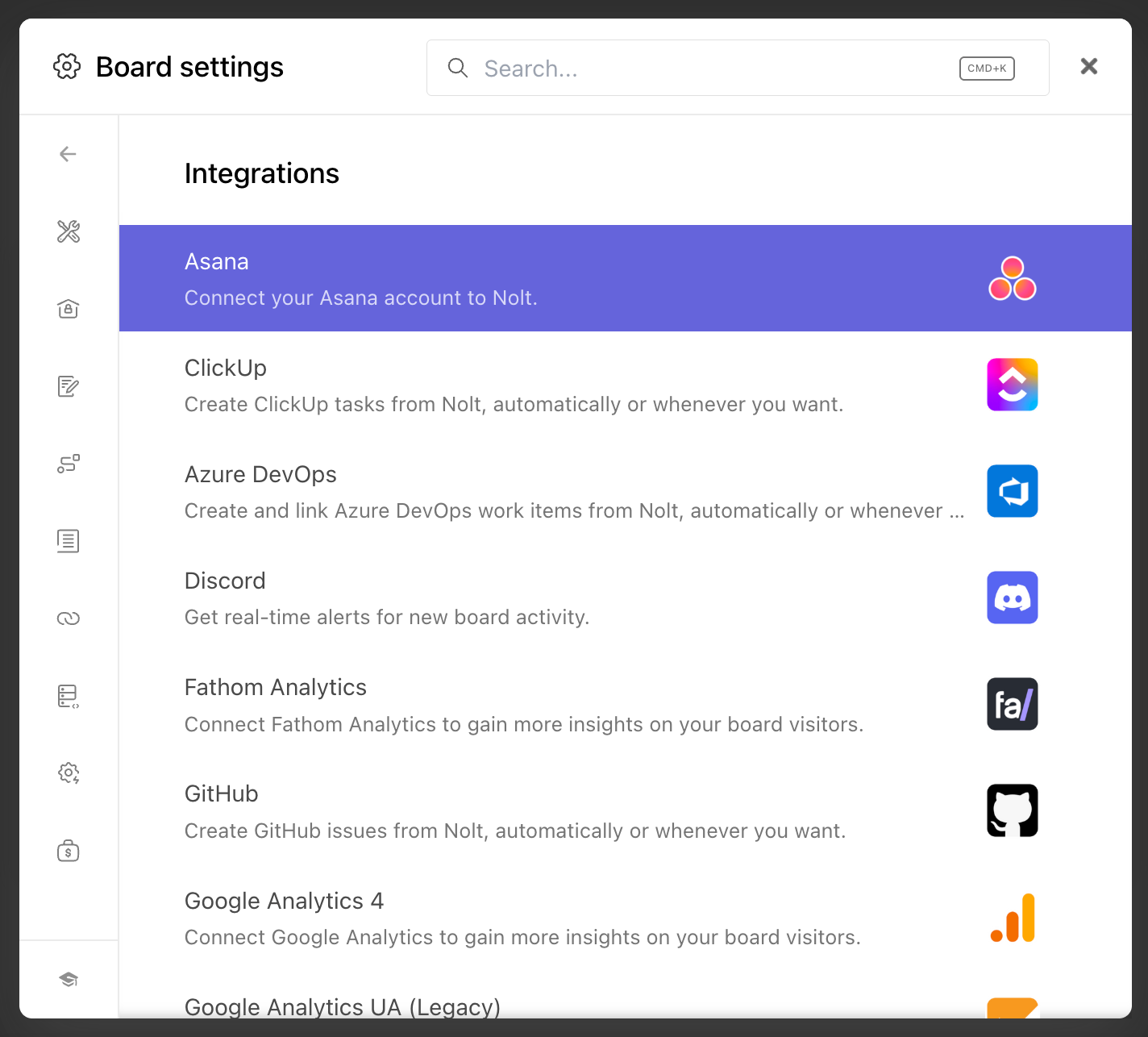
Integration with existing tools
The best systems don’t sit in isolation. They connect with support tools, CRMs, or product workflows, so feedback doesn’t need to be manually moved around.
SSO and user management
For B2B products and larger organizations, SSO support can simplify access management and improve security. Features like SAML, OpenID Connect, SCIM provisioning, and role-based permissions make it easier to manage contributors, moderators, and internal teams.
Duplicate request handling
Duplicate requests become difficult to manage as your user base grows. Good feature request tools help surface and merge similar requests so feedback stays consolidated instead of fragmented across multiple posts.
If you're looking for a tool that covers all of this in one place, Nolt is built around three connected products — a feedback board, a roadmap, and a changelog — with moderation, SSO, and integrations built in. Everything a team needs to collect feedback, prioritise it, and close the loop with users, without stitching together separate tools.
FAQs: Frequently Asked Questions
How to track feature requests?
Feature requests are best tracked by storing them in a single centralized system, such as a feedback board or product tool. This ensures all requests are captured in one place instead of being scattered across emails, chats, or spreadsheets.
Once centralized, requests should be tagged, grouped, and deduplicated so patterns can be identified easily. Tools like Nolt help teams do this by providing a structured feedback board where users can submit, vote, and track feature requests in one place.
How do you avoid duplicate feature requests?
Duplicate feature requests can be reduced by using a centralized feedback system with search, tagging, and duplicate detection features. Before submitting a new request, users should be encouraged to search existing suggestions to see if a similar idea already exists.
Many feature request tools also allow teams to merge duplicate posts so votes, comments, and discussions stay consolidated in one place. This keeps feedback boards organized and helps product teams measure demand more accurately.
Should you allow anonymous feature requests?
Allowing anonymous feature requests can increase participation because users can share feedback quickly without creating an account. This is especially useful for public feedback boards and early-stage products where reducing friction is important.
However, anonymous submissions can also increase spam, low-quality requests, and duplicate posts. Many teams balance this by allowing anonymous voting or submissions while using moderation tools, spam protection, and optional user authentication for more detailed discussions.
How to write a good feature request?
A good feature request clearly explains the problem a user is facing, the context in which it happens, and the outcome they want to achieve.
Instead of only suggesting a feature, strong requests focus on the underlying issue and why it matters. Specific examples, workflows, or use cases help product teams understand the impact and evaluate the request more effectively.