
Building a great product means knowing which ideas to act on, in what order — and making sure your team and your users are on the same page about what's coming next. That's exactly what product roadmap tools are for.
But "product roadmap tool" covers a lot of ground. Some tools are built for internal alignment, connecting strategy to execution across engineering, design, and leadership. Others are built for external transparency, giving customers a place to submit ideas, vote on features, and follow along as you build. Picking the wrong type is the most common mistake teams make in this space.
This guide covers the best product roadmap tools and software across three categories — public feedback boards, dedicated product management tools, and general productivity tools with roadmap features — so you can find the right fit for how your team actually works.
What is product roadmapping software?
Product roadmapping software helps teams plan, visualize, and communicate what they're building and when. At its core, a roadmap answers three questions: what are we building, why are we building it, and roughly when will it be ready.
The category has expanded well beyond simple timeline views, though. Today, it spans customer-facing feedback boards where users vote on features, enterprise strategy platforms that tie every initiative to a business objective, and general project management tools that include roadmap views alongside task management and sprint planning.
Why use a product roadmap tool?
Most teams manage without one longer than they should — feedback gets scattered across Slack threads, the roadmap lives in a Notion doc nobody updates, and users have no idea what's coming. A dedicated tool fixes that:
- Creates a single source of truth: Replaces scattered spreadsheets, slide decks, and disconnected feedback across email, support tickets, sales calls, and chat threads with one centralized view of what’s being built and why
- Makes priorities and plans visible: Keeps the entire company — from product teams to executives, marketing, and sales — aligned on upcoming features so everyone can adjust strategies accordingly
- Supports different planning styles: Offers flexible roadmap views like Kanban boards, Gantt charts, and high-level timelines tailored to different audiences
- Improves coordination: Highlights cross-team dependencies, bottlenecks, and resource constraints before they slow delivery
- Builds user trust and closes the loop: Shows customers their feedback is being heard and notifies them when requested features actually ship
- Reduces support noise: When users can see a fix is planned, they stop chasing you for updates
Types of product roadmap tools: Which one fits your team?
The most important question before evaluating any tool is: Who is your roadmap actually for?
Most roadmap tools fall into one of two camps. Internal tools are built for your team and stakeholders — they live behind a login, help PMs prioritize work, and give leadership visibility into what's being built. Your customers never see them. Public-facing tools are built for your users — they're designed to be shared openly, collect votes and ideas from the people using your product, and show customers that their feedback shapes what gets built next.
How to choose the right product roadmap tool
Here's how the three broad categories compare at a glance:
| Public feedback boards | Dedicated PM tools | General productivity tools | |
|---|---|---|---|
| Tools | Nolt, Canny, Featurebase | Productboard, Aha!, ProdPad | Jira, ClickUp, Notion |
| Primary audience | Product teams, indie devs, game developers, community-driven products | Product managers, CPOs, larger product orgs | Engineering teams, cross-functional teams |
| Best for | Customer-facing roadmap, voting, changelog | Strategy alignment, OKRs, prioritization frameworks | Teams already using one tool for everything |
If your goal is to give customers a voice in what gets built — through voting, feature requests, and a public roadmap they can follow — you need a public feedback board. Tools like Productboard also have public-facing portals with voting, but they are one feature inside a much larger, more complex, and significantly more expensive platform built primarily for internal strategic planning.
Public feedback boards are built around the customer experience from the ground up — simpler to set up and easier for users to engage with.
What to look for:
- Feedback-to-roadmap connection: Votes and feature requests should flow directly into roadmap status columns without manual recreation, so when something moves from “under review” to “planned,” voters instantly see progress and feel heard
- Two-way sync with dev tools: Connect feedback directly to Jira, Linear, or GitHub so roadmap items flow into actual development workflows without manual copying
- Per-board pricing: Costs stay predictable no matter how many users engage — especially important for public feedback boards you actively want customers to use
- Board management features: Duplicate detection, merging, moderation, and search help keep boards clean and actionable as submissions grow, preventing them from becoming noisy and difficult to prioritize
- A changelog that closes the loop: Automatically notify voters when requested features ship, turning your roadmap into an ongoing conversation rather than a static list
If your goal is internal alignment — connecting features to business objectives, justifying priorities to leadership, and coordinating across multiple teams — you need a dedicated product management tool. These tools go deeper into strategy and planning than a feedback board, but come with significantly more complexity and cost.
What to look for:
- OKR and goal linking: Every roadmap item traces back to a business objective, making it easier to justify priorities to leadership and cut work that doesn't move the needle
- Built-in prioritization frameworks: RICE, MoSCoW, and ICE scoring take the subjectivity out of deciding what goes on the roadmap next
- Customizable workflows: Approval flows and release management that reflect how your team actually ships — not a rigid process imposed on you
- Reporting and dashboards: Track progress against strategic goals, monitor release health, and give stakeholders visibility into delivery without needing a separate reporting tool
If your team already lives in Jira, ClickUp, or Notion and adding another tool creates more friction than it solves, stick with what you have. These tools weren't built primarily for roadmapping, but their roadmap features are good enough for many teams — especially those where the roadmap is tightly connected to day-to-day execution.
What to look for:
- Native sync between roadmap and dev work: Roadmap items connect directly to tasks, sprints, and backlogs, so the roadmap always reflects what's actually being worked on
- No additional cost: You're already paying for the tool; roadmap features should come included
- Flexible enough to reflect how your team plans: Custom fields and statuses that can be shaped to your workflow without a rigid structure imposed on you
Public roadmap and feedback tools
Public roadmap and feedback board tools are built around one idea: your users should have a voice in what gets built. They give customers a place to submit ideas, vote on existing requests, follow your roadmap, and get notified when something they asked for ships. The best ones make this feel effortless for users and low-maintenance for your team.
Nolt: Best for customer-driven roadmap with flat rate pricing
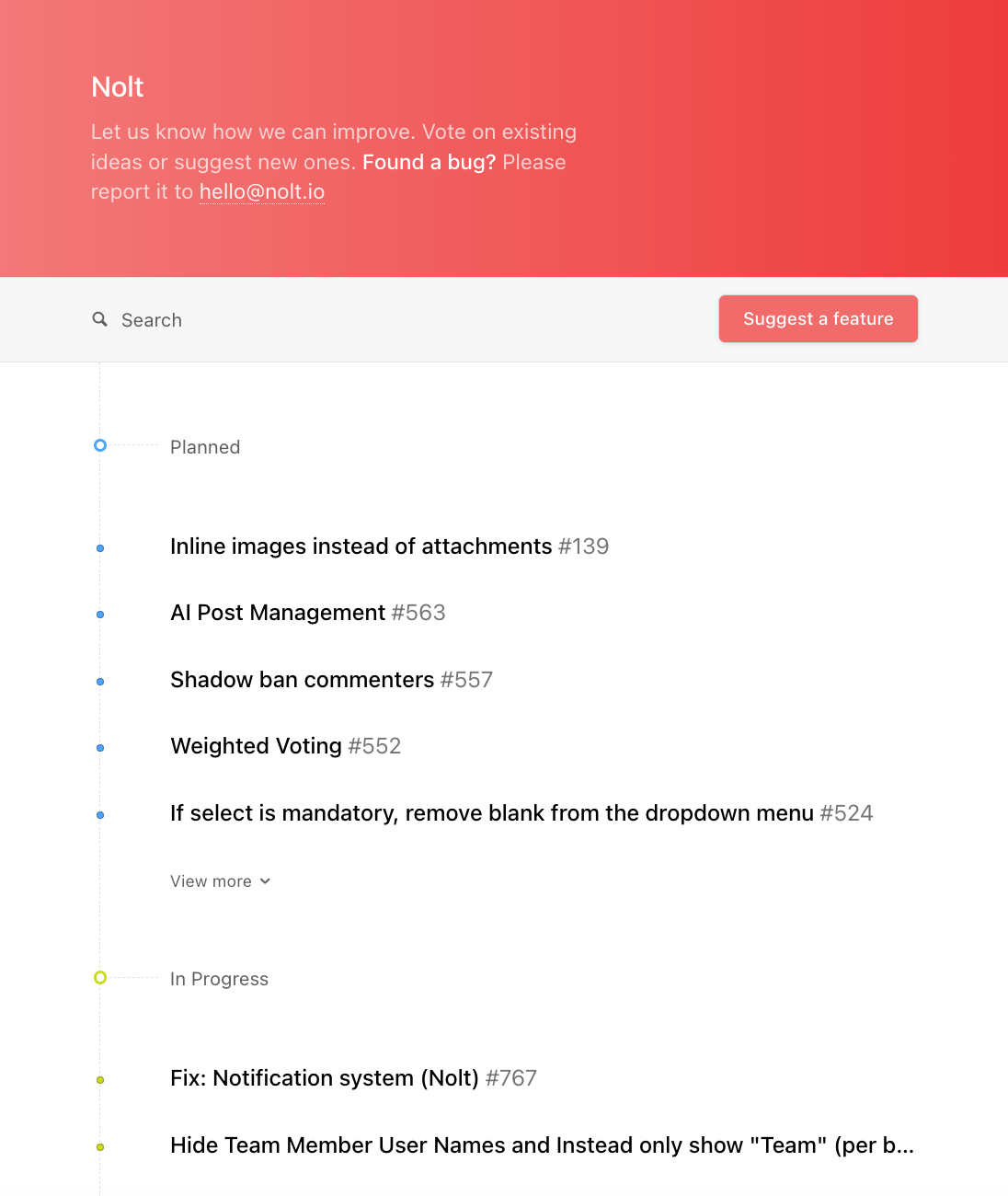
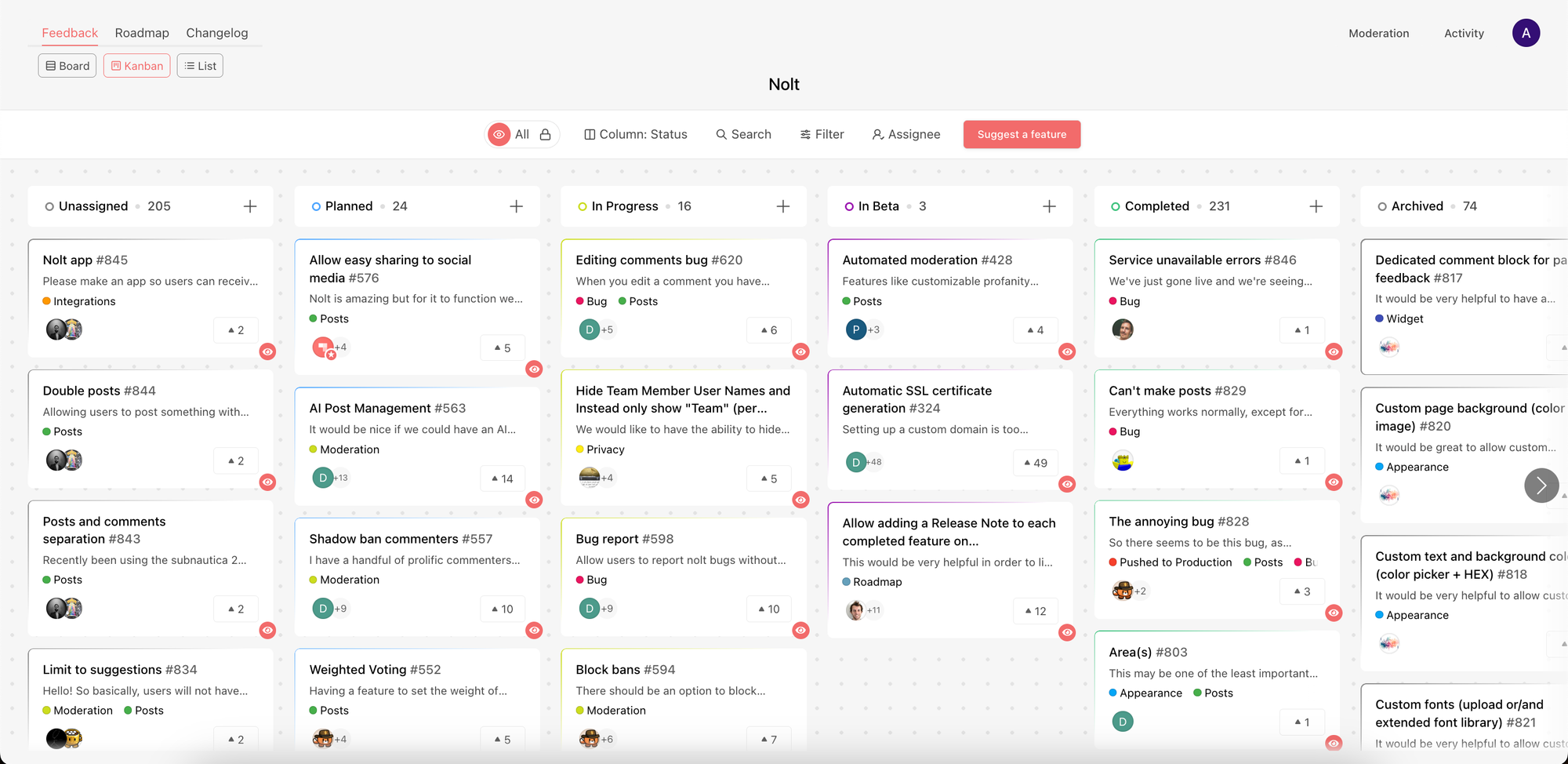
Nolt is built around a simple but powerful idea: feedback, roadmap, and changelog should be one unified system, not three separate tools. When a request moves from "under review" to "planned" to "in progress", it automatically updates the public roadmap and notifies voters along the way. When it ships, a changelog entry can publish itself automatically. This unified architecture means there's nothing to manually sync, no risk of your roadmap drifting from reality, and no admin overhead maintaining separate tools.
Key features:
- Product planning features: Organize feedback and roadmap items with Kanban and list views, bulk actions, custom fields, ownership assignment, filtering, and customer segmentation to streamline product planning and decision-making.
- Public board management features built for scale: Includes anonymous voting, duplicate detection and merging, moderation tools, content reporting, and advanced search to keep public feedback boards clean and actionable as submissions grow
- Embeddable roadmap widget: Collect feature requests and feedback directly inside your app or website without sending users elsewhere
- Developer-friendly extensibility: Offers webhooks, a GraphQL API, and an MCP server for teams that want to build custom integrations or connect Nolt into internal workflows and AI tooling
- Extensive integrations ecosystem: Connects with nearly every major tool in a modern product stack, including Slack, Discord, Microsoft Teams, Intercom, Jira, Linear, Monday.com, Asana, GitHub, Trello, Zapier, Make, Pabbly, Google Sheets, Microsoft Excel, Zoho Sheets, Google Analytics, Plausible Analytics, Fathom Analytics, and Matomo Analytics. Teams can also integrate with their identity infrastructure using SAML SSO, OpenID Connect (OIDC), and SCIM provisioning.
Nolt pricing
Nolt charges a flat monthly rate — no per-seat fees — which makes it one of the most cost-predictable tools in this category, particularly if you're running a public board you want customers to actually engage with.
| Plan | Monthly | Annual |
|---|---|---|
| Essential | $39/mo | $29/mo ($348/yr) |
| Pro | $89/mo | $69/mo ($828/yr) |
| Enterprise | Custom | Custom |
*Pricing as of June 2026.
Limitations
- No free plan: after the 10-day trial, pricing starts at $39/month
- Doesn't include prioritization frameworks like RICE scoring
- Analytics and reporting are relatively lightweight, though data export is supported for teams that want to analyze feedback in external tools like spreadsheets
Best for
Product teams that want a full-featured public feedback board with voting, roadmaps, changelogs, and customer segmentation — without per-seat pricing or the complexity of heavyweight product management platforms. It’s a particularly strong fit for SaaS teams, developer-focused products already using GitHub, game developers managing communities through Discord, and companies that want a clean, well-integrated system that unifies feedback, roadmap updates, and changelogs in one place.
Canny: Best for AI-powered feedback capture
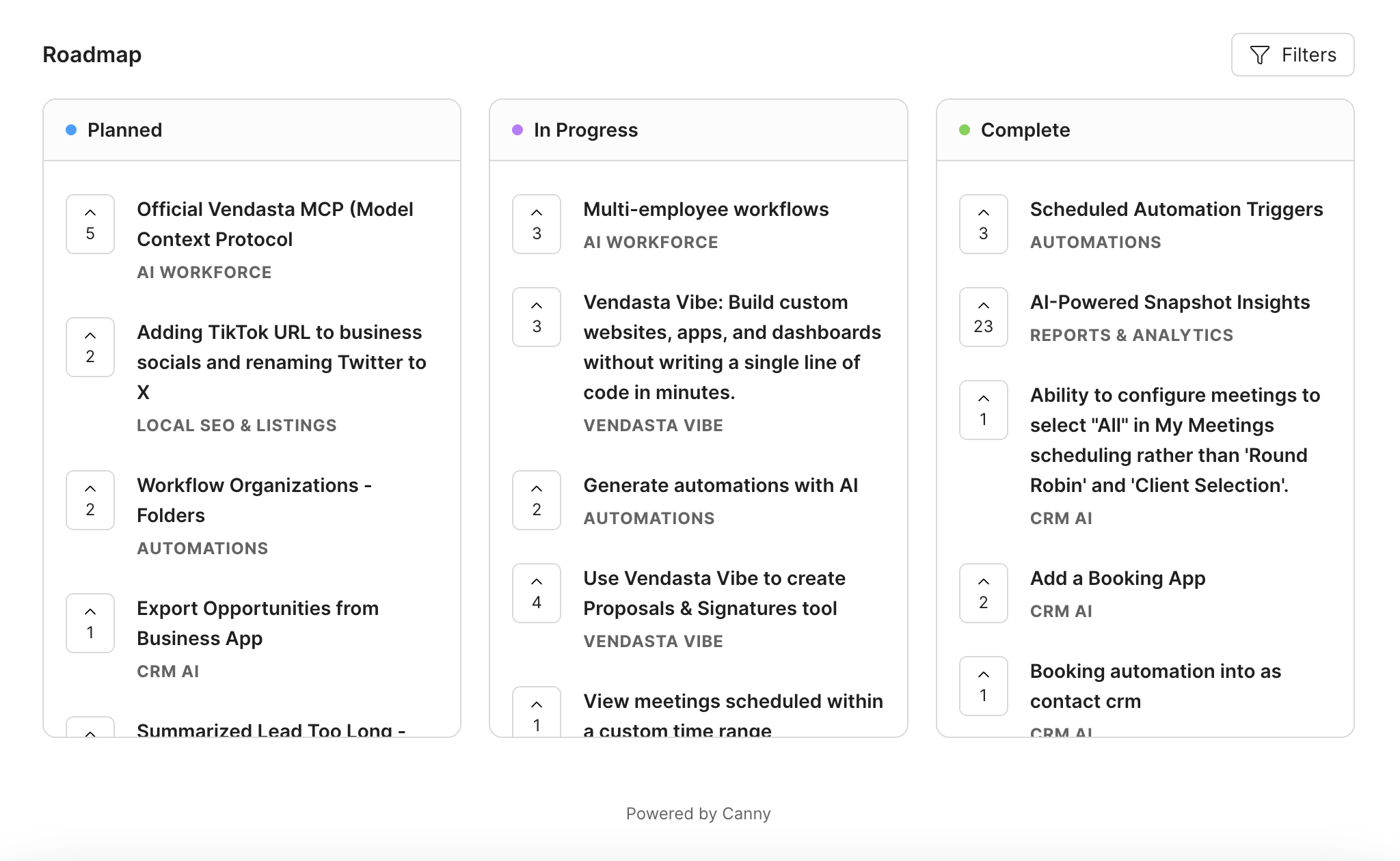
Canny has been around long enough to be one of the default comparison points for most teams evaluating feedback tools. The core workflow is familiar: users submit requests, vote on ideas, and see a public roadmap. Your team reviews submissions, updates statuses, and communicates progress via a built-in changelog.
Key features:
- AI feedback capture (Autopilot) — automatically pulls feedback from Intercom, Zendesk, Gong, and other support tools, creates posts, and attributes them to the right users.
- Internal roadmap with scoring — flexible prioritization using RICE, Impact/Effort, or custom scoring models; admin-only and never visible to end users
- AI smart replies and summaries — available on Pro and above, letting teams respond to and summarize feedback at scale
Canny pricing
The tracked-user pricing model: Canny charges per tracked user — anyone who submits, votes, or comments.
| Plan | 25 Users | 700 Users | 2,000 Users | 5,000+ Users |
|---|---|---|---|---|
| Free | $0/mo | — | — | — |
| Pro | $79/mo* | $379/mo | $729/mo | — |
| Business | — | — | — | Custom pricing |
*Prices shown reflect Canny's annual billing rates as of June 2026. Pro includes 100+ tracked users and pricing increases as your tracked user count grows.
For public-facing roadmaps and feedback portals, it's worth factoring in how pricing scales with engagement. The free plan is limited to 25 tracked users, so most teams will need to start on the $79/month Pro plan. As more customers submit feedback, vote, and comment, monthly costs increase accordingly.
Limitations
- Tracked-user pricing can become expensive: Unlike flat-rate tools, pricing scales with user engagement, which can become costly for public feedback boards designed to encourage voting and participation
- No truly anonymous voting: Users must create or use an account to vote and interact with feedback posts
Best for
Product teams that want AI-powered feedback capture and prioritization frameworks, and whose user base is small enough—or predictable enough—that tracked-user pricing remains manageable.
Also worth mentioning
UserVoice differentiates itself with enterprise-focused capabilities such as customer segmentation and AI-powered customer intelligence. Featurebase stands out by combining feedback management with surveys, a knowledge base, changelogs, and AI-powered support tools, making it more of an all-in-one customer feedback and support platform.
Dedicated product management tools
Dedicated product management tools are built for internal alignment — connecting what gets built to why it gets built. Unlike public feedback boards, the primary audience is your team and stakeholders, not your customers. These tools go deep on strategy: OKR linking, prioritization frameworks, capacity planning, and multi-stakeholder views. They're powerful, but that power comes with complexity and cost that isn't justified for every team.
Productboard: Best for OKR-aligned roadmap strategy
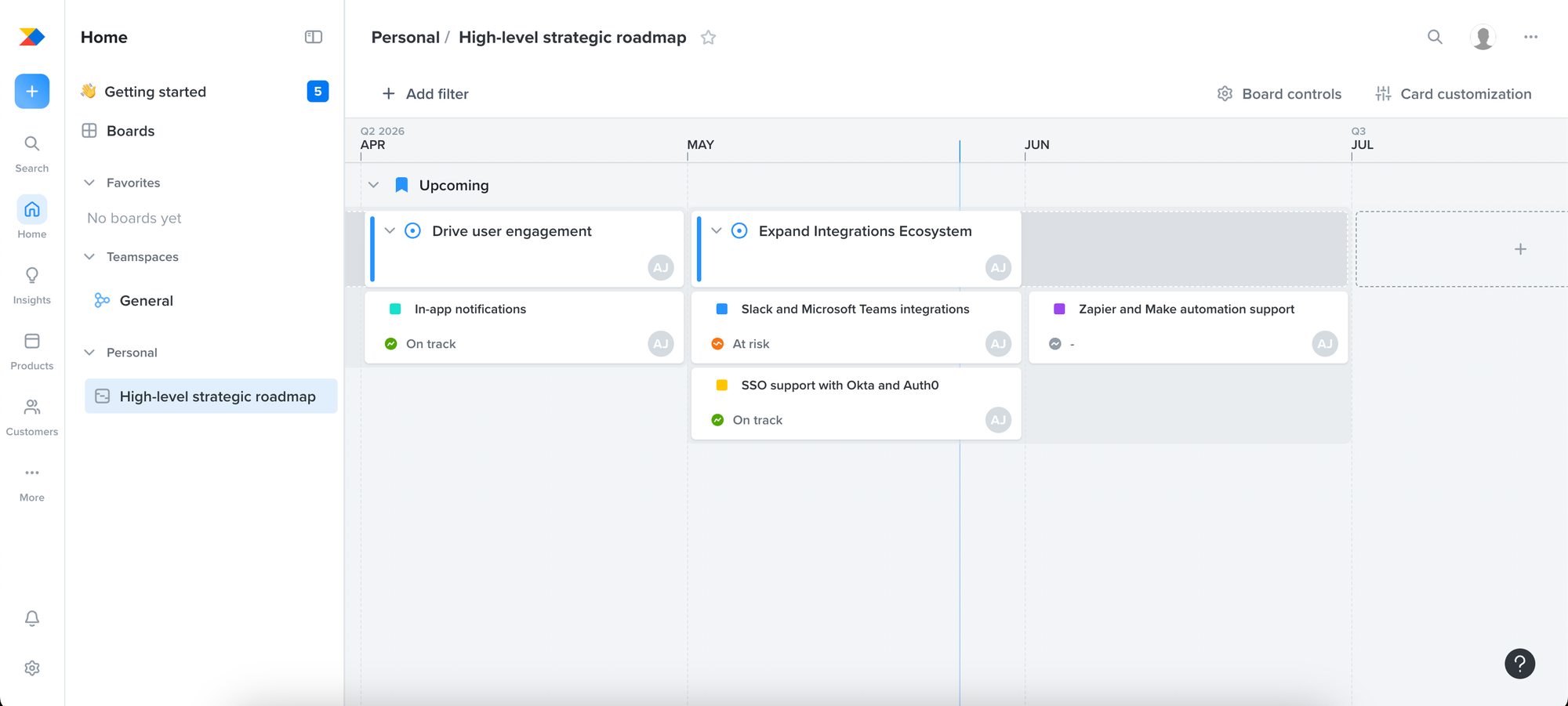
Productboard is built around one core idea: the features you build should connect directly to customer needs. It centralizes feedback from Salesforce, Zendesk, Intercom, and other sources, lets you score and prioritize features against business goals, and gives different stakeholders — engineering, design, leadership — tailored roadmap views.
Key features:
- OKR and initiative alignment — connect roadmap items to strategic objectives and link initiatives to supporting documents directly from the initiative sidebar
- Spark AI — Productboard's agentic AI assistant, launched in public beta in January 2026, that generates PRDs using context from your features, customer feedback, and linked roadmap items; runs competitive analyses and synthesizes customer feedback into research reports.
- Contributor roles are free — contributors can view roadmaps, submit feedback, and leave comments without counting toward your maker limit, which makes stakeholder visibility affordable
Pricing:
Productboard revamped its pricing in 2026 around a single plan called Spark at $15/maker/month billed annually, or $19/maker/month billed monthly.
| Plan | Monthly Pricing | Annual Pricing |
|---|---|---|
| Starter | Free | Free |
| Spark (Beta) | $19/maker/mo | $15/maker/mo |
| Essentials | $25/maker/mo | $19/maker/mo |
| Pro | $75/maker/mo | $59/maker/mo |
| Enterprise | Custom | Custom |
*Pricing as of June 2026.
Limitations:
- Steep learning curve: The interface is powerful but complex, and onboarding a team typically takes weeks rather than days
- No native changelog functionality: Productboard focuses heavily on feedback collection and roadmap planning, but lacks a built-in way to communicate shipped features back to customers
- Per-maker pricing scales quickly: Costs increase with every team member who needs editing access, which can become expensive as adoption grows across product, support, and leadership teams
Best for:
Mid-market and enterprise product teams that need to systematically connect high-volume customer feedback to roadmap strategy, justify priorities to leadership with evidence, and coordinate planning across multiple teams or product lines. Less well-suited to smaller teams or those whose primary need is a customer-facing roadmap — the strategic depth that makes Productboard powerful for large orgs adds friction and cost that a simpler tool doesn't.
Aha!: Best for enterprise product teams that need strategy-to-execution alignment
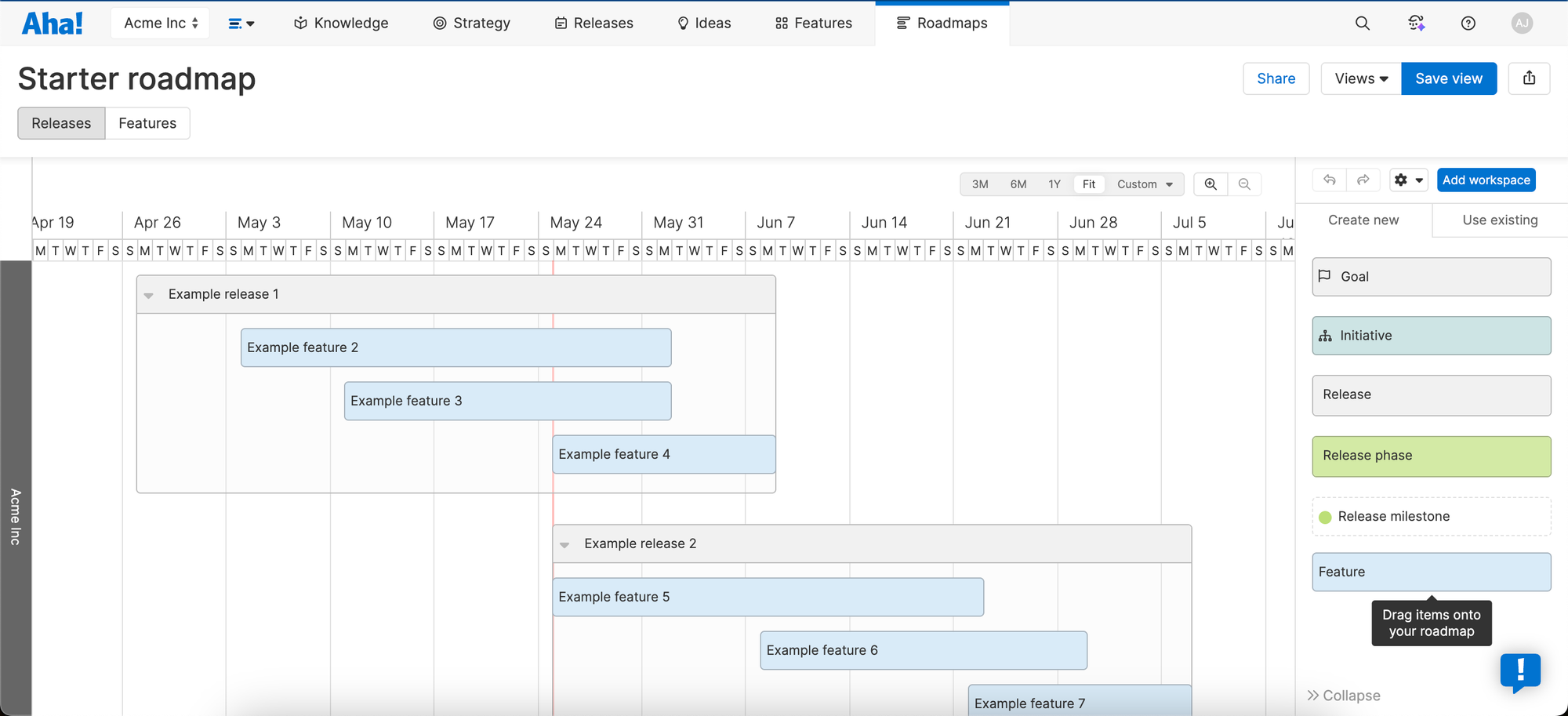
Aha! Roadmaps is a complete product management suite — a single source of truth for setting strategy, capturing ideas, prioritizing features, and sharing visual plans. It's the most comprehensive tool in this category by a significant margin — covering roadmaps, idea portals, customer research, whiteboards, knowledge bases, capacity planning, and release management under one roof, all connected by a strategy model that ties every feature back to a business objective.
Key features:
- AI assistant — draft roadmap plans, generate goal progress summaries, build strategic plans backed by market and customer research, and analyze feedback themes, all from within your Aha! workspace
- Capacity planning — models team bandwidth against roadmap scope, helping teams set realistic release timelines and avoid overcommitting engineering resources
- Release management — group features into shippable increments with scope, dates, status tracking, and dependency management across teams
- Whiteboards and Knowledge base — both included in the Roadmaps plan at the Essentials tier, giving teams a place to brainstorm and document without switching tools
Pricing
No free plan — only a 30-day free trial.
| Product | Starting price |
|---|---|
| Aha! Roadmaps (includes Ideas, Whiteboards & Knowledge Essentials) | $59/user/mo |
| Aha! Discovery | $39/user/mo |
| Aha! Ideas (includes Whiteboards & Knowledge Essentials) | $39/user/mo |
| Aha! Builder | $59/user/mo |
| Aha! Knowledge | $18/user/mo |
| Aha! Whiteboards | $9/user/mo |
| Aha! Develop | $9/user/mo |
| Aha! Teamwork | $9/user/mo |
| Enterprise | Custom |
If you want both Roadmaps and Discovery, that's $98/user/month before you reach Enterprise. Costs at scale are significant: a 10-person team on Roadmaps pays $590/month ($7,080/year); a 20-person team pays $1,180/month ($14,160/year). Aha! also applies an annual price increase of approximately 3%, which compounds over multi-year contracts.
Limitations:
- High complexity and long onboarding: Most teams spend weeks configuring Aha! before getting meaningful value, and the large number of customization options can feel overwhelming
- UI feels dated in places: The interface, especially roadmap views, can feel less modern compared to newer roadmap tools
- Advanced feedback research requires extra modules: Features like interview studies, transcript analysis, and participant management are locked behind the separate Aha! Discovery product
- Feature bloat vs actual usage: Many teams end up paying for a large platform while only using a small portion of its capabilities
Best for
Large enterprise product organizations — typically 20+ product team members — that need a complete strategy-to-execution system: OKR alignment, portfolio management across multiple products, capacity planning, and deep dev tool integration, all from one platform. Teams with a dedicated product operations function to manage the tool will get the most from it. Smaller teams or those whose primary need is a customer-facing roadmap will be paying for a significant amount of capability they won't use.
Also worth mentioning:
ProdPad offers a more accessible entry point into dedicated product management at $44/user/mo for roadmapping with OKRs and metrics included. It's a strong fit for lean product teams who want outcome-based roadmapping without Aha!'s enterprise complexity. Airfocus is worth evaluating for teams who need highly modular, scoring-heavy prioritization with customizable roadmap interfaces.
Best general productivity tools with roadmap features
Most teams don't start by looking for a roadmap tool — they already have a project management tool and want to know if it's enough. For many teams, it is. Jira, ClickUp, and Notion all have roadmap features built in, and if your team is already living in one of them, adding another tool may create more friction than it solves.
The tradeoff is that these tools are built primarily for internal execution, not customer-facing transparency. None of them have a native public feedback board, customer voting, or a changelog that notifies users when something ships. Teams that need those capabilities alongside their project management workflow typically pair one of these tools with a dedicated feedback board.
Jira: Best for engineering-led roadmaps
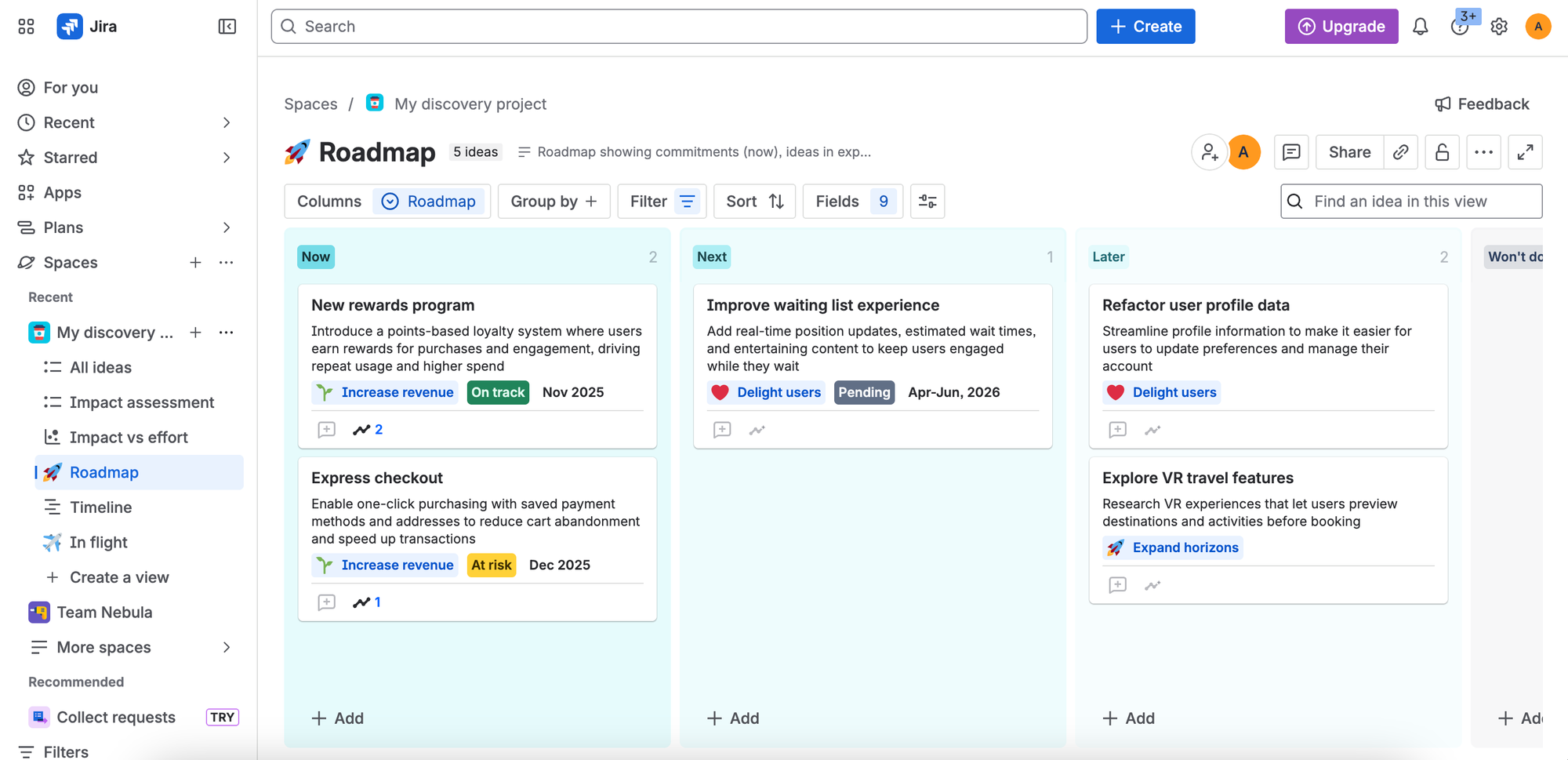
Jira is the default tool for software development teams and has been for over a decade. It's one of the most powerful project and issue tracking platforms trusted by agile teams across the globe, used by small startups managing product sprints and large enterprises scaling complex operations alike. The roadmap feature — Advanced Roadmaps — lets teams visualize work across multiple teams, track dependencies, and plan releases against a timeline.
The key thing to understand about Jira's roadmap is that it's an internal planning view built on top of your existing issues, epics, and sprints. It's powerful for engineering alignment but not designed to be shared with customers.
Key features:
- Native dev workflow integration — roadmap items connect directly to epics, sprints, and backlogs. When engineering moves work forward, the roadmap reflects it automatically
- Advanced Roadmaps — cross-project planning that visualizes delivery timelines and manages team capacity across multiple teams, available on Premium
- Atlassian ecosystem — deep native connections with Confluence for documentation, Jira Service Management for support, and Bitbucket and GitHub for code — the entire development lifecycle in one stack
- Jira Product Discovery — teams that need structured idea management, customer insight capture, and prioritization within the Atlassian ecosystem should evaluate Jira Product Discovery alongside Jira Software.
Pricing:
| Plan | Price |
|---|---|
| Free | $0 (up to 10 users) |
| Standard | $7.91/user/mo |
| Premium | $14.54/user/mo |
| Enterprise | Custom |
Limitations: Jira's flexibility is one of its biggest strengths, but many organizations extend it with Marketplace apps to support customer feedback, portfolio planning, advanced reporting, and other business-specific requirements. These additional apps can significantly increase the total cost of ownership. Jira also lacks built-in public feedback boards, customer voting, and customer-facing changelogs. While product managers and engineers often appreciate its depth, non-technical stakeholders can find the interface and workflows overwhelming compared to tools like Asana, Monday.com, or Notion.
Best for: Software development teams that need sprint planning, backlog management, and roadmaps tightly connected to engineering execution. Jira is particularly compelling for organizations already using the Atlassian ecosystem, where integrations with Confluence, Jira Service Management, Bitbucket, and Jira Product Discovery create a unified workflow. Teams evaluating roadmap tools from scratch should weigh Jira's flexibility and power against its learning curve and growing ecosystem commitment.
ClickUp: Flexible, budget-friendly roadmap software
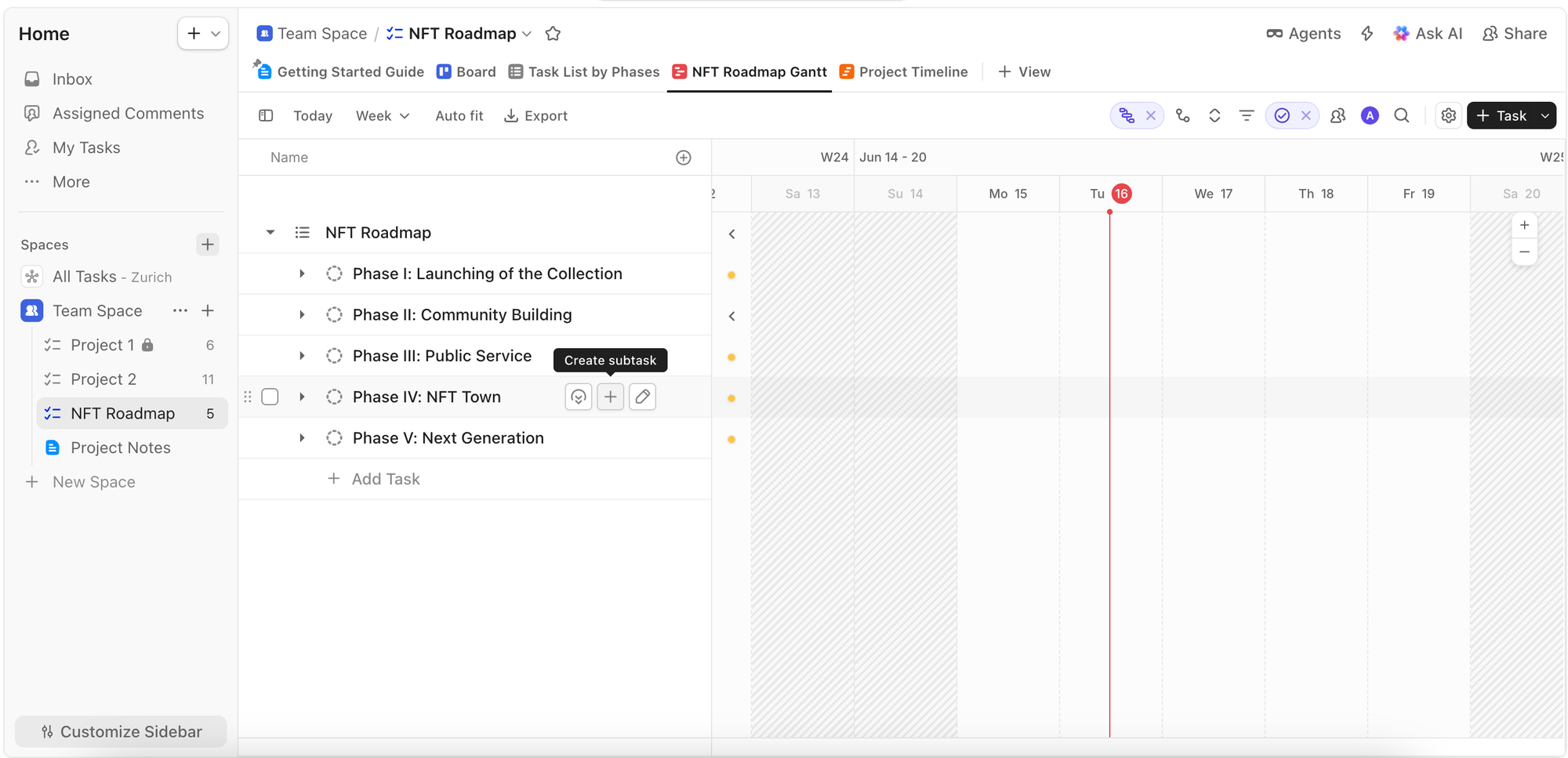
ClickUp has evolved into a serious "work OS" contender standing tall against older incumbents like Asana, Jira, and Trello — often at a fraction of the cost. Where Jira is built around engineering workflows, ClickUp is designed to work for any team — product, marketing, operations, design — with a highly flexible structure that adapts to how you work rather than imposing a rigid process.
For roadmapping specifically, ClickUp offers multiple views — kanban, Gantt, timeline, list, and calendar — all built on the same underlying tasks and goals data. A roadmap in ClickUp is essentially a view of your work organized by priority and timeline, which means it stays in sync with execution automatically.
Key features:
- One tool for everything — tasks, docs, goals, time tracking, dashboards, and roadmaps in a single workspace, reducing the number of tools a team needs to maintain
- Generous free plan — unlimited users and tasks on the free plan, genuinely impressive compared to competitors like Asana and Monday
Pricing:
| Plan | Price (annual) |
|---|---|
| Free Forever | $0 |
| Unlimited | $7/user/mo |
| Business | $12/user/mo |
| Enterprise | Custom |
Limitations: ClickUp's flexibility is both its greatest strength and its biggest challenge. Teams can customize almost every aspect of the platform, but that often comes with a significant setup and maintenance burden before workflows feel polished.
Best for: Cross-functional teams that want tasks, documentation, goals, and roadmaps in a single platform. ClickUp is particularly well-suited to organizations looking to consolidate multiple tools into one workspace and value flexibility over opinionated workflows. It's a strong choice for product, marketing, operations, and design teams that need shared visibility without the engineering-centric focus of Jira.
Also worth mentioning:
Notion is one of the most flexible tools in this category, functioning as a wiki, database, project manager, and note-taking platform in one. Many startups and small teams use database views and community templates to build lightweight roadmaps without adopting a dedicated product management tool. It's a particularly strong option for teams already using Notion as their internal workspace. Linear is worth evaluating for engineering-led organizations that find Jira too complex or cumbersome — it's fast, opinionated, and purpose-built for software development, with planning and roadmap capabilities tightly integrated into the development workflow.